You can connect a LinkedIn account to Salesforge without typing a password or entering a LinkedIn verification code. Instead, you use the session from a browser where you are already logged in to LinkedIn, and the account connects in one go.
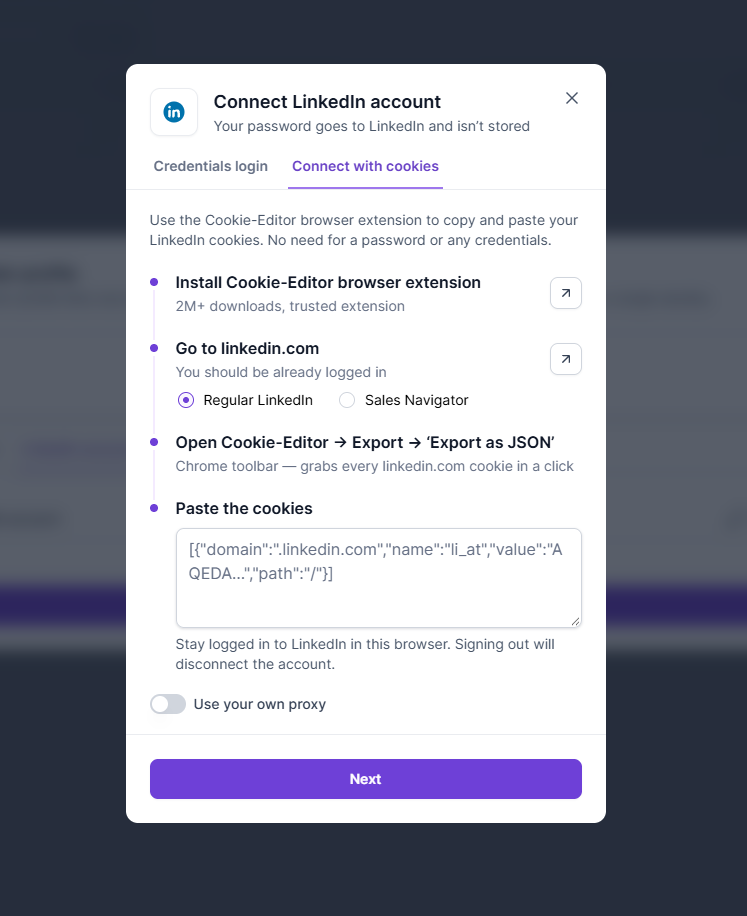
Open a sender profile and click Connect LinkedIn. In the pop-up, choose the Connect with cookies tab.
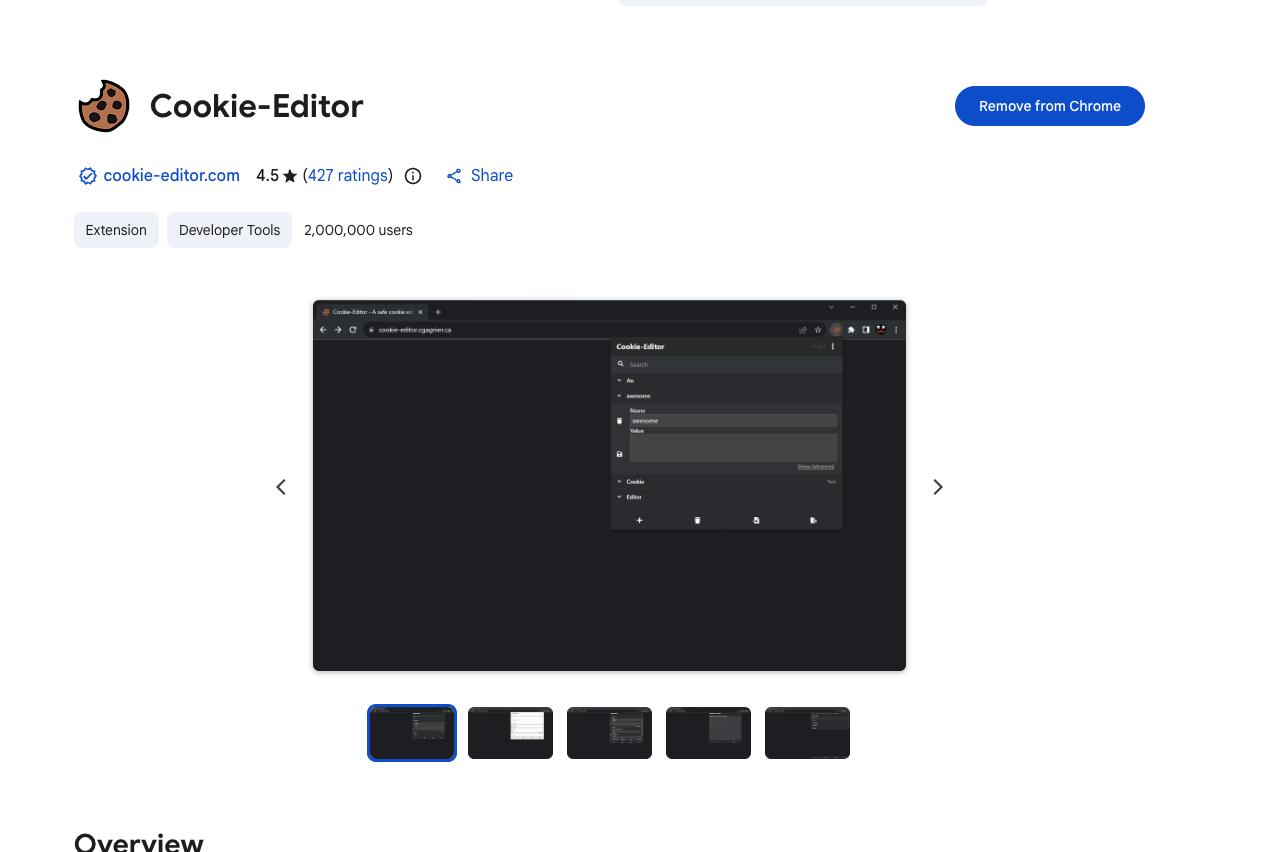
Install the free Cookie-Editor browser extension from the Chrome Web Store (or your browser's extension store).
Go to linkedin.com in a browser where you are already logged in. In Salesforge, select whether the account is a Regular LinkedIn or a Sales Navigator account.
On linkedin.com, click the Cookie-Editor icon in your browser toolbar. If you do not see it, open the extensions menu (puzzle icon) and pin Cookie-Editor.
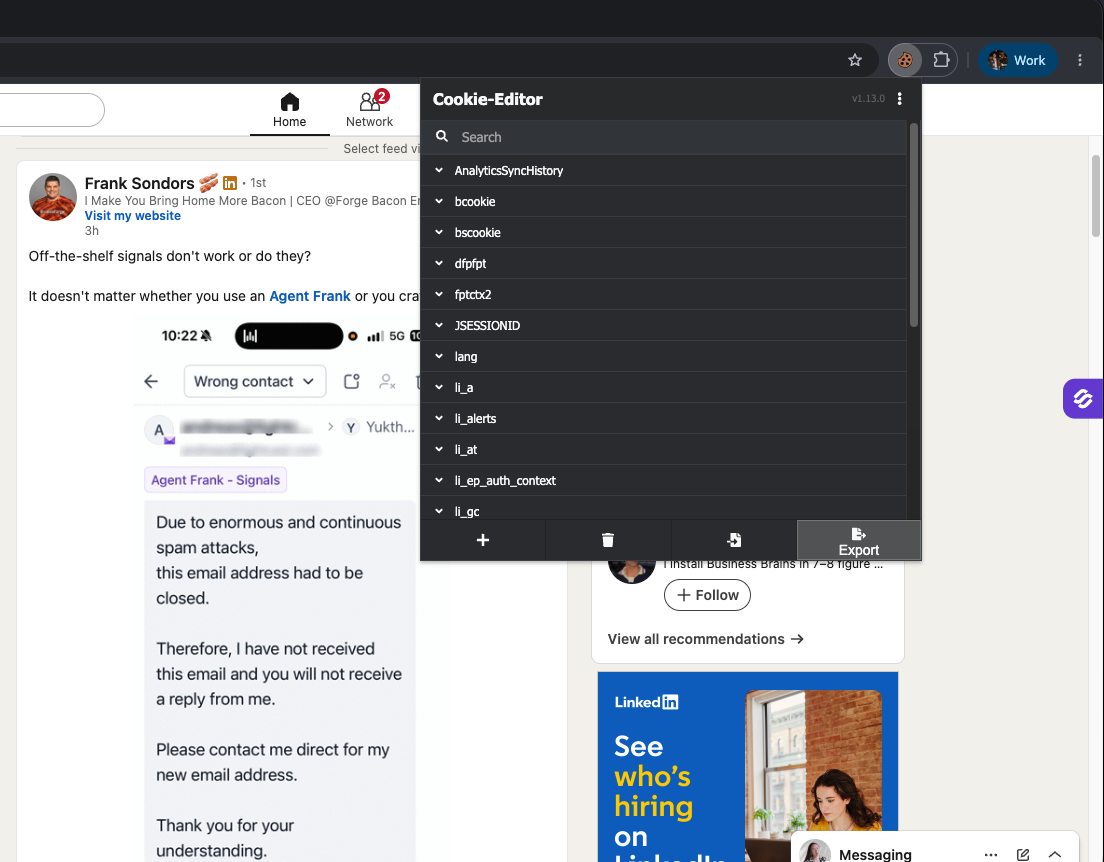
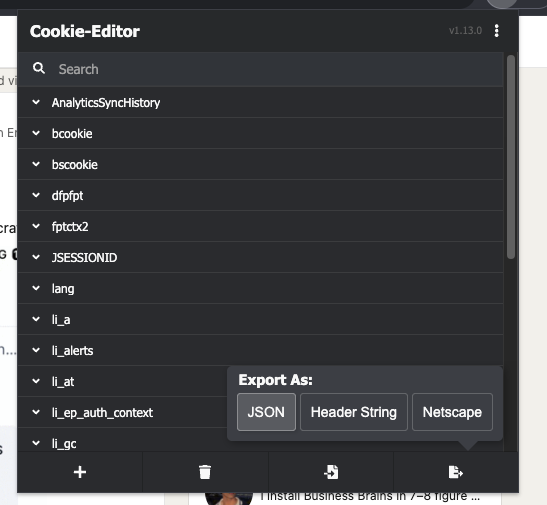
Click Export and choose JSON (Export as JSON). This copies every linkedin.com cookie.
Back in Salesforge, paste the cookies into the field and click Next.
Check the profile that is about to be connected (name, photo and headline) to confirm it is the right account.
The account connects right away. There is no verification code.
The pop-up also has a Use your own proxy toggle. To learn when a custom proxy makes sense, see Using Your Own Proxy for LinkedIn.
No password shared. You never type your LinkedIn password into Salesforge.
No security codes. There are no verification codes and fewer login checks from LinkedIn.
Your browser stays logged in. Connecting, disconnecting or reconnecting the account never logs you out of LinkedIn in your browser.
Sales Navigator keeps working. Sales Navigator accounts reuse your existing Sales Navigator session, so you are not kicked out of Sales Navigator in your browser.
Do not sign out of LinkedIn in the browser you exported from. Signing out disconnects the account in Salesforge. If that happens, reconnect with fresh cookies.
Using Sales Navigator? Open Sales Navigator once in that browser before you export the cookies.
You can switch methods. When you reconnect an account, you can switch between cookies and email + password at any time.
Available in more places. Cookie connection also works with magic links, in the public API and in MCP.
Disconnect vs Delete. Disconnect keeps the account so you can reconnect it later with its limits and history intact. Delete removes it completely.
To learn more about sender profiles, see Sender profiles in Salesforge. If a connected account stops working, see Reconnect disconnected mailboxes and LinkedIn accounts.