Magic Link makes it easy to connect LinkedIn accounts without requiring the account owner to access your Salesforge workspace directly.
Instead of sharing credentials or coordinating account access, you can generate a secure connection link and send it to the person whose LinkedIn account needs to be connected. They can then complete the connection process through a dedicated page.
This is especially useful for agencies, teams, and client-managed outreach workflows.
Generate a Magic Link from a location where Sender Profiles can be added.
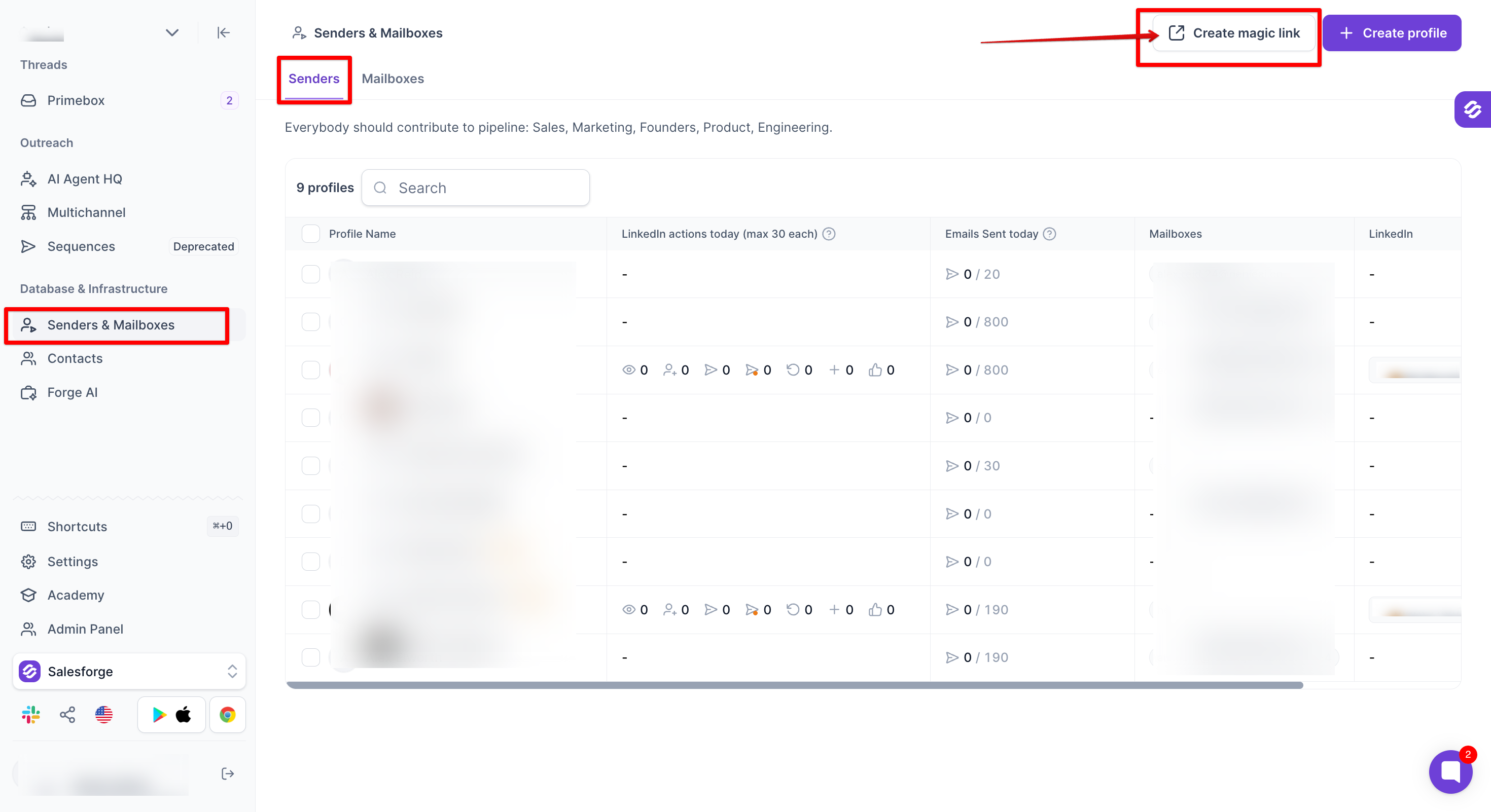
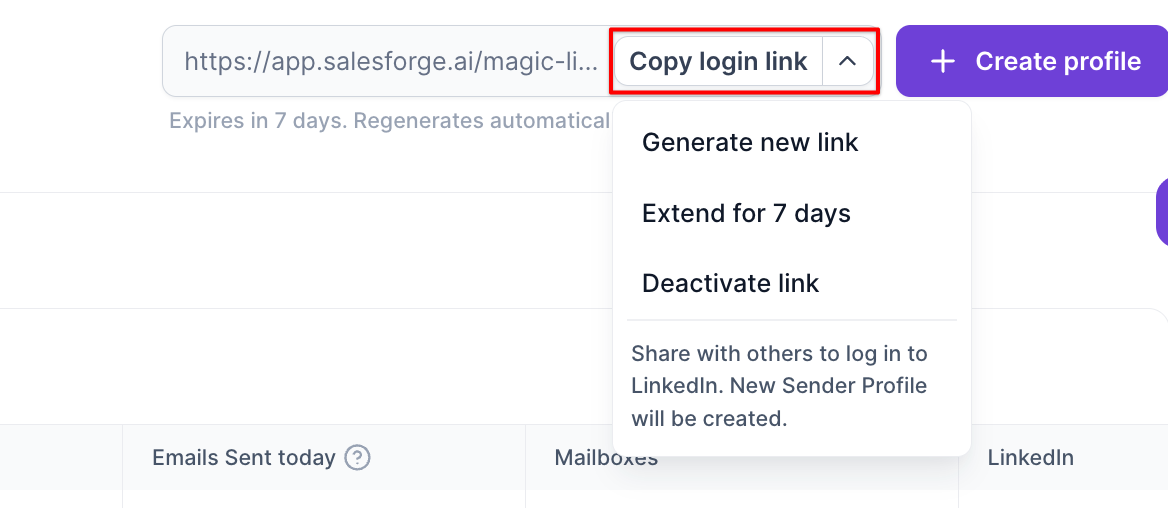
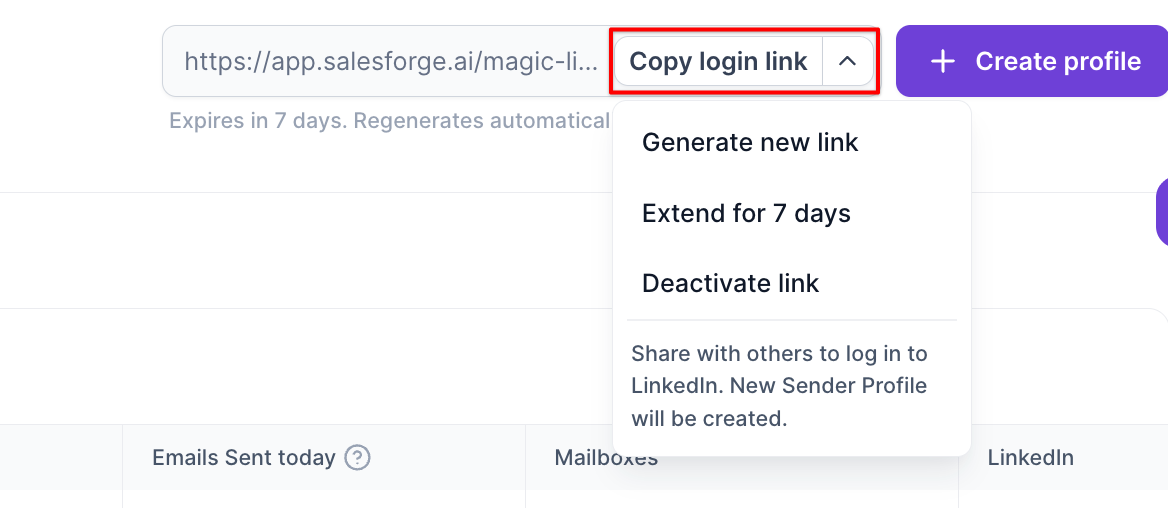
Copy and share the link with the person who will connect their LinkedIn account.
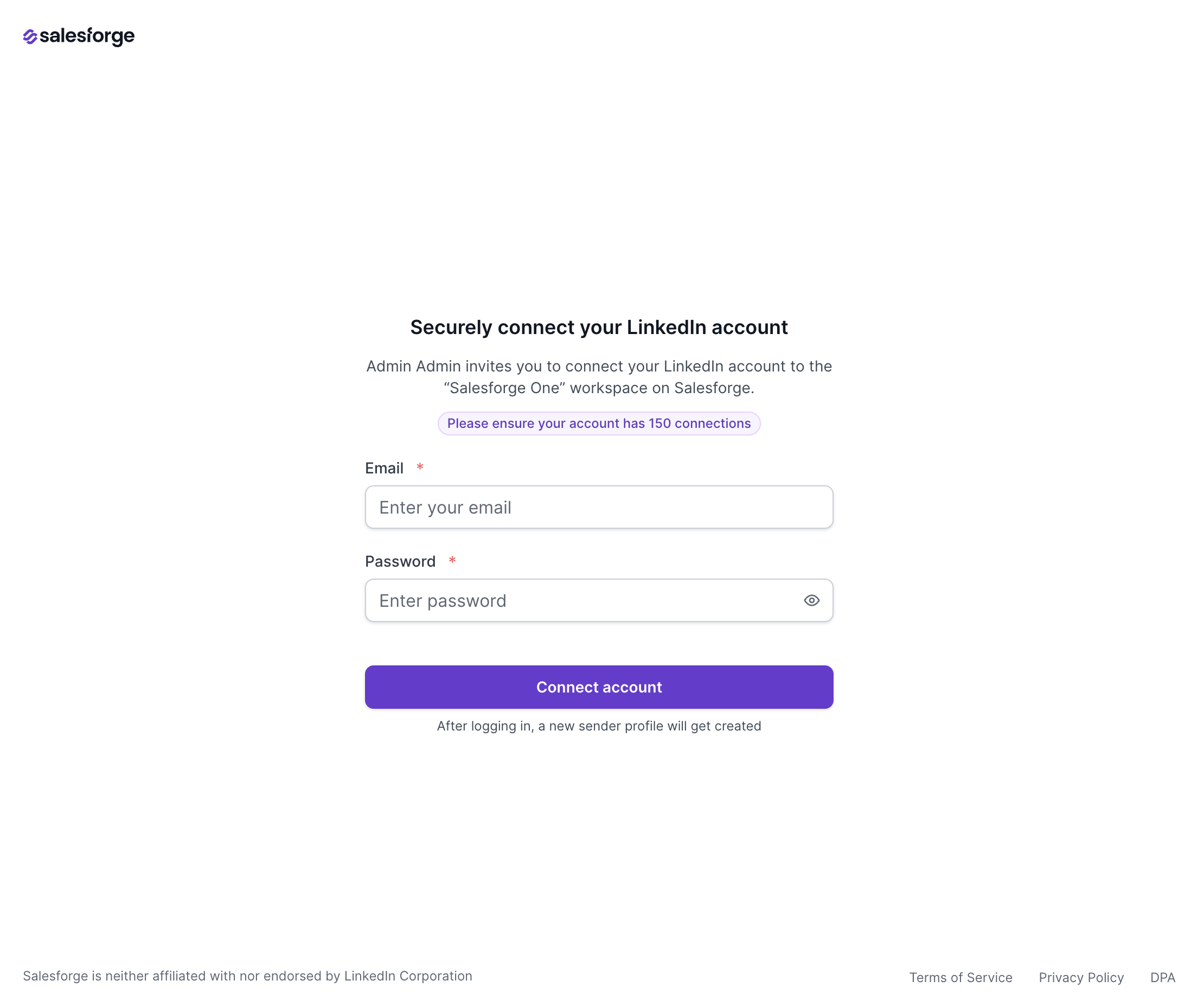
The recipient opens the link in their browser and completes the LinkedIn connection process.
Once completed, a new Sender Profile is created and becomes available in your workspace.
Magic Links are available anywhere LinkedIn Sender Profiles can be added, including:
Sender Profiles page
Multichannel Sequence → Senders step
Agent Frank → Channels step
After creating a Magic Link, you can:
Copy and share the link
Generate a new link
Extend the link validity period by 7 days
Deactivate the link
When a recipient opens the Magic Link:
No Salesforge login is required
They can see who invited them to connect their account
They can review workspace information and connection details
They can complete the LinkedIn account connection process from a dedicated page
Simplify LinkedIn account onboarding
Avoid sharing workspace access with external users
Make it easier for clients and team members to connect accounts
Streamline sender profile creation
Reduce administrative overhead when managing multiple LinkedIn accounts
A new Sender Profile is created after the LinkedIn account connection is completed.
Magic Links can be regenerated or deactivated at any time.
Link validity can be extended by 7 days when needed.
The recipient does not need a Salesforge account to complete the connection process.
Use Magic Links to quickly and securely onboard LinkedIn accounts for your outreach campaigns.
