A proxy acts as an intermediary between your LinkedIn account and the internet.
By default, Salesforge uses managed proxies to help connect and operate LinkedIn accounts safely.
However, users can also choose to connect their LinkedIn account using their own proxy provider.
This gives users more control over:
IP location
Account access consistency
Network reputation
LinkedIn session management
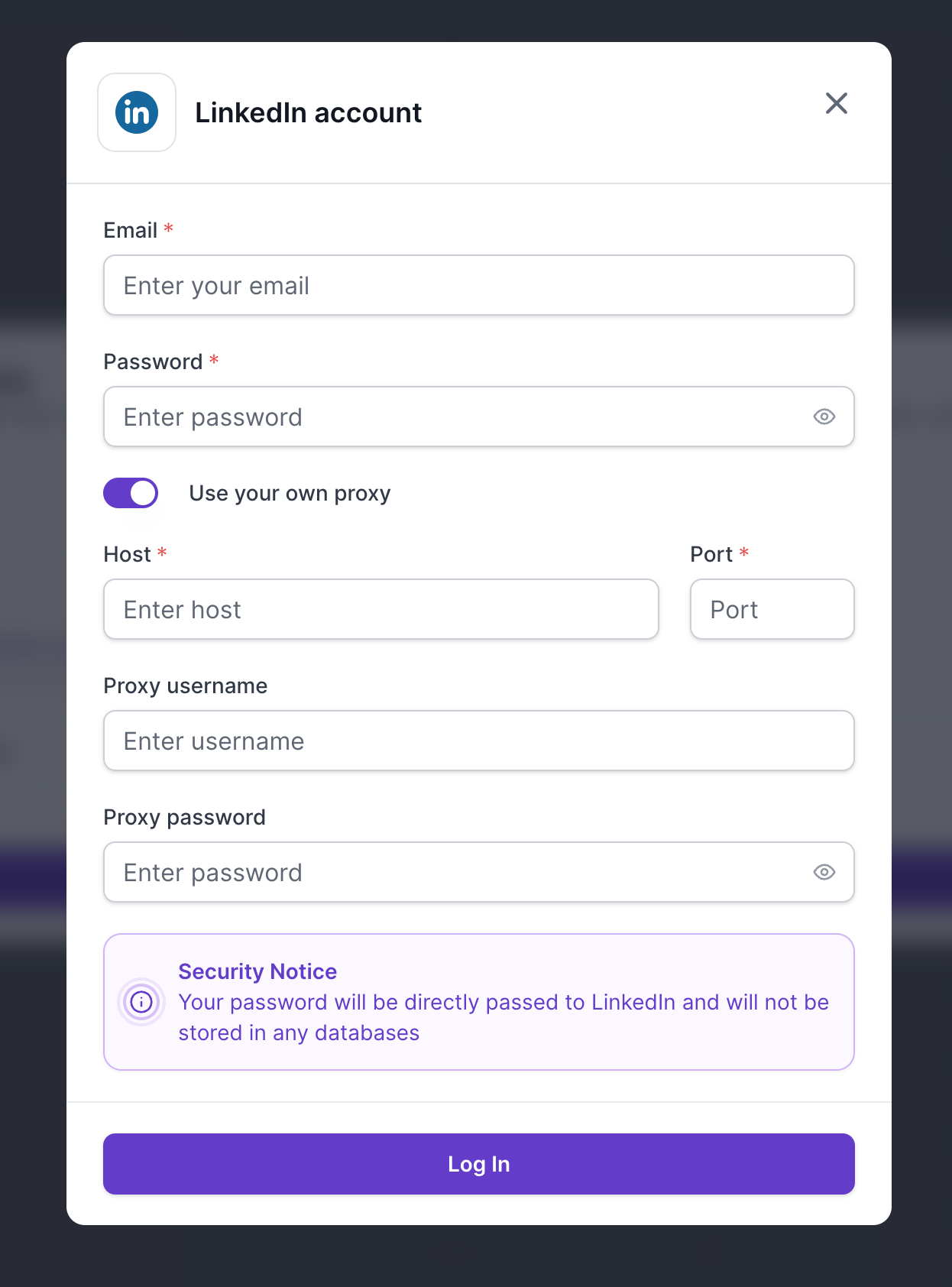
When connecting your LinkedIn account inside Salesforge:
Enter your LinkedIn email
Enter your LinkedIn password
Enable the "Use your own proxy" option
Fill in:
Host
Port
Proxy username
Proxy password
Click "Log In"
Depending on your provider, you may be able to use different types of proxies for LinkedIn connection.
Using your own proxy is optional, but some users prefer it for additional control.
Keeping LinkedIn access tied to a consistent IP address
Matching account activity to a specific country or region
Managing multiple LinkedIn accounts more safely
Using the same proxy setup across multiple tools
Reducing account security checks from LinkedIn
This is especially useful for agencies, recruiters, outbound teams, and users managing multiple LinkedIn accounts.
If you do not use your own proxy, Salesforge generally connects to LinkedIn from a location closest to where the user originally connected the account from.
Example:
If you connect your account from Germany, LinkedIn activity will usually appear from a nearby German or European location.
If you connect from the United States, LinkedIn activity will usually appear from a nearby US location.
The exact city, state, region, or country may vary depending on network availability.
If you want complete control over the exact location or IP used for account access, using your own proxy is recommended.
You can keep your LinkedIn sessions tied to a specific country or city.
This may help reduce unusual login activity warnings.
You control the proxy provider, location, IP quality, and session behavior.
Users managing multiple LinkedIn accounts often prefer separate dedicated proxies.
Some teams already use proxies across browser profiles, CRMs, and outreach tools.
Using the same proxy setup keeps activity consistent.
Low-quality proxies can cause:
Login failures
Security checkpoints
LinkedIn restrictions
Slow performance
Increased account risk
Even if a proxy works generally, it may not support LinkedIn traffic specifically.
In some cases, LinkedIn may block or reject traffic coming from certain proxy providers.
Incorrect:
Host
Port
Username
Password
can prevent successful account connection.
Shared or abused IPs may already have poor reputation with LinkedIn.
Below are some commonly used proxy providers:
Bright Data
Smartproxy
Oxylabs
SOAX
NetNut
Important:
Not every proxy type or configuration from these providers supports LinkedIn automation.
Always confirm with your proxy provider that LinkedIn traffic is supported.
If you receive an "Invalid credentials" error while connecting your LinkedIn account:
LinkedIn email and password are correct
Proxy host and port are correct
Proxy username and password are correct
The proxy provider may not support LinkedIn traffic.
This can happen even when:
The proxy itself works
The credentials are valid
Other websites load normally
In this case, contact your proxy provider and confirm:
LinkedIn access is supported
LinkedIn traffic is not blocked
Residential sessions are enabled if required
When using your own proxy:
Salesforge cannot override or change the proxy country
The connection location depends entirely on your proxy provider
Without a custom proxy, Salesforge automatically uses infrastructure closest to your connection location.
If you require a specific country for LinkedIn access, using your own proxy is the recommended approach.
To reduce the risk of LinkedIn restrictions:
Use high-quality residential proxies when possible
Keep account activity consistent
Avoid frequent location switching
Do not aggressively scale actions too quickly
Maintain realistic daily activity limits
Avoid logging in from many locations simultaneously
Consistency is one of the most important factors for LinkedIn account stability.
Using your own proxy gives you additional control over LinkedIn account access, session location, and account consistency.
For most users, Salesforge's default proxy infrastructure works well.
However, custom proxies can be beneficial for advanced users, agencies, recruiters, and teams managing multiple LinkedIn accounts across different locations.
The most important factor is using reliable, LinkedIn-compatible proxies and maintaining consistent account behavior.
