This article is about Agent Frank only. Active contacts are a limit of the Agent Frank subscription. Salesforge itself (Pro and Growth plans) has no active contacts limit.
Active contacts are the number of contacts Agent Frank can work on at the same time. An Agent Frank subscription starts at 1,000 active contacts, which means Agent Frank interacts with up to 1,000 people at any given time. If you need more, you can keep adding 1,000 active contacts at a time.
You can see and change your active contacts in Settings > Usage, with the AI Agent contacts slider.
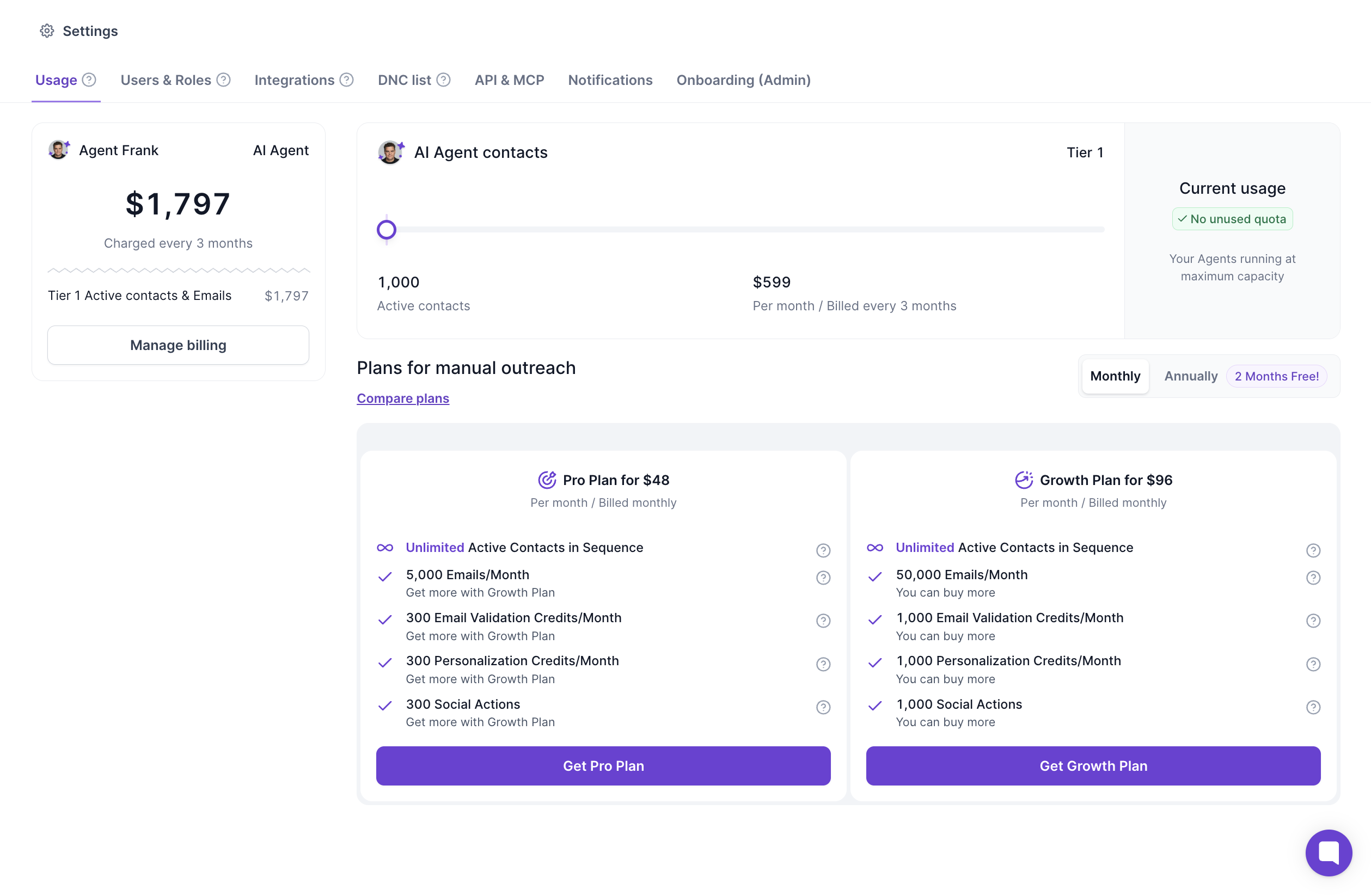
Every contact has a status. Only contacts with the Active status count as active contacts. A contact is Active while it is in an Agent Frank sequence and moving through the steps. As soon as the status changes to anything else, the contact stops counting and that slot becomes free for the next contact.
Counted as active:
Active: Leads progressing through the sequence normally.
Not counted as active (every other status):
Completed: Leads that have finished all sequence steps.
Interrupted: Leads whose sequence was stopped before they finished it.
Replied: Leads who responded to outreach, halting further steps.
Out of office: Leads with an out-of-office reply, paused until their out-of-office period ends.
Unsubscribed: Leads that opted out of communications.
Do not contact: Leads on your Do Not Contact list.
Bounced: Leads whose email failed delivery.
Paused: Leads on hold, awaiting reactivation.
Summary: Active is the only status that counts as an active contact.
Active contacts are about how many contacts are in progress at one time, not how many you reach in total. Agent Frank usually sources and processes its 1,000 active contacts in about 2 weeks, and then keeps finding the next 1,000.
So with the 1,000 active contacts plan, Agent Frank usually works through about 2,000 contacts in a month. This is an estimate. Depending on your outreach, it can be less or more. Each email is written uniquely for every lead.
If you run more than one Agent Frank agent, you decide how many of your subscription's active contacts each agent can use. This lets you give more capacity to the plays that matter most.
When you create an agent: on the Channels step, choose how many active contacts the new agent can use. It defaults to the quota you have free.
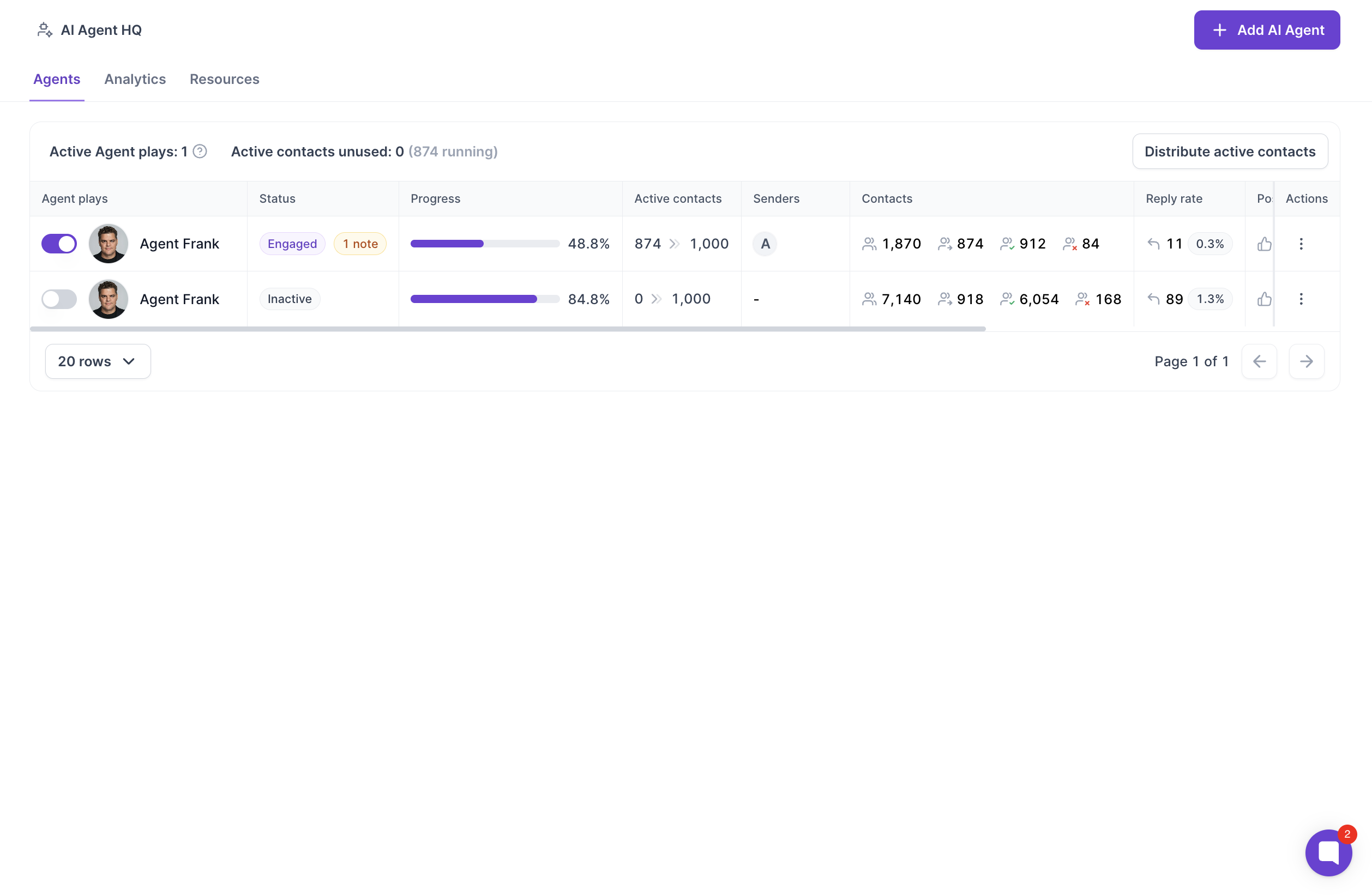
Any time later: in AI Agent HQ, click Distribute active contacts to see every agent's allocation and adjust them side by side.
Steps of 100: allocate in steps of 100, with a minimum of 100 per agent. Use the slider or type a number.
The agents table in AI Agent HQ shows each agent's allocation in the Active contacts column, so you can see the split at a glance. The line above the table shows how many active contacts are unused and how many are running.
In the Distribute active contacts window, each agent has a slider and a number field. The window also shows your current subscription and any unused quota. Click Confirm distribution to save, or Manage subscription if you need more active contacts.
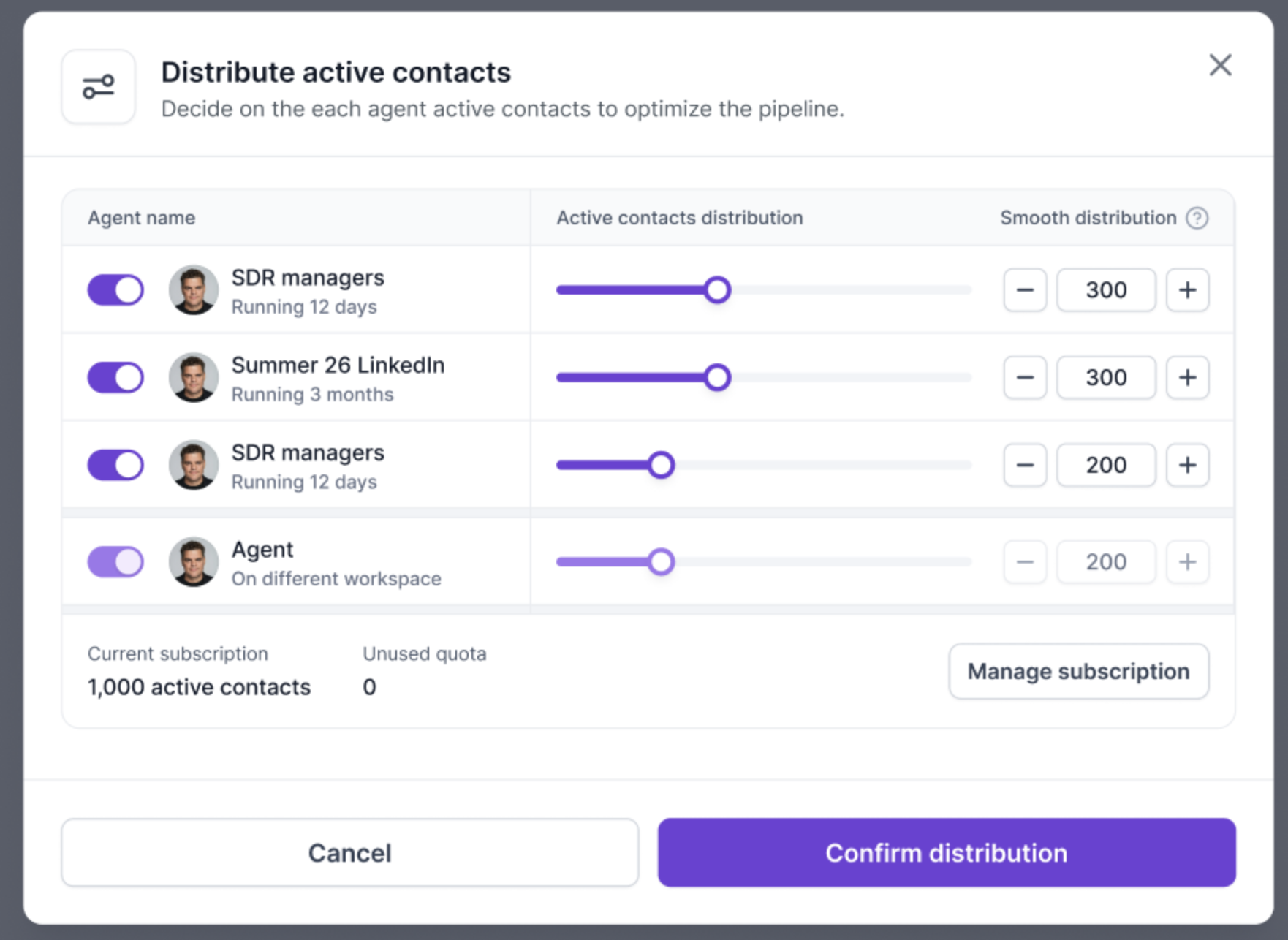
If an agent's allocation needs more senders than it has, its row is flagged with what to add, for example "Add 2 mailboxes and 1 LinkedIn account, or lower this allocation".
Admins see and edit agents across all workspaces.
Other users can edit agents in their own workspaces. Agents in other workspaces show up as one read-only total.
Agents that are currently enrolling contacts are temporarily locked.
No. The Salesforge Pro and Growth plans have no active contacts limit. You can have as many contacts in your sequences as you like. What Salesforge plans limit is Emails, Social Actions, Personalization credits and Validation credits. See Understanding Salesforge Credits.