Salesforge uses different types of credits depending on the features you use. Each credit type can be upgraded at any time from Settings under Usage.
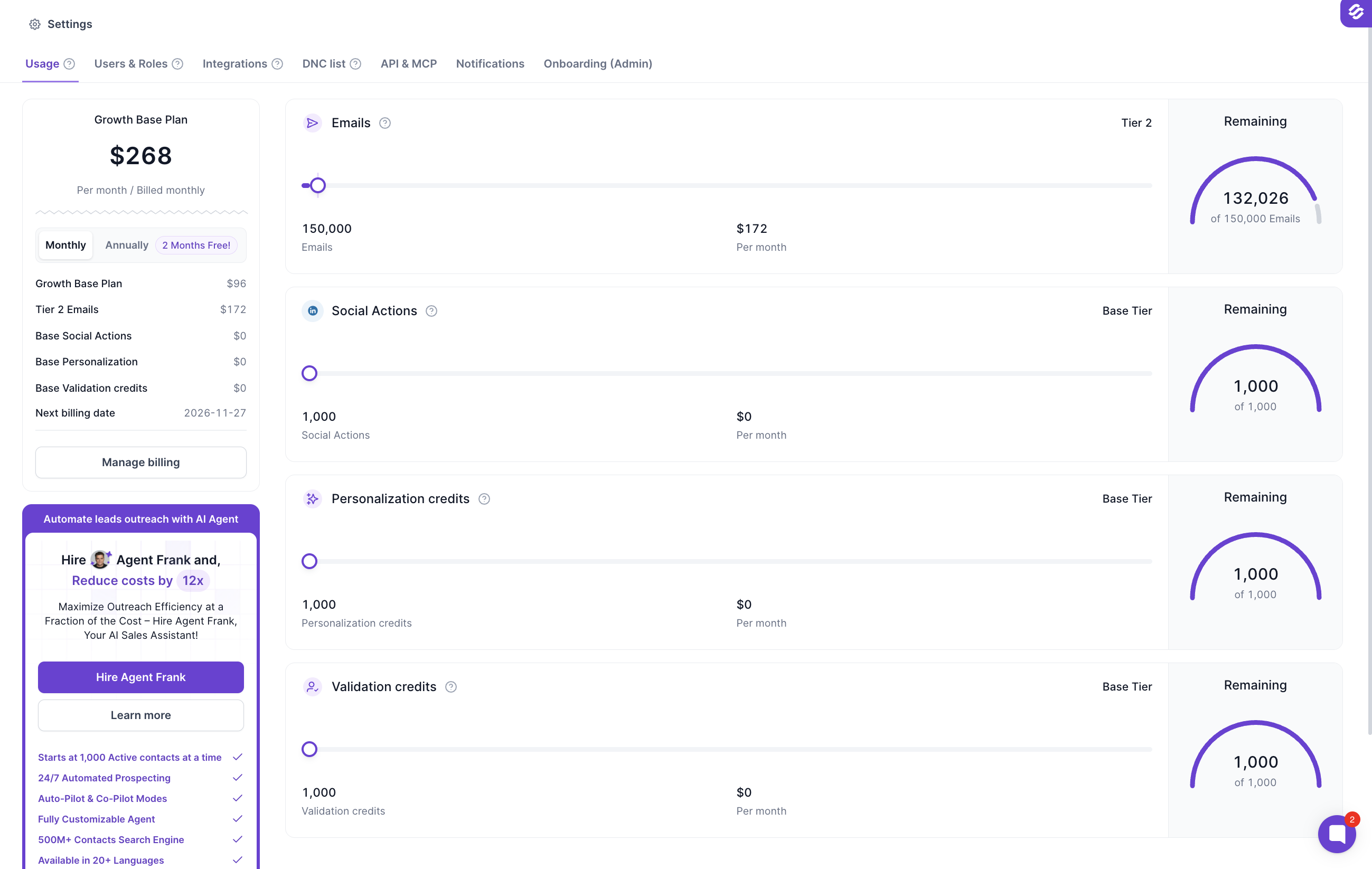
1 credit is used for every email sent from your sequences.
The number of email credits you use depends on:
The number of contacts in your sequences
The number of email steps each sequence contains
Example
If a sequence contains 4 email steps and 100 contacts complete all steps, you'll use 400 Email credits.
1 credit is used for every LinkedIn action performed in a multichannel sequence.
Examples include:
Sending a connection request
Viewing a profile
Liking a post
Sending a LinkedIn message
Sending a LinkedIn voice note, recorded or AI-generated (a fallback text sent instead also uses 1 credit)
Any other LinkedIn action performed by the sequence
Personalization credits power Salesforge's AI generation features.
1 credit is used every time an AI preview is generated.
2 credits are used when Overdrive is enabled.
Regenerating an existing preview is free.
1 credit is used for every generated email.
1 credit is used for every generated LinkedIn message.
2 credits are used for every AI-generated LinkedIn voice note that is sent. The credits are set aside before the note is generated and returned if sending fails.
2 credits are used every time an AI voice note preview is generated.
1 credit is used for every AI-generated reply in both Co-pilot and Autopilot modes.
Recorded voice notes and cloning a voice use no personalization credits. For the full breakdown see LinkedIn Voice Notes in Salesforge.
3 credit is used every time an AI draft is generated.
Regenerating the same draft is free.
2 credits are used for every AI-generated LinkedIn voice note you send from Primebox.
1 credit is used for every email address you validate.
Validation is recommended but optional. When you add contacts to a sequence, you choose whether to validate them. If you validate, 1 validation credit is used for each validated email address. If you choose not to validate, no validation credits are used. Adding a contact to a sequence does not use a validation credit by itself.
Validation helps verify whether an email address is deliverable before outreach begins. See What is Email Validation and how it works.
Salesforge credits reset automatically on your subscription renewal (billing) date, including:
Emails
Social Actions
Personalization Credits
Validation Credits