Contact's timezone mode lets a sequence send on each contact's local clock. Set a schedule such as Monday to Friday, 8 to 10 AM once, and a contact in New York is reached at 8 to 10 AM New York time while a contact in Amsterdam is reached at 8 to 10 AM Amsterdam time.
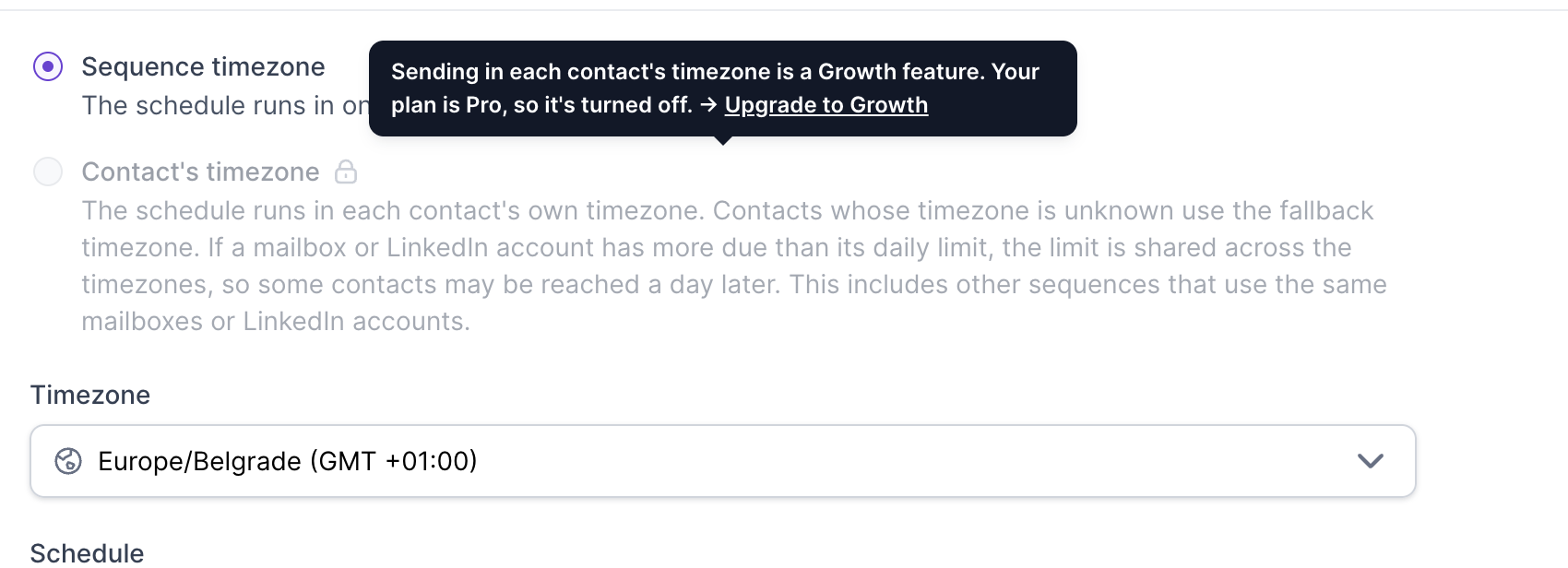
Plan: Contact's timezone is available on the Growth plan only. On Pro, the option is locked and shows an upgrade prompt.
Open your sequence and go to the Settings tab.
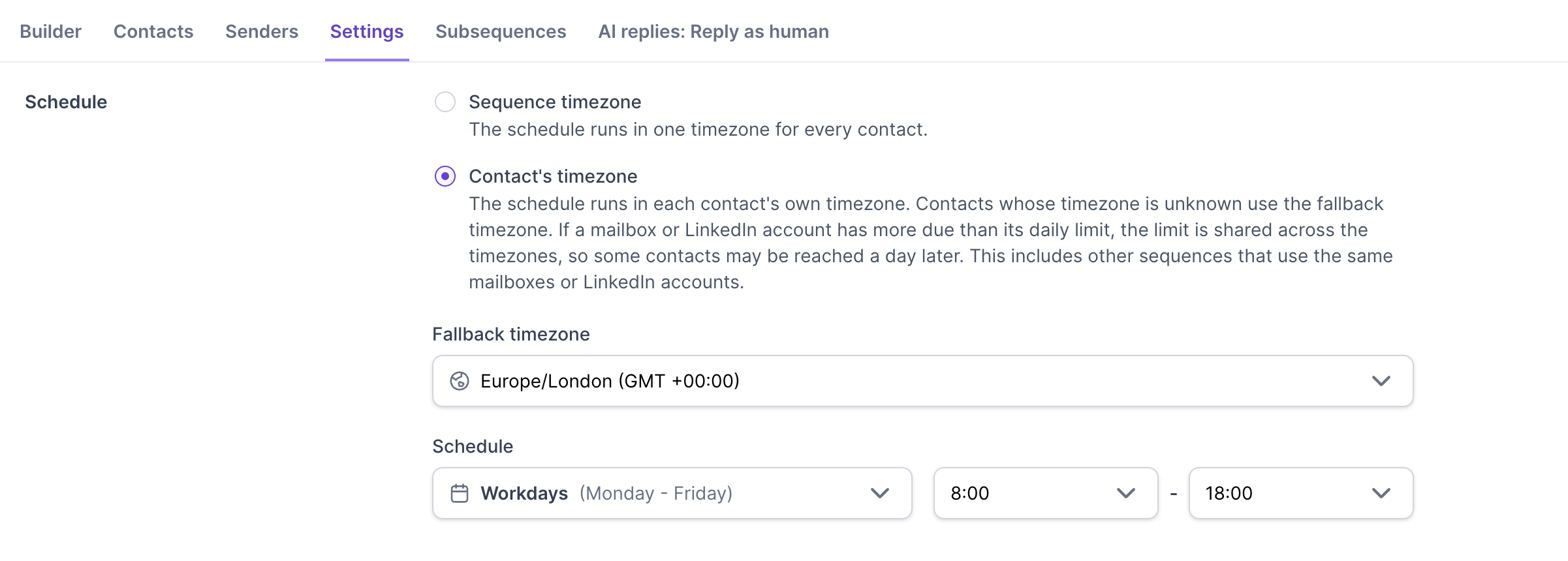
In the Schedule section, choose Contact's timezone instead of Sequence timezone.
Choose a Fallback timezone. It is used for any contact whose timezone cannot be worked out.
Set your days and hours as usual. The schedule stays the same, and each contact's day is simply read in their own local time.
With Sequence timezone selected, the schedule runs in one timezone for every contact, as before. On the Pro plan, Contact's timezone is locked.
It works for email steps, LinkedIn actions and LinkedIn conditions, in email-only, LinkedIn-only and combined sequences. You can also switch an already launched sequence to this mode.
Salesforge works out a contact's timezone from their location:
Contact location. If the contact has a Location, or City, State and Country, the timezone is worked out from it. When you import a CSV, include a Location column or separate City, State and Country columns. Contacts exported from Leadsforge already include their location.
LinkedIn lookup. If a contact has a LinkedIn profile URL but no location, Salesforge looks the location up for you and saves it to the contact. This works in any sequence, including email-only sequences, and you do not need a connected LinkedIn account. The lookup does not use your credits.
Neither. A contact with no location and no LinkedIn URL goes out in the fallback timezone. Salesforge does not guess a timezone from the email address, the company or an IP address.
A few rules to know:
A location on the contact always wins over a lookup. A lookup only fills in a location when the contact does not have one, and it never overwrites it.
If you edit or re-import a contact's location later, their timezone is updated and upcoming steps follow it.
The lookup runs when you launch a sequence, when you add or import contacts later, and when you switch an existing sequence to this mode.
A location that cannot be turned into a valid timezone counts as unknown, and the contact uses the fallback timezone. Include a city and country for the best results.
A "Processing locations" badge shows progress. A contact whose location is still being looked up waits, and the rest of the sequence keeps sending as normal. If the lookup finds nothing, that contact stops waiting and goes out in the fallback timezone.
Salesforge recognises Location, City, State and Country columns. Capital letters, spaces, underscores and dashes in the header are ignored. Common alternative names such as Person Location, Contact Location, Town, Region, Province and Country Name are also recognised. If the Location column is empty, Salesforge combines City, State and Country instead.
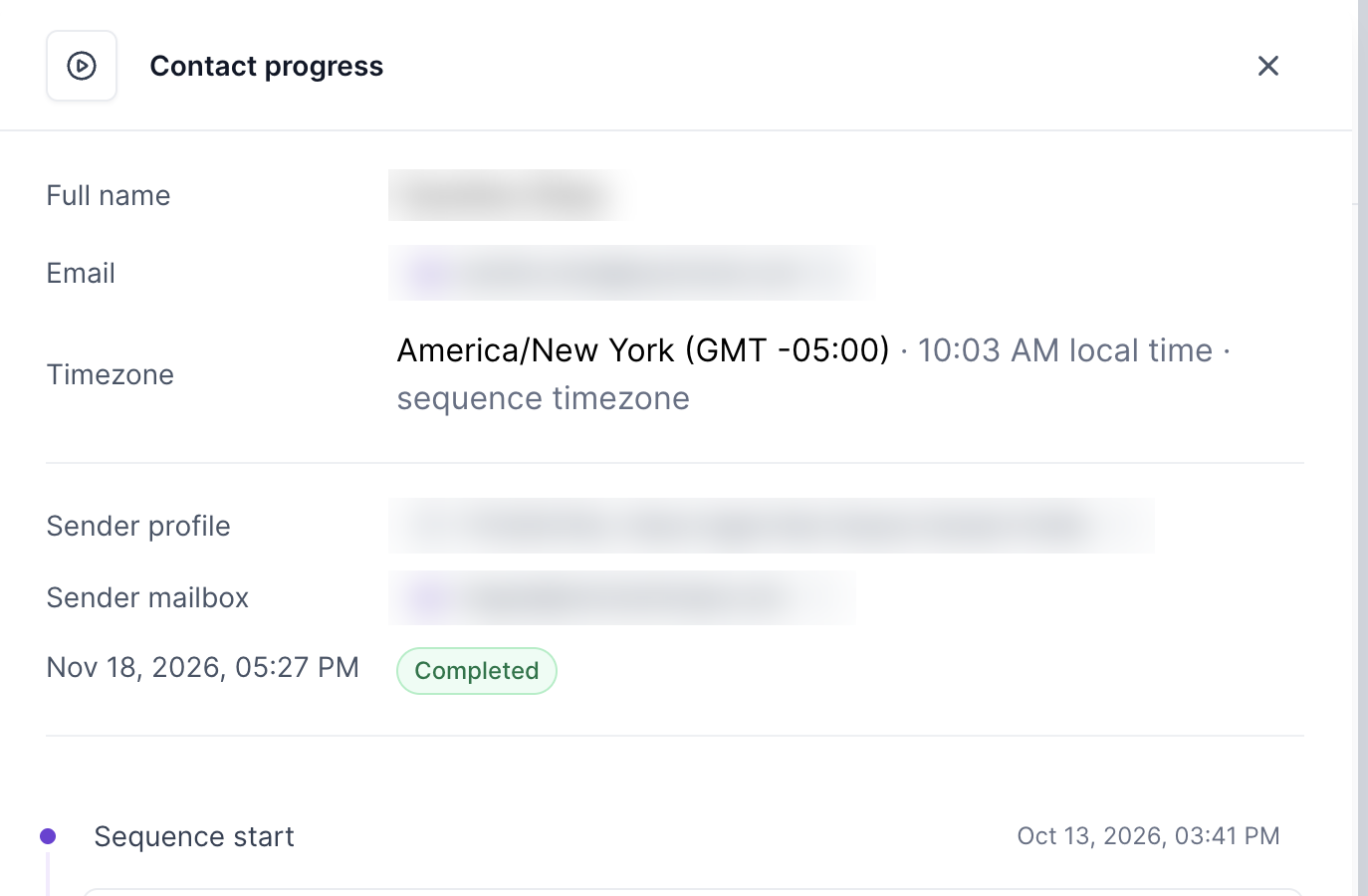
Open the sequence and click a contact to open Contact progress. The Timezone row shows the contact's timezone, their current local time, and a note when something other than their own timezone is used:
No note: the contact's own timezone was found and is being used.
Looking up timezone: the lookup is still running for this contact.
Sequence timezone, contact's timezone unknown: the contact is using the fallback timezone.
Sequence timezone: the sequence is set to Sequence timezone, so every contact uses the same timezone.
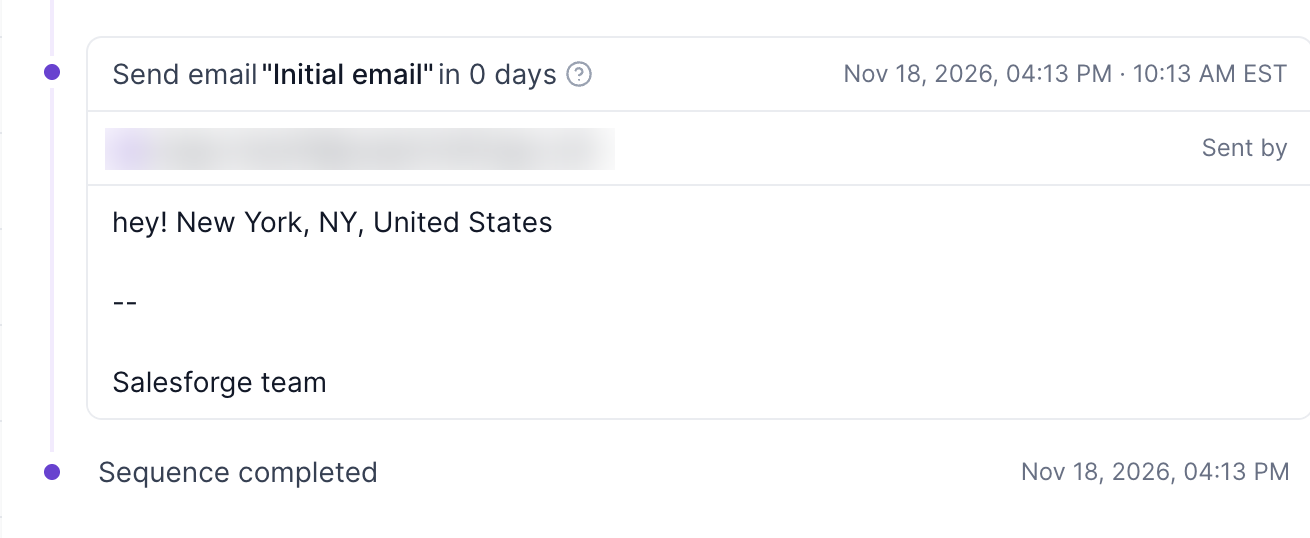
Each sent step in the timeline also shows the time in your account's timezone next to the contact's local time.
Step delays. A delay such as "wait 2 days" is counted as elapsed time. After it passes, the step goes out in the next open window in the contact's local time.
Daylight saving time. The sending window follows each contact's local clock, including daylight saving changes.
LinkedIn daily limits. LinkedIn daily action limits still reset at midnight in the fallback timezone, even in Contact's timezone mode.
A mailbox or LinkedIn account has a daily limit. When more is due than the limit allows, the limit is shared across timezones in proportion to how much each one has to send, so your earliest timezone cannot use up the whole day.
Example: a mailbox has a daily limit of 50, and 40, 25 and 10 messages are due in three timezones. The limit is split roughly in proportion, about 27, 17 and 6, and the split is recalculated as the day goes on.
At capacity, some contacts may be reached a day later. The sharing counts all sequences that use the same mailboxes or LinkedIn accounts, not just this one. Sequence priority still applies: higher priority sequences use the capacity first, and the remaining capacity is shared among the others. To learn more, read Sequence priority in Salesforge.
You can switch a launched sequence between Sequence timezone and Contact's timezone at any time. Emails and actions already sent are not affected. Upcoming steps, including those already waiting in the queue, follow the new timing from their next scheduling check. This is different from changing the days and hours, where tasks already queued keep the previous schedule. See What You Can Change on a Live Sequence.
Use the {{location}} variable in your emails and messages. If you have a custom variable named location with a value, it is used. If not, the contact's Location is used. If both are empty, the variable renders as blank and the message is still sent.
Does it work for email-only sequences?
Yes. It works the same for email-only, LinkedIn-only and combined sequences.
What happens to contacts that only have an email address?
With no location and no LinkedIn URL, they send in the fallback timezone. If you add a location to the contact, Salesforge uses it.
Do I need a LinkedIn account connected for the lookup?
No. The lookup only needs the contact's LinkedIn profile URL.
Is it available on the Pro plan?
No, only on Growth.
Why was a contact reached later than I expected?
Check their timezone in Contact progress. They may be on the fallback timezone, or the mailbox or LinkedIn account may have hit its daily limit, in which case contacts are reached the next day.