When launching cold email campaigns, one of the biggest challenges is waiting for new domains and mailboxes to build sender reputation.
Normally, new mailboxes need to go through a gradual warm-up period before they are ready for outbound campaigns. With pre-warmed mailboxes on Primeforge, you can reduce that waiting time and start sending faster using mailboxes that have already been warmed up.
Pre-warmed mailboxes are mailboxes that have already gone through the warm-up process before being handed over to you. Instead of starting from brand-new mailboxes with no sending history, they are prepared in advance so they are ready to use sooner for outbound campaigns.
All the domains and mailboxes on the Primeforge pre-warmed mailboxes page are warmed up, but the warmup duration varies based on demand and inventory. If you want to know the exact warmup duration of a particular domain, reach out to the support team on live chat.
Pre-warmed domains and mailboxes are labeled in the app, so you can tell at a glance which ones are ready to send.
Pre-warmed mailboxes are useful when you want to launch campaigns faster without waiting for the standard mailbox warm-up period. They can help you:
Start outbound campaigns sooner
Save time on mailbox preparation
Reduce the delay between setup and sending
Scale your cold email infrastructure faster
Use mailboxes that already have warm-up activity behind them
Pre-warmed domains are sold with their mailboxes, and each pre-warmed mailbox costs the normal mailbox slot plus a pre-warming fee.
Domain: $18 per year for each pre-warmed .com domain. The minimum order is 4 domains.
Mailboxes: each pre-warmed domain comes with 3 pre-warmed mailboxes, so the minimum order is 12 mailboxes.
Mailbox price: $9 per month for each pre-warmed mailbox. That is the normal mailbox slot ($4.50 per month) plus a pre-warming fee ($4.50 per month).
For example, the minimum order of 4 pre-warmed domains with 12 pre-warmed mailboxes costs $72 per year for the domains and $108 per month for the mailboxes. The exact total is shown in the app at checkout.
Mailbox quantity | Monthly unit price | Yearly unit price |
1 – 100 | $9.00 | $90.00 |
101 – 200 | $8.90 | $89.00 |
201 – 300 | $8.80 | $88.00 |
The more mailboxes you purchase, the lower the unit price becomes. For more on how pre-warmed pricing works across Mailforge, Infraforge and Primeforge, see What are pre-warmed domains and mailboxes?
The process is designed to make mailbox setup faster and easier. You can get started on the pre-warmed mailboxes page.
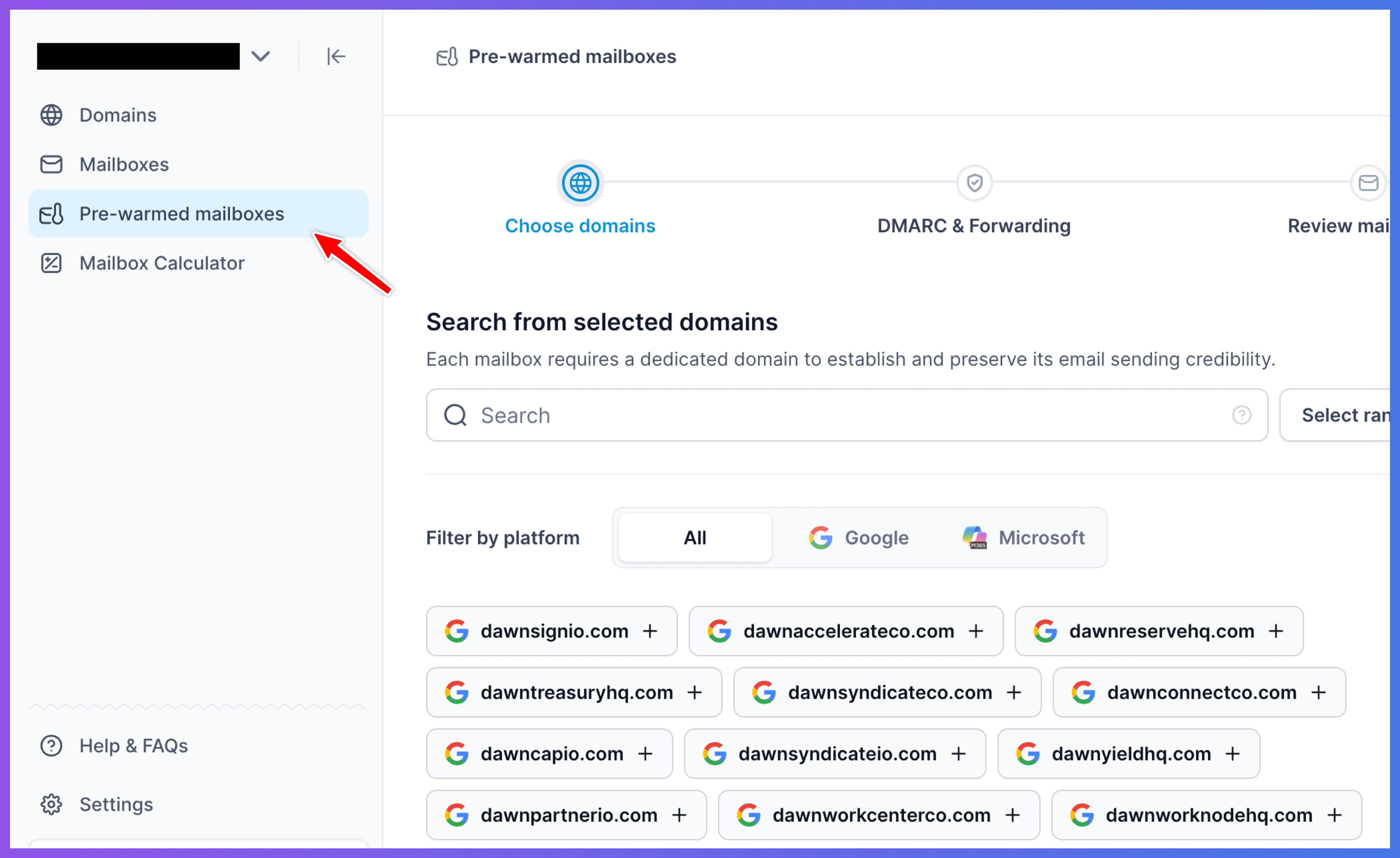
Select the platform of your choice, Google or Microsoft.
Select the domains you want to use (select at least 4 domains to get started).
Each domain comes with 3 pre-warmed mailboxes already set up.
Complete the setup and checkout.
Once ready, your pre-warmed mailboxes will be available for use.
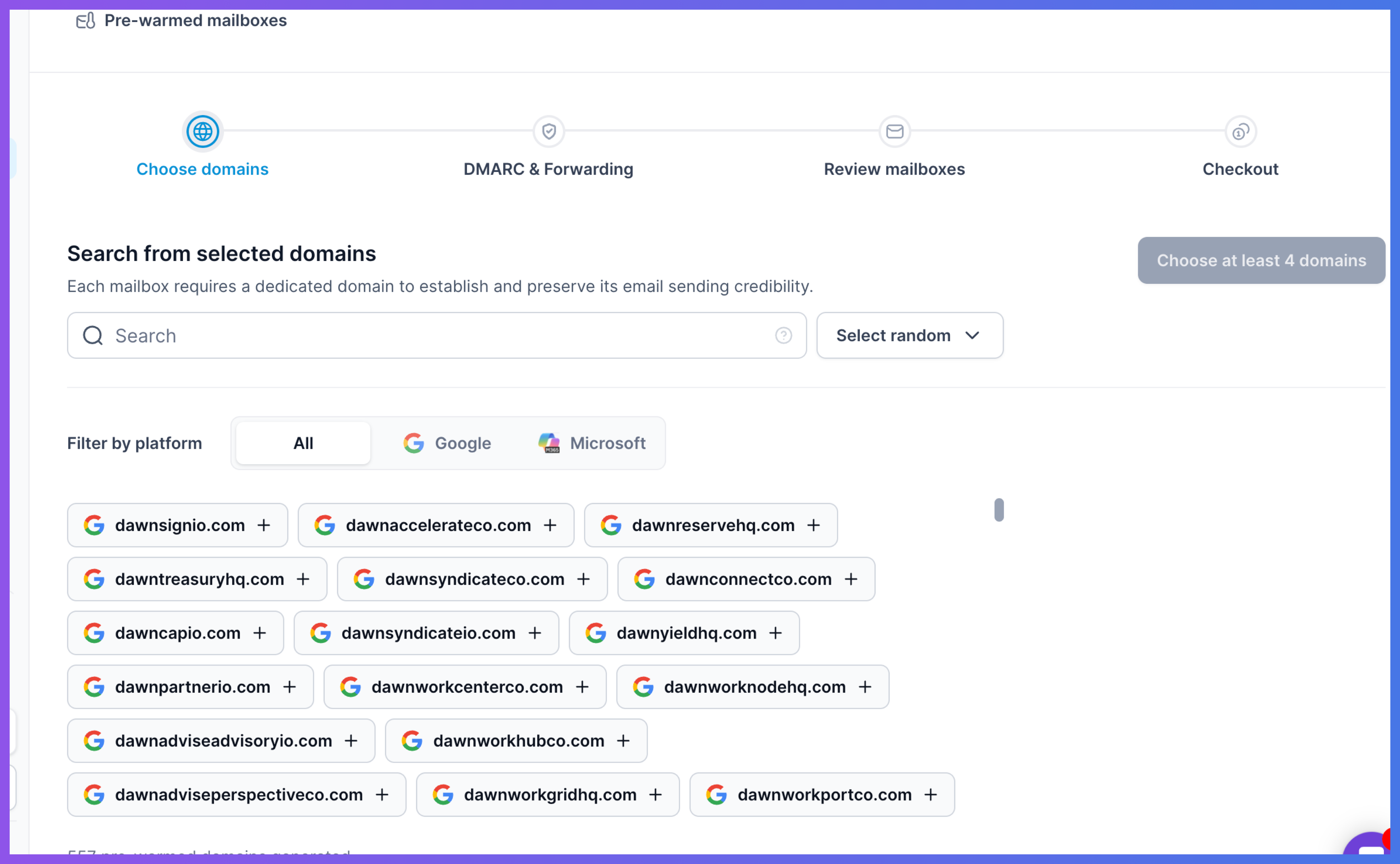
These mailboxes are prepared in advance, so you do not need to warm them from zero yourself. Domain names and mailbox usernames are pre-set, but you can change the sender name and username after you buy them, as explained below.
After you buy a pre-warmed domain, you can add more mailboxes to it at any time. Keep in mind:
The new mailboxes are not pre-warmed. Only the mailboxes that came with the domain are pre-warmed, so the new ones start from scratch and need to be warmed up before you use them in campaigns. We recommend at least two weeks.
They use a normal mailbox slot. Each new mailbox uses one regular mailbox slot at $4.50 per month. There is no pre-warming fee, because they aren't pre-warmed.
Mailbox limit per domain. A Primeforge domain can have up to 5 mailboxes, and we recommend 2 to 3 for cold outreach. See how many mailboxes you can create per domain.
All mailboxes on a domain share its reputation. If you want to protect your pre-warmed setup, we recommend creating the new mailboxes on a separate domain and keeping the 3 pre-warmed mailboxes as they are.
You can update the sender name and the mailbox username from the mailbox settings in Primeforge. Each mailbox has its own edit screen. See Edit Mailboxes in Primeforge for the steps.
Changing the first name or last name (the sender name) does not affect warmup. For example, you can change the name shown to recipients to John Doe at any time.
Changing the username does. Mailbox providers see a different email address, for example john@ or jdoe@ instead of the original, as a new sending identity, so the renamed address needs some fresh warmup.
How long the warmup takes depends on the domain:
Domain warmed for two weeks or more: about a week of warmup on the renamed address is usually enough.
Domain warmed for less than two weeks: plan for about two weeks before using the renamed address in active campaigns.
Keep warmup running on the renamed mailbox while you wait, and don't send cold campaigns from it until the warmup period is over.
Pre-warmed mailboxes can help you start faster, but they do not replace good sending practices. You should still:
Keep warm up on these emails on after purchase
Keep sending volume controlled
Use clean and verified lead lists
Personalize your emails
Avoid spammy copy
Monitor replies, bounces, and deliverability
Follow recommended sending limits
Pre-warmed mailboxes give you a faster starting point, but long-term deliverability still depends on how you use them.
If you do not need pre-warmed mailboxes, you can use regular Primeforge mailboxes and warm them up as part of your normal setup process.
