
Prioritization: Sending Priority
When you run multichannel sequences, your connected mailboxes and LinkedIn accounts have limited daily sending capacity. The Sending Priority setting determines whether a sequence prioritizes new contacts or follow-ups. This is separate from Sequence Priority, which determines which sequences are served first when they share sending capacity.
To learn more about Sequence Priority, see Sequence Priority in Salesforge.
Where to find it
Open your sequence and go to Settings. Under Sending Priority, you'll see a Prioritization dropdown.
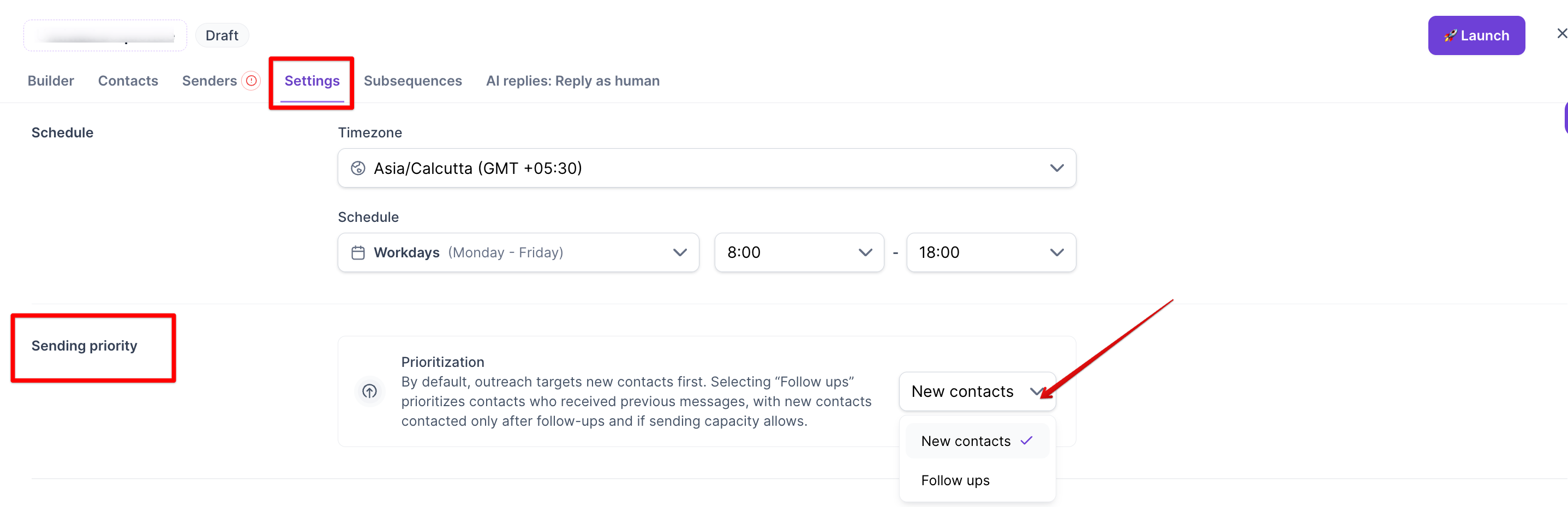
Click the dropdown to choose between New Contacts and Follow Ups.
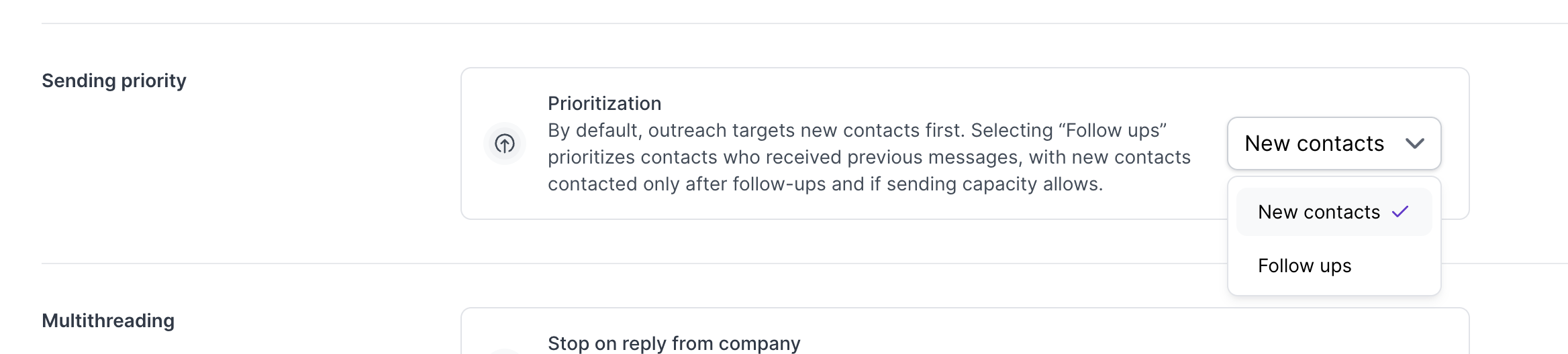
New Contacts (default)
This keeps the existing behavior you're used to. First touch outreach goes out to new leads before any follow ups are sent. If you don't change this setting, nothing changes in how your sequences run.
Follow Ups
Choosing this means contacts already in the sequence get priority. Follow up messages to people who already received a first touch will go out before any new contact is reached. New contacts are only messaged once all pending follow ups have been sent and there's still sending capacity left over.
How this works when mailboxes or LinkedIn accounts are shared across sequences
This setting applies per sequence, but it interacts with any sending resources (mailbox or LinkedIn account) that are shared across sequences.
For example, say:
Sequence A is set to Follow Ups and
Sequence B is set to New Contacts, and both use the same mailbox.
In that case, follow ups from Sequence A get priority access to that mailbox's daily capacity. New contact outreach from Sequence B may be delayed until there's capacity left over.
This makes sure follow up commitments are honored first, rather than getting pushed aside by new outreach competing for the same sending resources.
Why use this
If you're focused on nurturing conversations you've already started rather than constantly expanding to new prospects, switching to Follow Ups makes sure those threads get sent on time, even when your mailboxes or LinkedIn accounts are shared across multiple sequences.