Salesforge now supports Auto-resume after Out-of-Office (OOO) replies in Multichannel sequences.
This feature automatically resumes leads when their out-of-office reply includes a return date, eliminating the need to manually track OOO leads and move them back into your sequences.
You can configure a buffer period to give leads some time to settle back into work before they receive the next outreach message.
When a lead sends an out-of-office reply containing a return date, Salesforge detects the date and schedules the lead to resume automatically.
Here's how the process works:
Enable Auto-resume after OOO in your Multichannel sequence settings.
Configure the buffer period (in days) before outreach resumes. The default buffer is 1 day.
When Salesforge receives an OOO reply, it identifies the lead's expected return date.
Salesforge schedules the lead to resume on the return date plus the configured buffer.
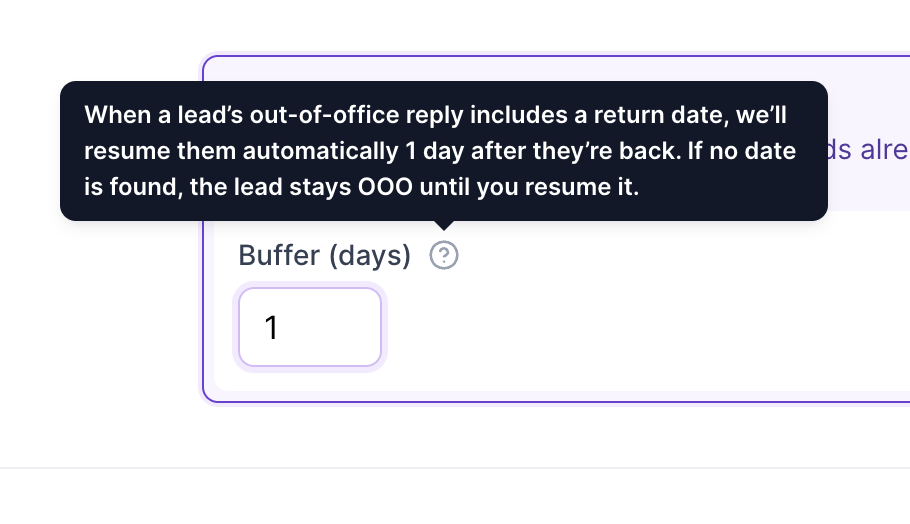
Once the scheduled date arrives, the lead's status changes back to Active, and they continue from the next pending sequence step.
Important: The feature is disabled by default and must be enabled in your sequence settings.
The existing sequence wait times are preserved and are not restarted when a lead resumes. Your configured sending windows also continue to apply.
To enable automatic resumption:
Open your Multichannel sequence in Salesforge.
Navigate to the sequence settings.
Find the Auto-resume after OOO option.
Enable the setting.
Configure the buffer period in days.
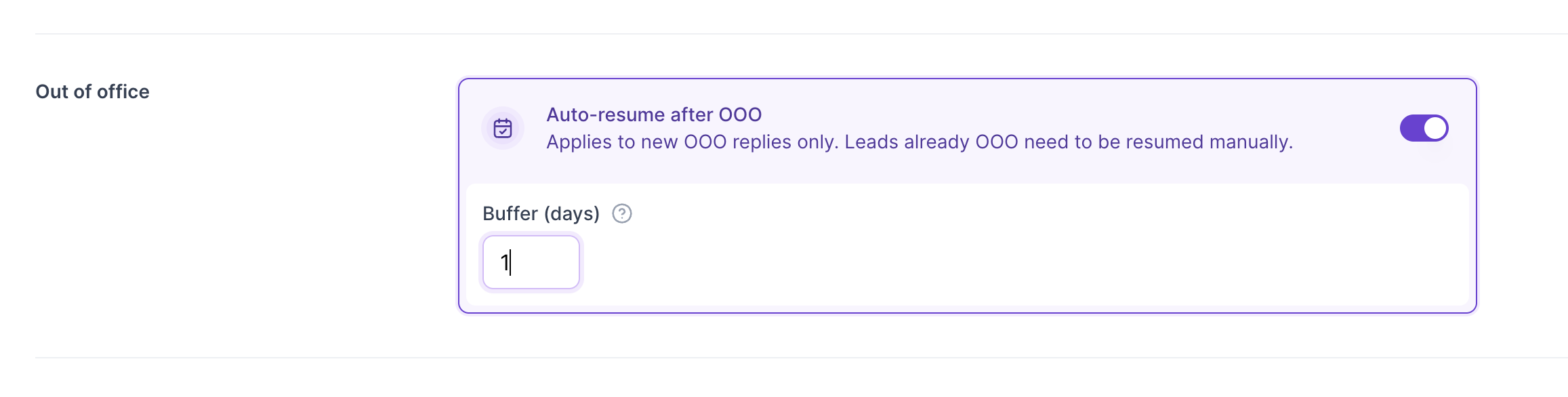
The buffer determines how many additional days Salesforge waits after the lead's expected return date before resuming outreach.
For example:
Lead's return date: November 15
Configured buffer: 2 days
Scheduled resume date: November 17
In this example, the lead will automatically return to Active status on November 17.
You can track which leads are scheduled to resume directly from the Contacts page within your sequence.
For leads with a scheduled auto-resume, you can see:
The date the lead is expected to return.
The scheduled date when the lead will resume the sequence.
This gives you visibility into upcoming resumptions without having to track OOO replies manually.
You remain in control of individual leads, even when automatic resumption is enabled.
Salesforge provides two actions:
Cancel auto-resume
If you don't want a particular lead to resume automatically:
Open the Contacts page within your sequence.
Find the relevant OOO lead.
Select Cancel auto-resume.
The lead will remain in OOO status until you manually resume them.
Resume now
If you want to resume a lead before their scheduled date:
Find the lead in the sequence's Contacts page.
Select Resume now.
This immediately resumes the lead and clears their scheduled auto-resume.
Salesforge includes several safeguards to ensure leads aren't resumed at inappropriate times.
No return date detected
If an OOO reply doesn't include a return date, or the date is unclear or already in the past, the lead remains in OOO status. You will need to resume them manually.
A real reply is received
If a lead sends a regular reply before their scheduled resumption, the scheduled auto-resume is automatically cancelled.
Manual status changes
If you manually change a lead's status, their scheduled auto-resume is cancelled.
A new OOO reply arrives
If Salesforge receives another OOO reply from the lead, the return date and scheduled resumption are recalculated based on the latest OOO message.
Existing OOO leads
Enabling the feature does not automatically schedule resumption for leads who were already in OOO status before the feature was enabled. These leads must be resumed manually.
Sequence wait times and sending windows
When a lead is automatically resumed, they continue from the next pending step. Existing wait times are not restarted, and configured sending windows remain in effect.
For additional transparency, Salesforge records auto-resume events in the lead's activity log.
The activity log captures:
When a lead was automatically resumed.
When an individual lead's scheduled auto-resume was cancelled.
This allows you to review what happened to a lead and understand why their sequence status changed.
Is Auto-resume after OOO enabled by default?
No. The feature is disabled by default. You need to enable it in your Multichannel sequence settings.
Can I configure how long Salesforge waits after a lead's return date?
Yes. You can configure a buffer period in days. The default buffer is 1 day.
What happens if the OOO reply doesn't contain a return date?
The lead remains in OOO status and must be resumed manually.
Will the lead restart the sequence from the beginning?
No. The lead continues from the next pending sequence step. Existing wait times are preserved.
Can I manually resume a lead before the scheduled date?
Yes. Use the Resume now action. This clears the scheduled auto-resume and immediately returns the lead to the sequence.
What happens if a lead replies before the scheduled resumption?
A real reply automatically cancels the scheduled auto-resume.
Does enabling the feature affect leads that are already in OOO status?
No. The feature only applies to new OOO replies received after it has been enabled. Existing OOO leads need to be resumed manually.