The Tags tab on the Contacts page shows every tag in your workspace in one place. You can see how many contacts each tag has and which sequences those contacts are in, so you can tell at a glance which lists are already running in a campaign and which still need one.
Go to the Contacts page and select the Tags tab.
Column | What it shows |
|---|---|
Tag name | The name of the tag |
Contacts Number | How many contacts carry the tag |
In Sequences | Every sequence the tag’s contacts are enrolled in, with the tag’s share in each |
You can also assign tags to several contacts at once, or remove them, directly from the Contacts tab, and filter your contacts by tag there.
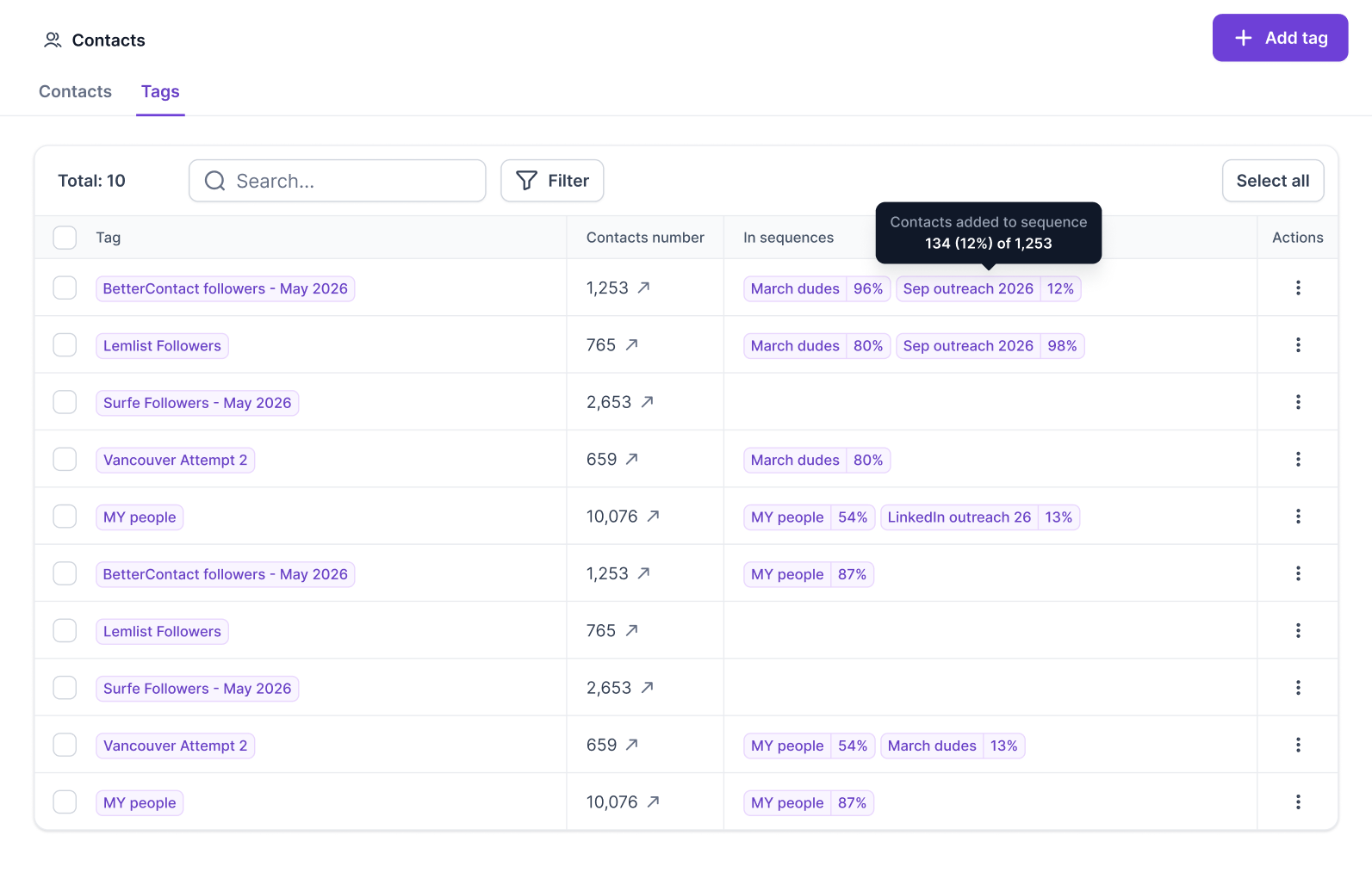
Tags with no sequence are easy to spot, so you know which lists still need a campaign.
See the contacts behind a tag. Click a tag’s contact count to jump to the Contacts tab with that tag’s filter already applied.
Edit or delete a tag. Do this directly from the table.
Delete several tags at once. Select multiple tags, or use Select all, then bulk delete. Tags that still have contacts assigned are protected and can’t be deleted. If any selected tag is protected, none of the selected tags are deleted, so remove the protected tags from your selection and try again.
Search tags. Search by tag name.
Sequence: include or exclude specific sequences, or show only tags in No sequence.
Contacts number: show tags with more than or less than a set number of contacts.
Sequence numbers update automatically in the background. While they’re being recalculated you’ll see Calculating... in the table, and the latest counts appear once they’re ready. If the recalculation fails, you’ll see Calculation failed instead. If that doesn’t clear, contact support through live chat.
How do I find tags that aren’t in any campaign yet?
Open the Tags tab and filter the Sequence column by No sequence.
Why can’t I delete a tag?
Tags that still have contacts assigned are protected from deletion. If you select several tags and any of them is protected, none are deleted, so deselect the protected ones and try again.
Why does the Sequences column say “Calculating...”?
The counts are being refreshed in the background. They show up as soon as the latest numbers are ready.