Primeforge provides Google Workspace and Microsoft 365 mailboxes with administrative access to their respective environments.
Deleting an admin mailbox is different from deleting a regular mailbox, as admin accounts have additional permissions to manage your Google Workspace or Microsoft 365 environment.
This guide explains how to delete an admin mailbox in Primeforge, what happens to the other mailboxes on the same domain, and what alternatives are available.
An admin mailbox is an email account with administrative permissions in your Google Workspace or Microsoft 365 environment.
In Primeforge, these accounts are identified by an Admin tag displayed next to the email address.
Depending on the provider, admin permissions may include:
Managing users and mailboxes.
Accessing the Google Workspace or Microsoft 365 Admin Console.
Managing security settings.
Configuring application permissions and integrations.
Managing other administrative accounts.
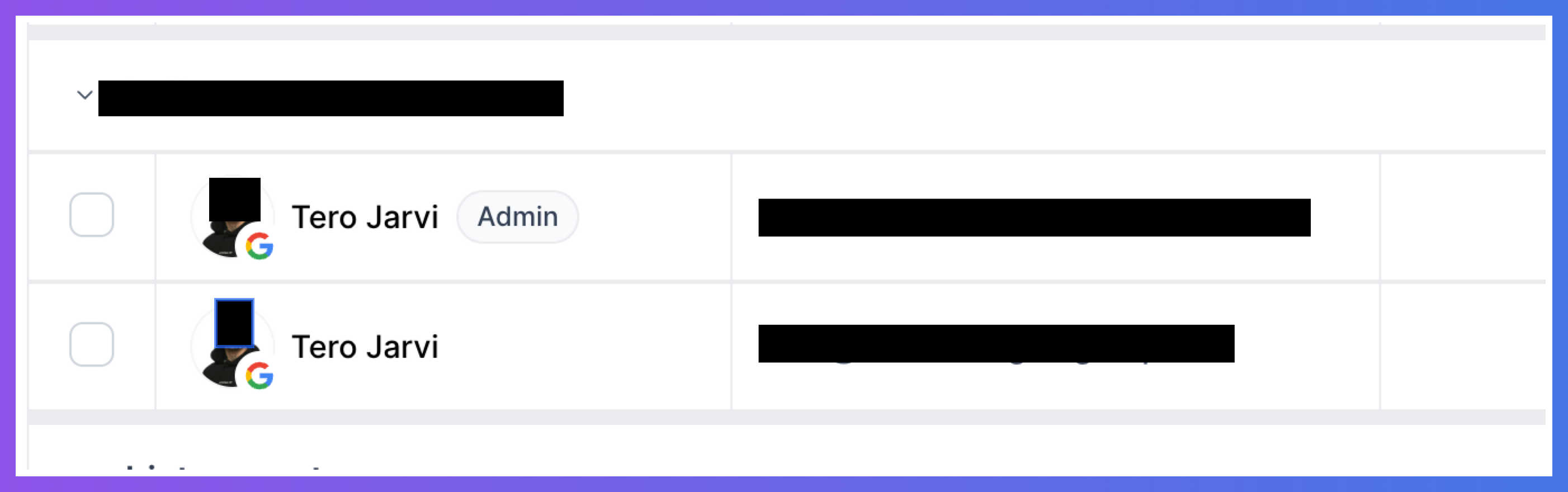
To delete an admin mailbox in Primeforge, you need to delete the domain associated with it.
Follow these steps:
Log in to your Primeforge account.
Navigate to the Domains page.
Find the domain associated with the admin mailbox you want to delete.
Scroll horizontally to the right to find the Delete option.
Select Delete and confirm the action.
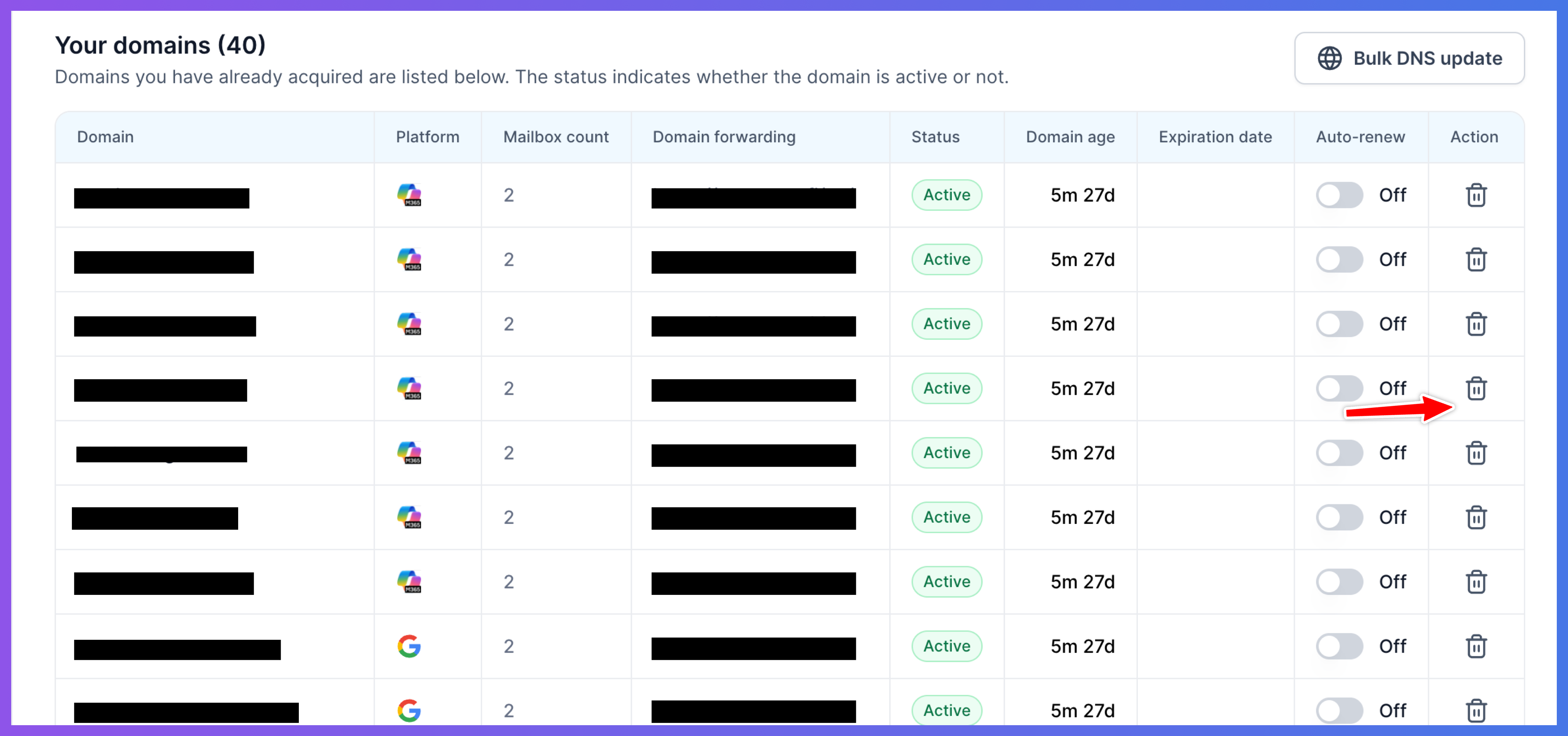
Important: Deleting a domain will also schedule all mailboxes associated with that domain for deletion, not just the admin mailbox.
If you want to keep the other mailboxes on the domain, review the alternatives below before proceeding.
Yes. Since deleting an admin mailbox requires deleting its associated domain, all other mailboxes on that domain will also be scheduled for deletion.
If you want to keep the other mailboxes, do not delete the domain.
Yes. When you delete a domain, all mailboxes associated with it are scheduled for deletion.
Primeforge follows a monthly mailbox deletion cycle. The mailboxes will remain scheduled for deletion until your designated monthly deletion date.
Once the scheduled deletion is completed, the corresponding mailbox slots will be freed up automatically.
Note: Mailbox slots are not released immediately when you delete the domain.
If you want to keep the other mailboxes on the domain, the recommended workaround is to rename the admin mailbox to a different email address.
You can then choose to delete another regular mailbox instead of the admin mailbox.
This allows you to retain the domain and its other mailboxes without deleting the entire domain.
If renaming the admin mailbox isn't suitable for your situation and you still need to delete it, please contact our support team.
Our team will review your setup manually to determine what options are available and guide you through the possible next steps.
Deleting an admin mailbox in Primeforge requires deleting the domain associated with it, which also schedules all other mailboxes on that domain for deletion.
If you want to keep the domain and its other mailboxes, consider renaming the admin mailbox and deleting a regular mailbox instead.
If neither option works for your situation, contact Primeforge support so we can review your setup and help you determine the next steps.
