What is Local Companies Search?
Local Companies Search is a sourcing option in Leadsforge that finds businesses by location and business type, using data from Google Maps. You choose an area on the map, set a search radius, pick a type of business, and Leadsforge returns matching companies. It works well for local prospecting, for example dentists, restaurants, marketing agencies or law firms in a specific city.
How to search for local companies
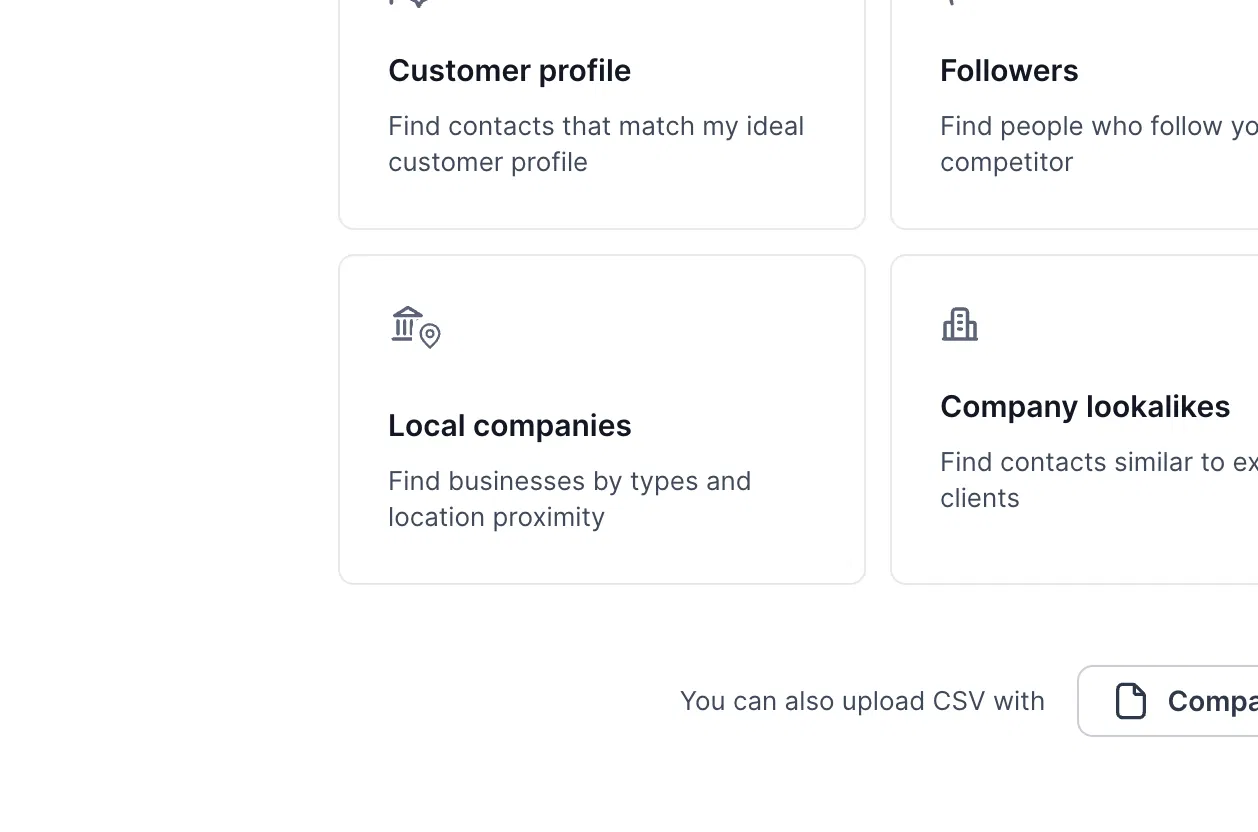
In Leadsforge, choose the Local companies sourcing option (“Find businesses by types and location proximity”).
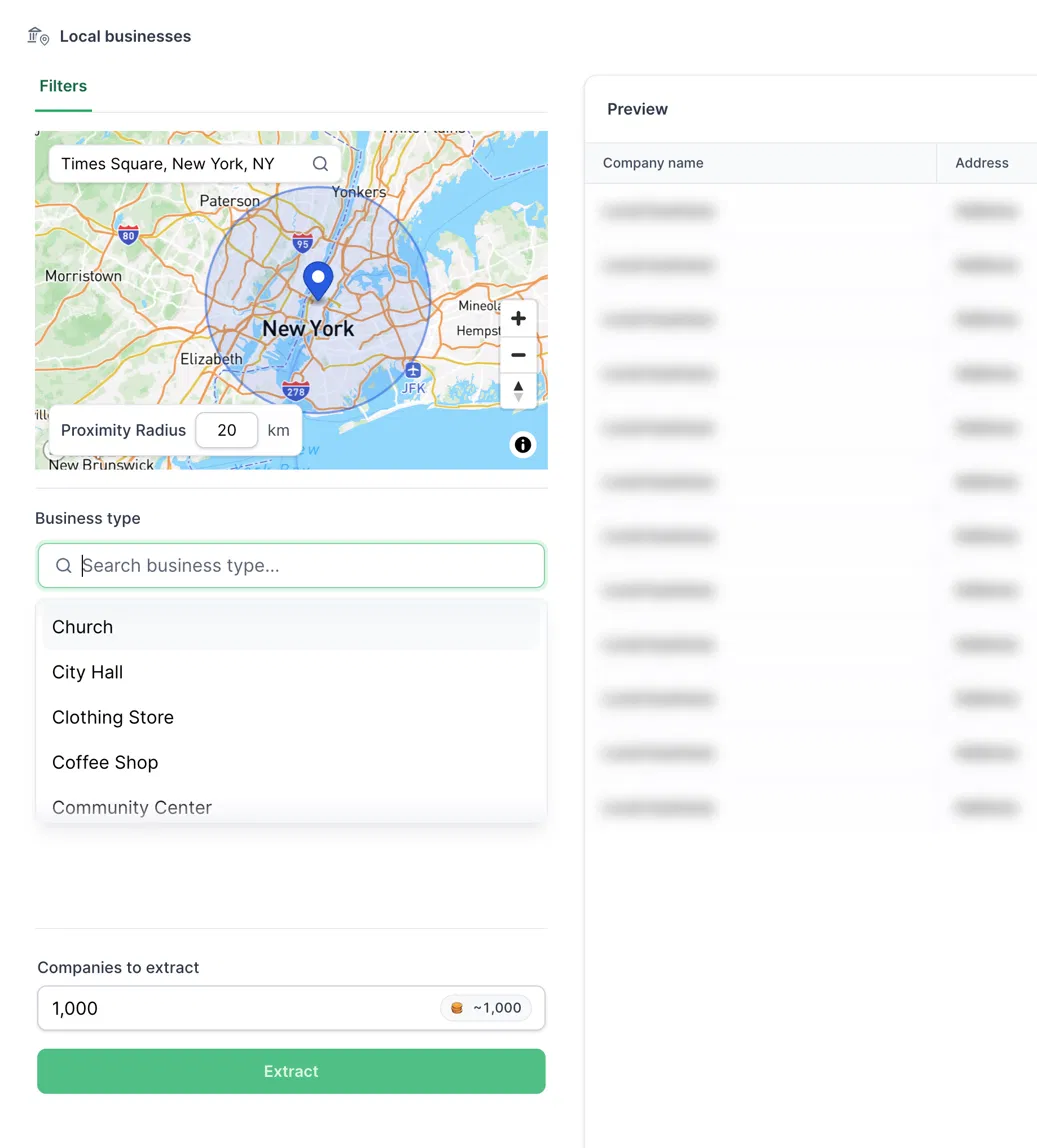
In the map search box, enter an address, city or landmark. The map centers on that location.
Set the Proximity Radius in km. This is how far from the location Leadsforge searches.
Under Business type, search for or pick the type of business you want, such as Coffee Shop or Clothing Store.
Enter how many companies you want in Companies to extract. The number of credits it will use is shown next to the field.
Click Extract. The matching businesses appear in the Preview table on the right.
Enrich the owners of the businesses
Extraction gives you company details such as the company name and address. To get contact details for the people behind the businesses, you can enrich the owners.
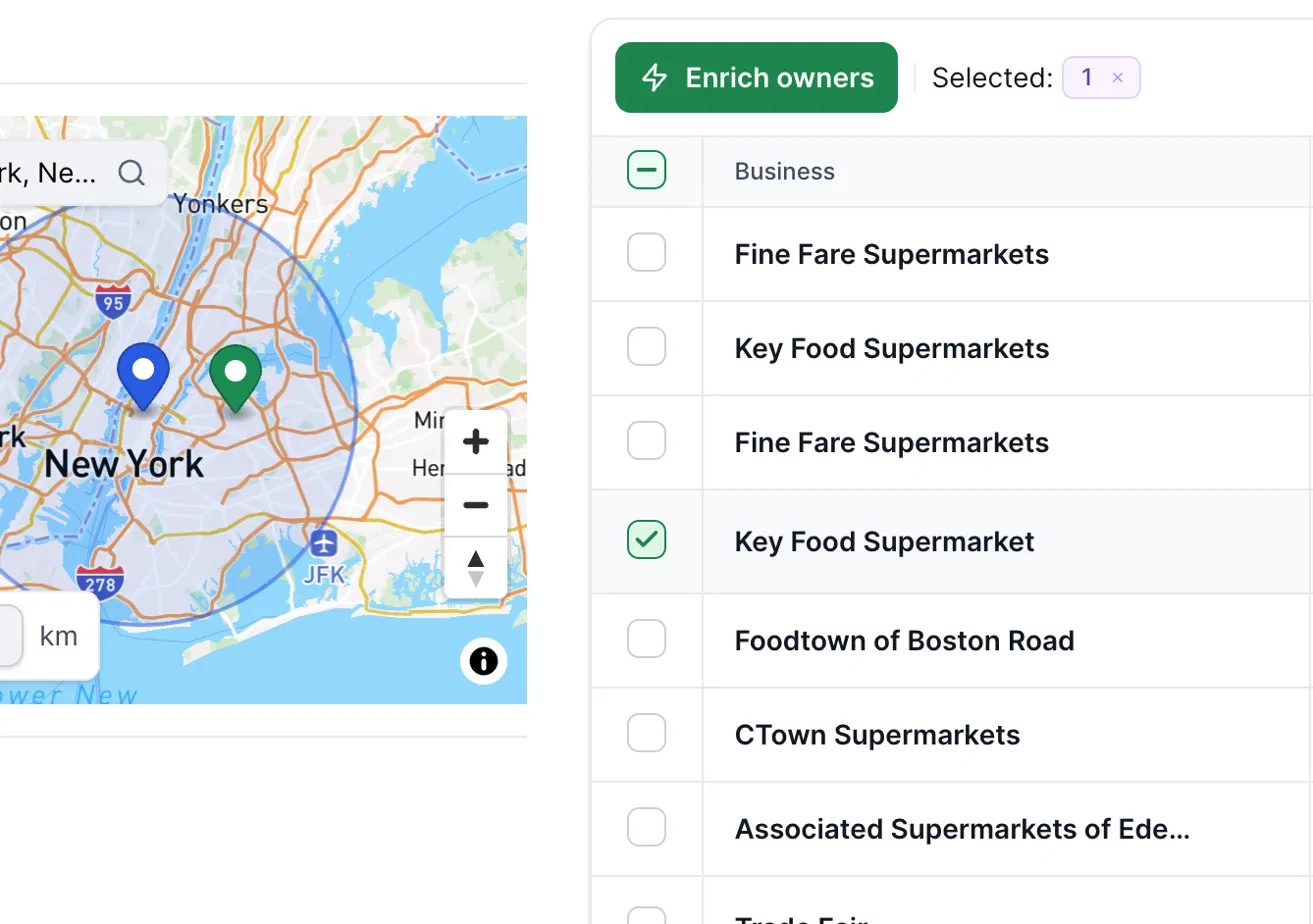
In the results table, select the businesses you want to enrich.
Click Enrich owners.
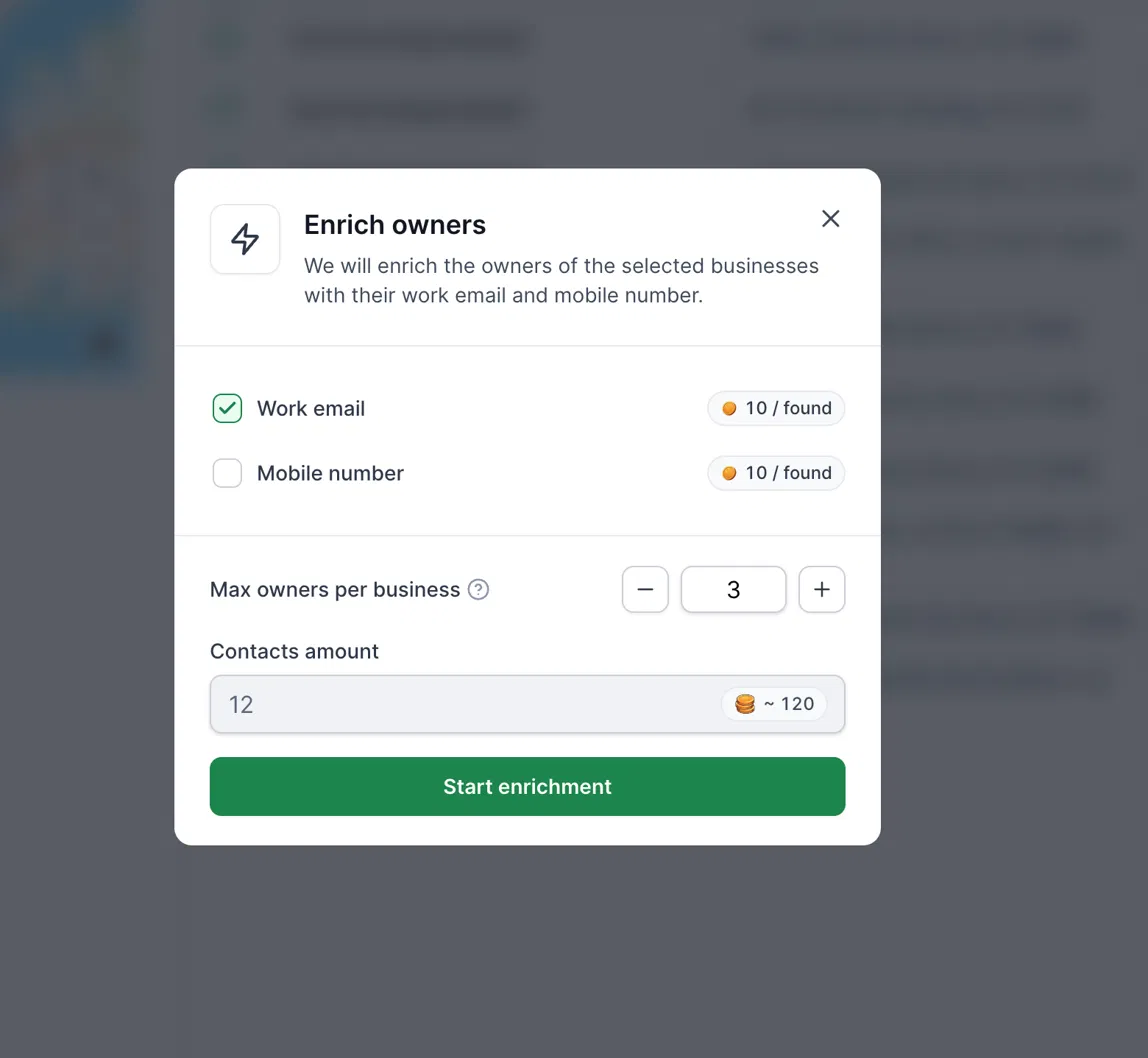
Choose what to find: Work email, Mobile number, or both.
Set Max owners per business. This limits how many owners Leadsforge looks up for each business, so you don’t collect many contacts from one company.
Check the estimated credits, then click Start enrichment.
Export your list
You can export the list straight after extraction, or after enrichment if you want the owners’ contact details included.
How credits work
Extracting companies uses credits for the number of companies you extract (the screenshot shows about 1 credit per company).
Enrichment is charged only for what Leadsforge finds: 10 credits per work email found and 10 credits per mobile number found.
The credit estimate is shown before you start, so you can adjust the numbers first.
Good to know
Coverage is strongest in the US, Canada and Western Europe. Results in other regions may be fewer, and fewer owners may have emails or phone numbers.
Enrichment depends on the business having an identifiable owner with available contact details, so not every business will return a result.
FAQ
Why didn’t every business return an owner email or phone number?
Contact details are only charged and returned when found. Smaller businesses or businesses in regions with less coverage may not have contact data available.
Why is Max owners per business useful?
It stops you from pulling every owner from one company, and it helps control credit usage.
