What is the Email Validation Status condition?
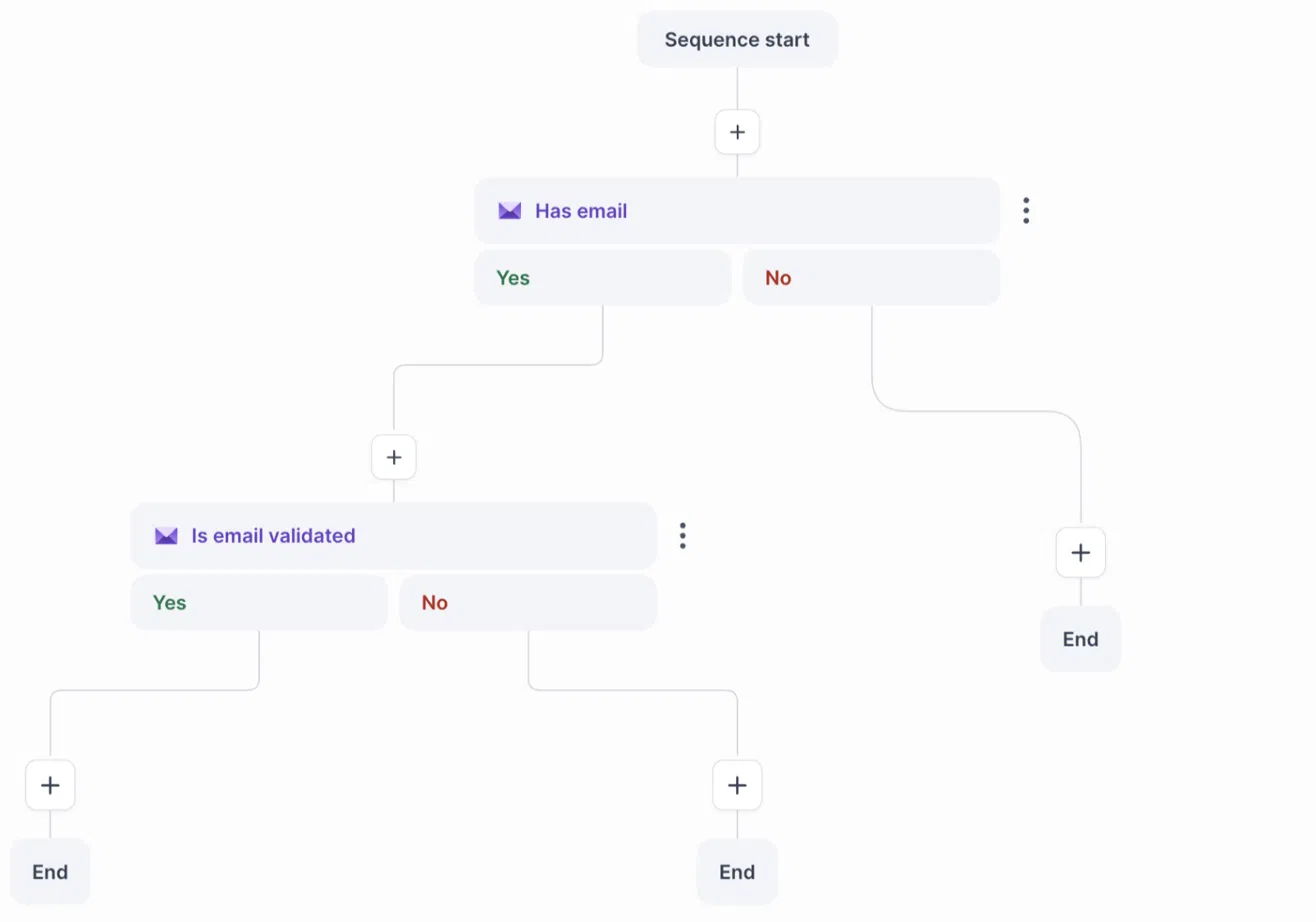
Email Validation Status (shown in the builder as “Is email validated”) is a condition you can add to the Multichannel Sequence builder. It checks the validation status of a contact’s email address and sends the contact down the Yes or No branch.
This lets you handle contacts with good email addresses differently from those with risky or unverified ones, for example by sending only valid contacts to email steps and routing the rest to a LinkedIn step.
How do I set it up?
Open your Multichannel Sequence in the builder.
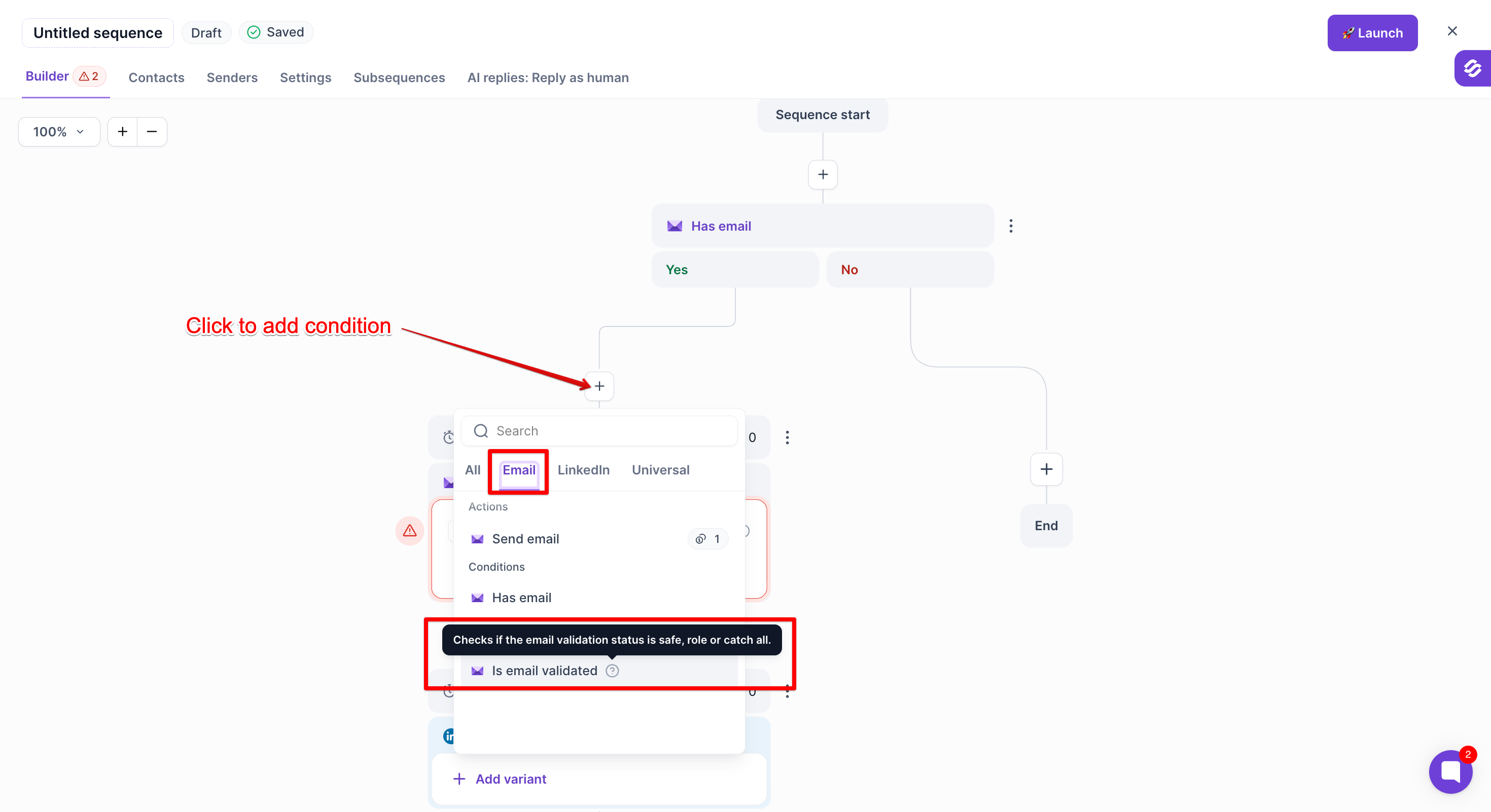
Add the Email Validation Status condition (shown in the builder as “Is email validated”) where you want the split to happen.
Click the “Is email validated” condition to add.
Add the steps you want contacts to follow on the Yes and No branches.
When you add contacts to the sequence, turn on Email validation so their email addresses are validated before they reach the condition.
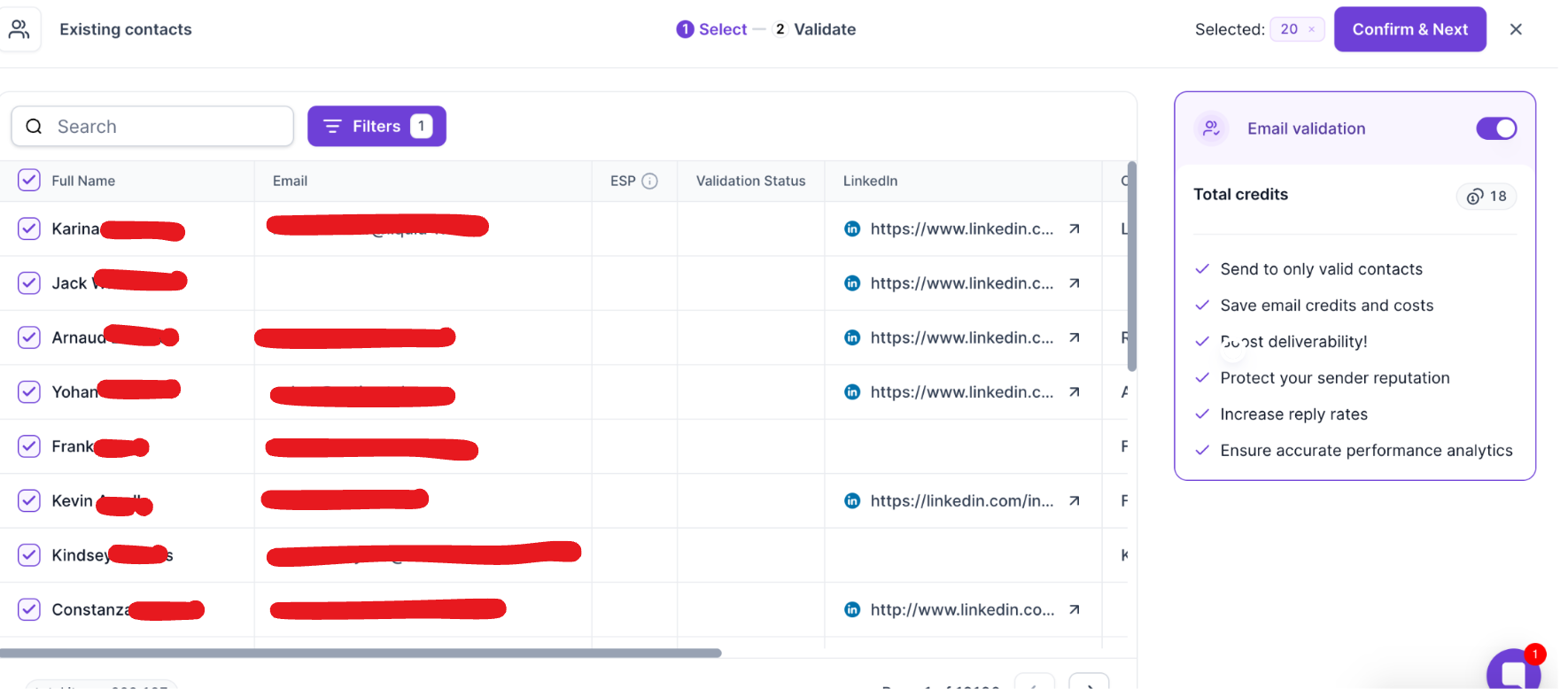
Turn on Email validation in the right panel before you confirm
Which statuses are treated as valid by default?
Safe
Catch-all
Role account
How does the routing work?
If a contact’s status matches one of the selected statuses, the contact follows the Yes branch.
If the status does not match, the contact follows the No branch.
If the contact has not been validated, the contact also follows the No branch.
Why did a contact go down the No branch even though their email looks fine?
The most common reason is that the contact was never validated. The condition can only read a status that already exists, so make sure email validation was turned on when the contact was added to the sequence. The other reason is that their status is not among the statuses you selected as valid.
What do the validation statuses mean?
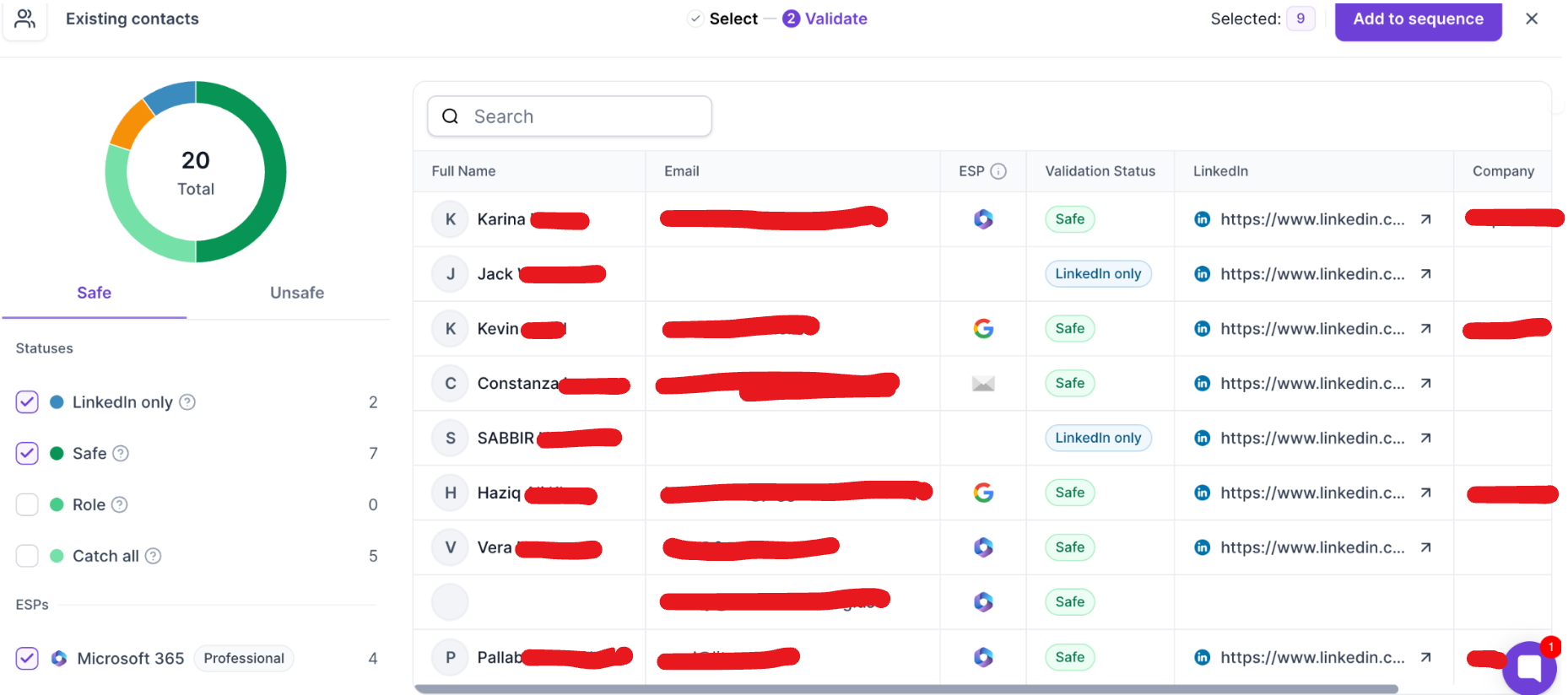
Safe
The email address was verified and is safe to send to. It is usually a personal mailbox belonging to one person. This is the best status for outbound campaigns.
Role
The address belongs to a business function, not an individual, such as support@, sales@, info@ or careers@. These addresses are valid and can receive email, but several people share them. They are fine to send to, but they work best when your message is meant for that team or department, not for a personalised message to one person.
Catch-all
The recipient’s mail server accepts email for any address on the domain, so the validation tool cannot confirm that the specific mailbox exists. Many legitimate B2B companies use catch-all domains and these emails often deliver fine, but there is slightly more uncertainty than with Safe addresses.
Does this condition replace the “Has email” condition?
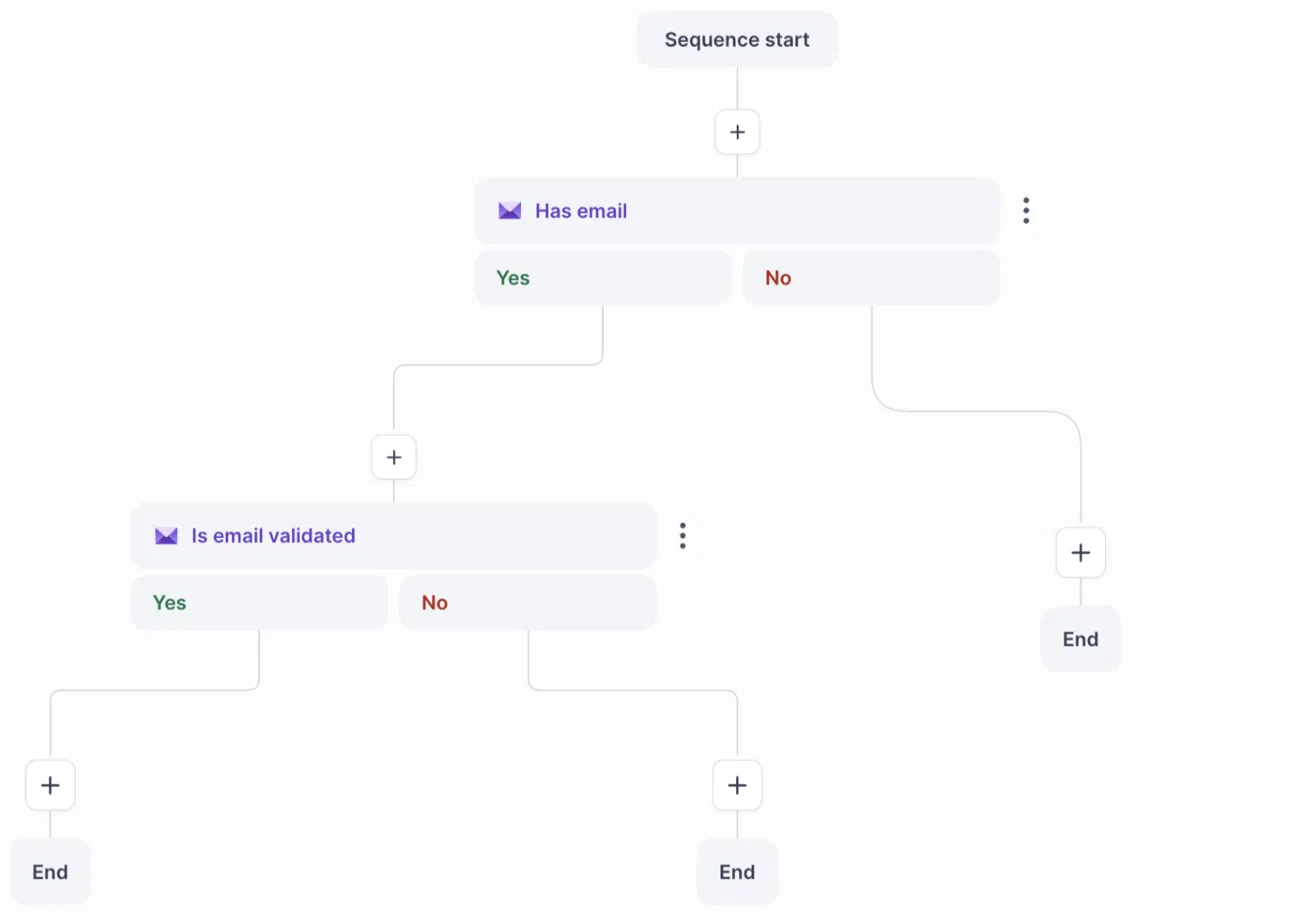
No. The two conditions check different things. “Has email” checks whether the contact has an email address at all. The Email Validation Status condition checks the quality of that address. You can combine them, for example “Has email” first and then the validation condition on the Yes branch.
Tip
For email-focused sequences, keep Safe selected and decide whether you want Catch-all and Role included based on how much risk you accept. Contacts who go down the No branch can be routed to a LinkedIn step or ended.
