Agent Frank now brings the Leadsforge search experience directly into the ICP (Ideal Customer Profile) setup during onboarding.
This makes it easier to review potential leads, refine your target audience, and remove leads you don't want Agent Frank to target — all without leaving the onboarding flow.
During the Targeting step of Agent Frank onboarding, you can now use Leadsforge-powered search to build and refine your target audience.
You can:
Browse potential leads using the familiar Leadsforge search interface
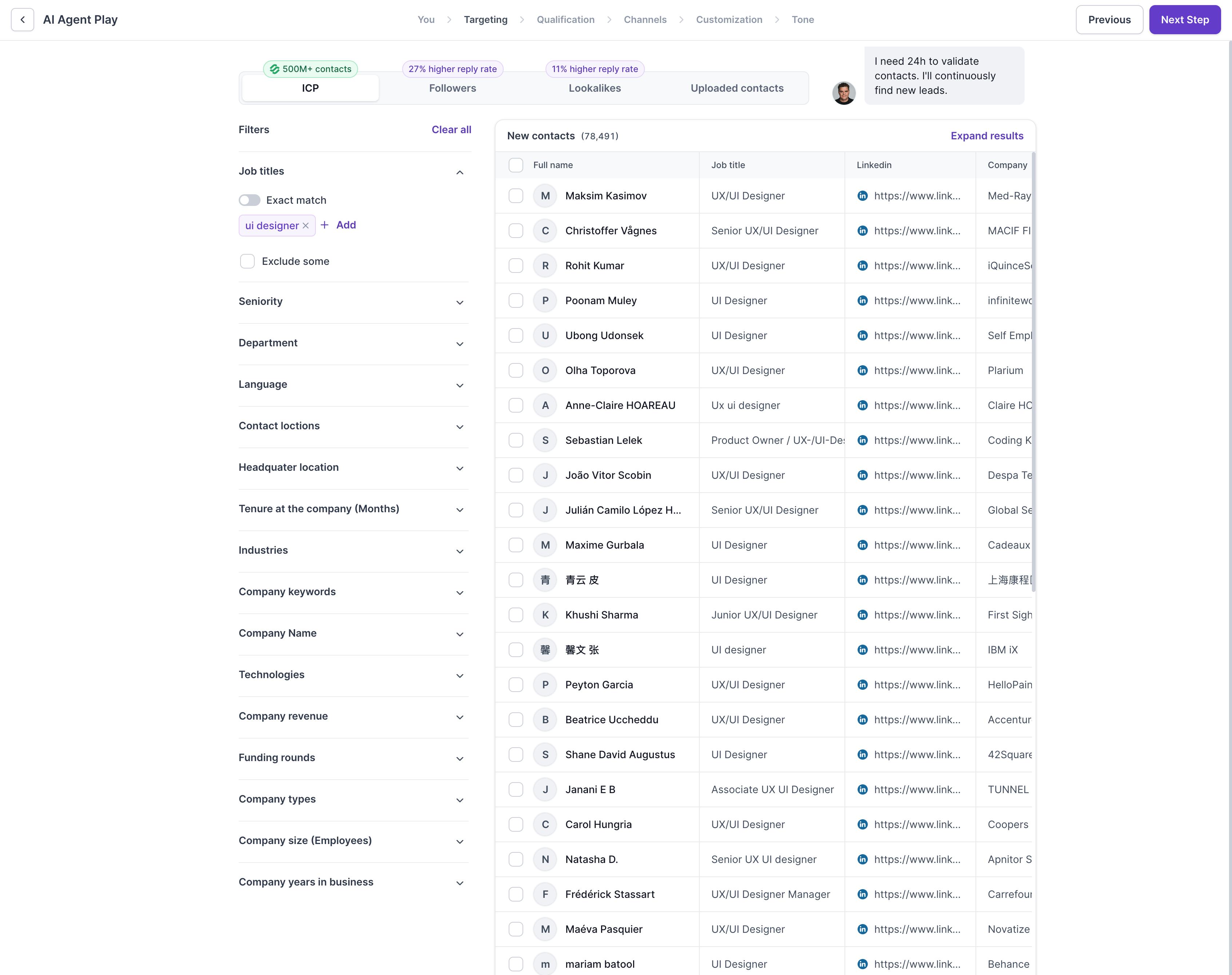
Apply filters to find leads that match your ICP
Search and review results in a searchable table
Open a lead's LinkedIn profile directly from the results
Expand your search to discover additional matching leads
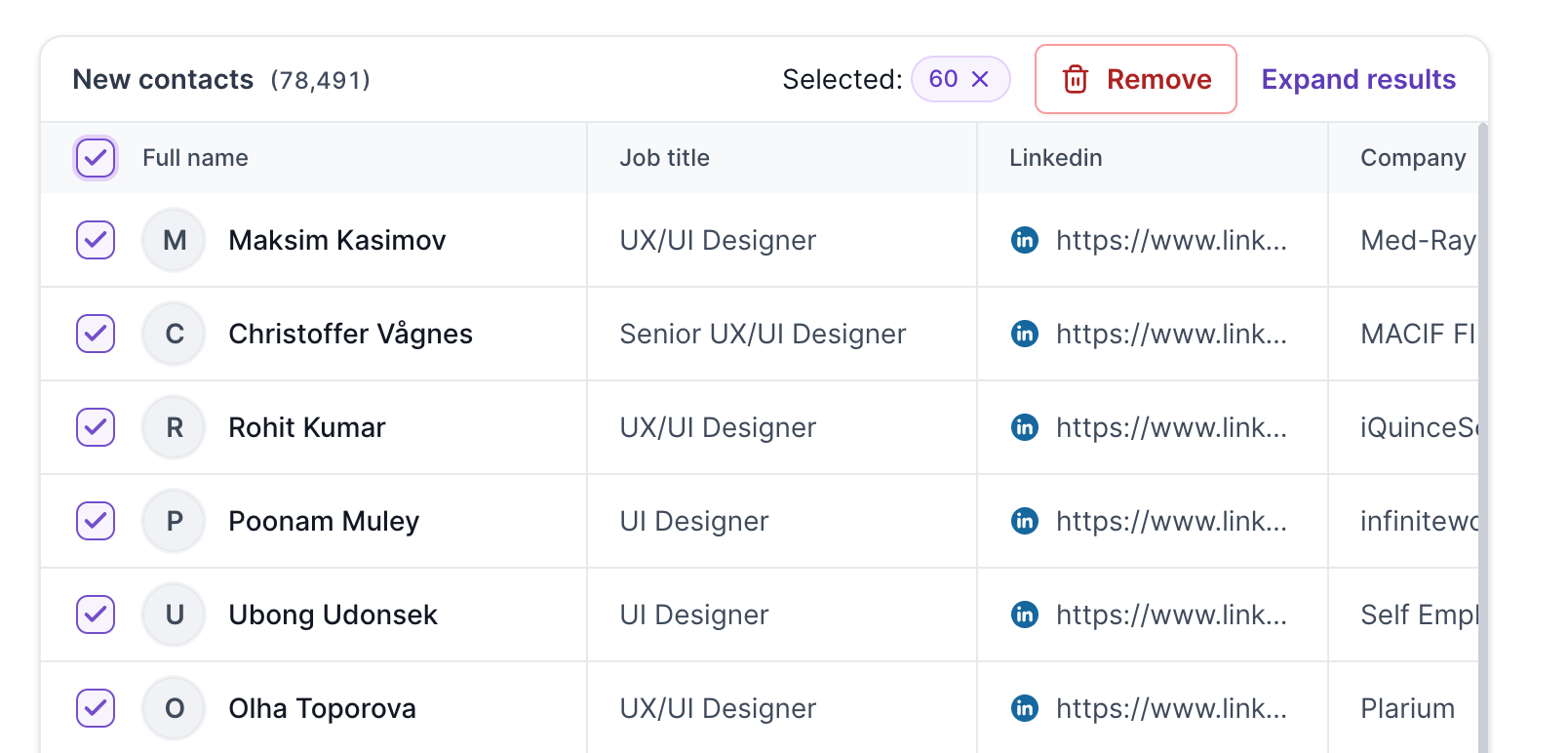
Remove leads that you don't want to target
When setting up Agent Frank, navigate to the Targeting step during onboarding.
You'll see the Leadsforge-powered search interface directly within the setup flow.
Use the available Leadsforge filters to define the type of prospects you want Agent Frank to target.
You can review the matching prospects in the results table and use the search functionality to find specific leads.
Before deciding whether to include a lead in your target audience, you can open their LinkedIn profile directly from the results.
This makes it easier to validate that the prospect matches your ICP.
If the initial results don't contain enough suitable prospects, use the option to expand your search.
This allows you to discover additional leads that match your targeting criteria.
If you find a lead you don't want Agent Frank to target, you can remove them directly from the results.
Important: Removed leads are automatically added to your Do Not Search list in Leadsforge.
This means they will be excluded from future enrichment searches and should not reappear in subsequent searches.
The Do Not Search list helps prevent unwanted leads from being returned in future Leadsforge enrichment searches.
When you remove a lead from Agent Frank's ICP setup:
The lead is removed from your current targeting results.
The lead is automatically added to the Leadsforge Do Not Search list.
Future enrichment searches will exclude that lead.
This means you don't need to manually maintain the exclusion list.
We've also updated the Agent Frank onboarding navigation to make better use of available screen space.
The redesigned layout provides more room for the targeting experience, making it easier to browse and review leads while configuring your ICP.
The new Leadsforge-powered ICP setup gives you more control over the prospects Agent Frank targets.
You can search → review → validate → expand → remove leads directly within the onboarding flow, while removed leads are automatically excluded from future Leadsforge searches.
