
Renaming lists
Lists can be renamed from three different locations within the platform:
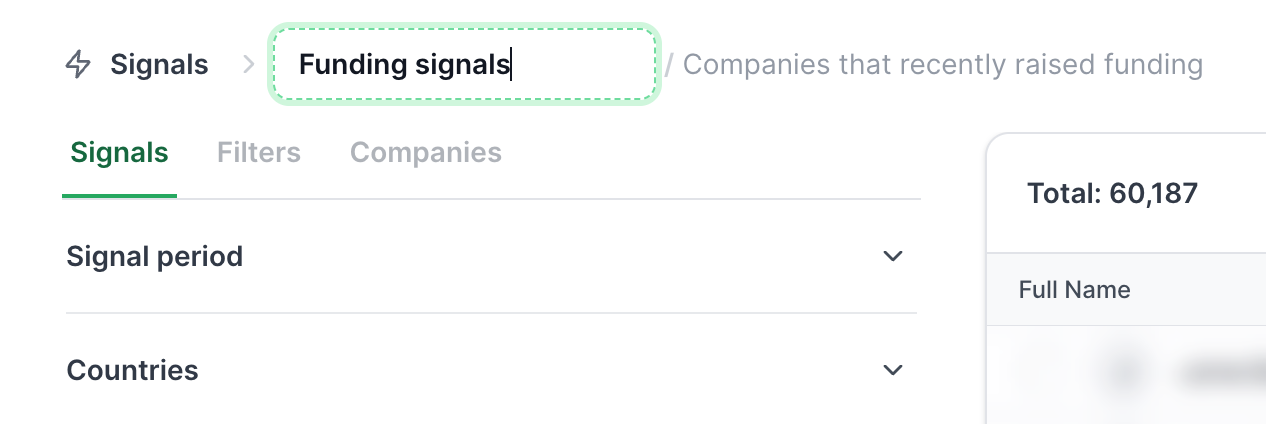
From the Results Page Header
Open any list in your workspace.
Click directly on the list name field in the top breadcrumb header (inside the green outline box)
Rewrite the name directly to update it.
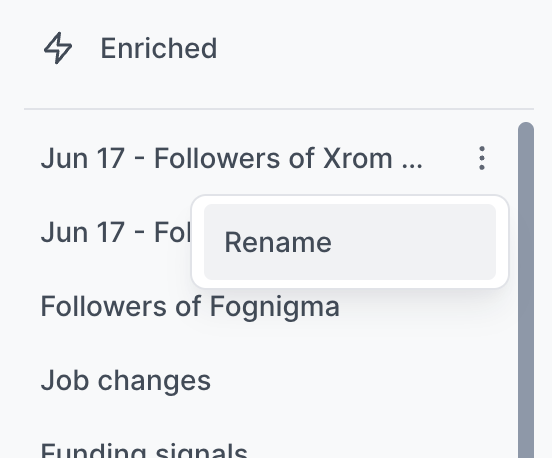
From the Sidebar
Hover over any list under Enriched in the left navigation sidebar.
Click the three dots menu (...) next to the list name.
Select Rename.
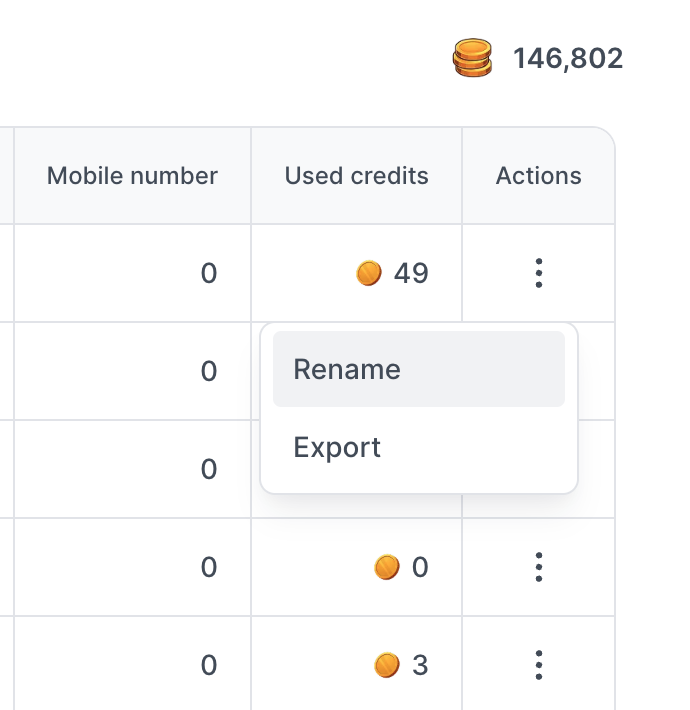
From the Enriched Page Table
Go to your Enriched lists table view.
Navigate to the Actions column on the far right of the row.
Click the three dots menu (...) and select Rename.
Automatic Search <> Enriched List Sync
Leadsforge automatically keeps related Search and Enriched lists in sync:
Updating a Search list name: Automatically updates the name of the paired Enriched list.
Updating an Enriched list name: Automatically updates the name of the paired Search list.
This ensures both versions of your list stay matched and easy to identify across both the sourcing and enrichment stages.