Traditional prospecting starts by defining an Ideal Customer Profile (ICP)—filtering companies and contacts based on firmographic or demographic criteria such as industry, company size, location, or job title.
While this remains an effective approach, timing is just as important as fit.
Signals in Leadsforge introduce a new sourcing path that helps you discover prospects based on real-world events and buying signals. Instead of searching only for companies that match your ICP, you can identify organisations and decision-makers that have recently experienced meaningful business changes, allowing you to engage them at the right time.
Whether you're targeting companies that have recently raised funding, made an acquisition, hired new leadership, or are actively investing, Signals help you build highly relevant prospect lists backed by real market activity.
Companies don't buy solutions simply because they fit your target audience—they buy because something has changed.
Signals help you identify those moments of change, allowing you to reach out when prospects are more likely to engage.
Using Signals can help you:
Discover prospects with higher buying intent
Reach companies during periods of growth or transition
Improve campaign relevance and timing
Prioritise outreach based on recent market activity
Build more targeted prospect lists beyond traditional ICP filters
Using Signals in Leadsforge is straightforward:
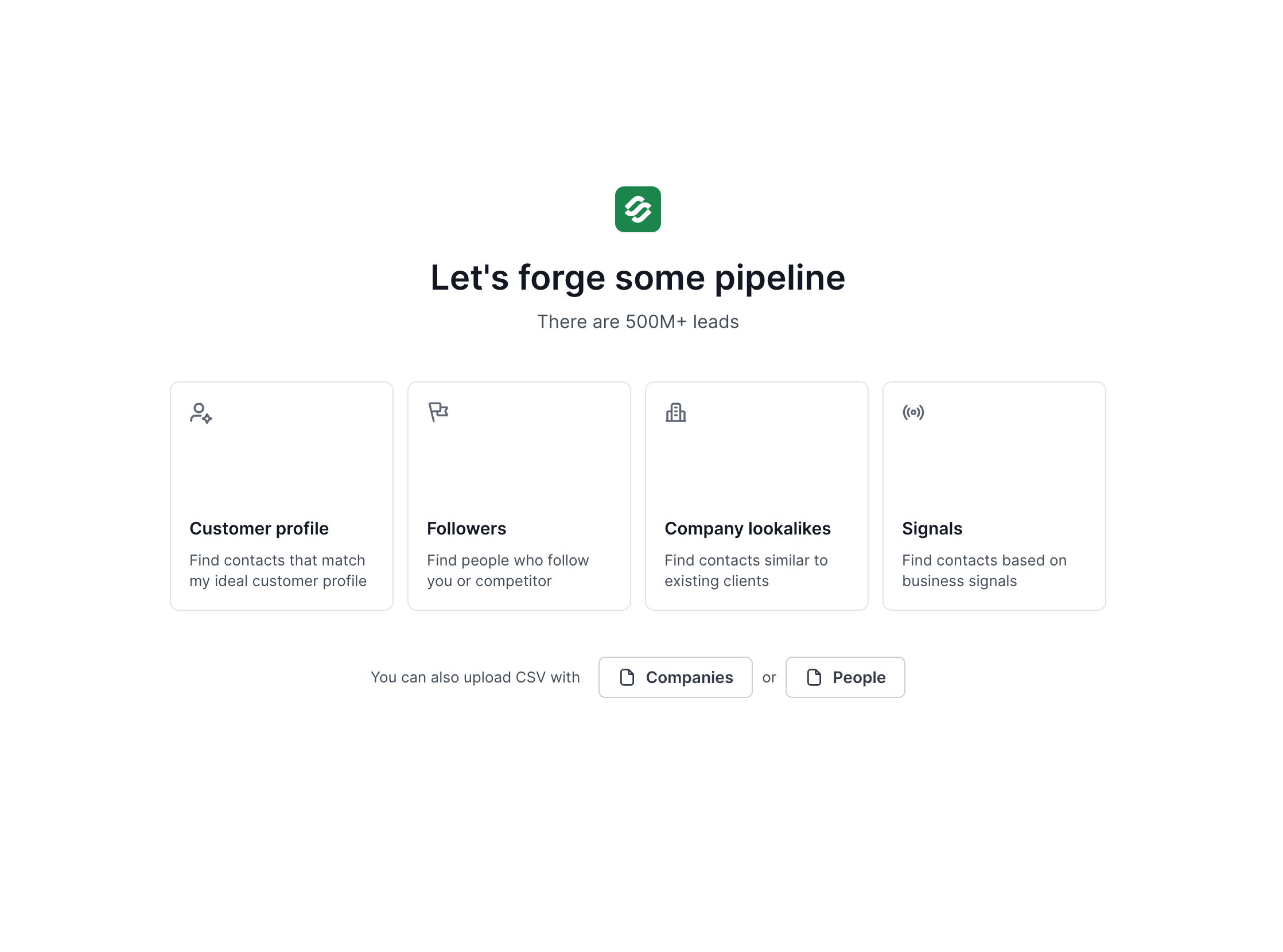
Select Signals as your sourcing path.
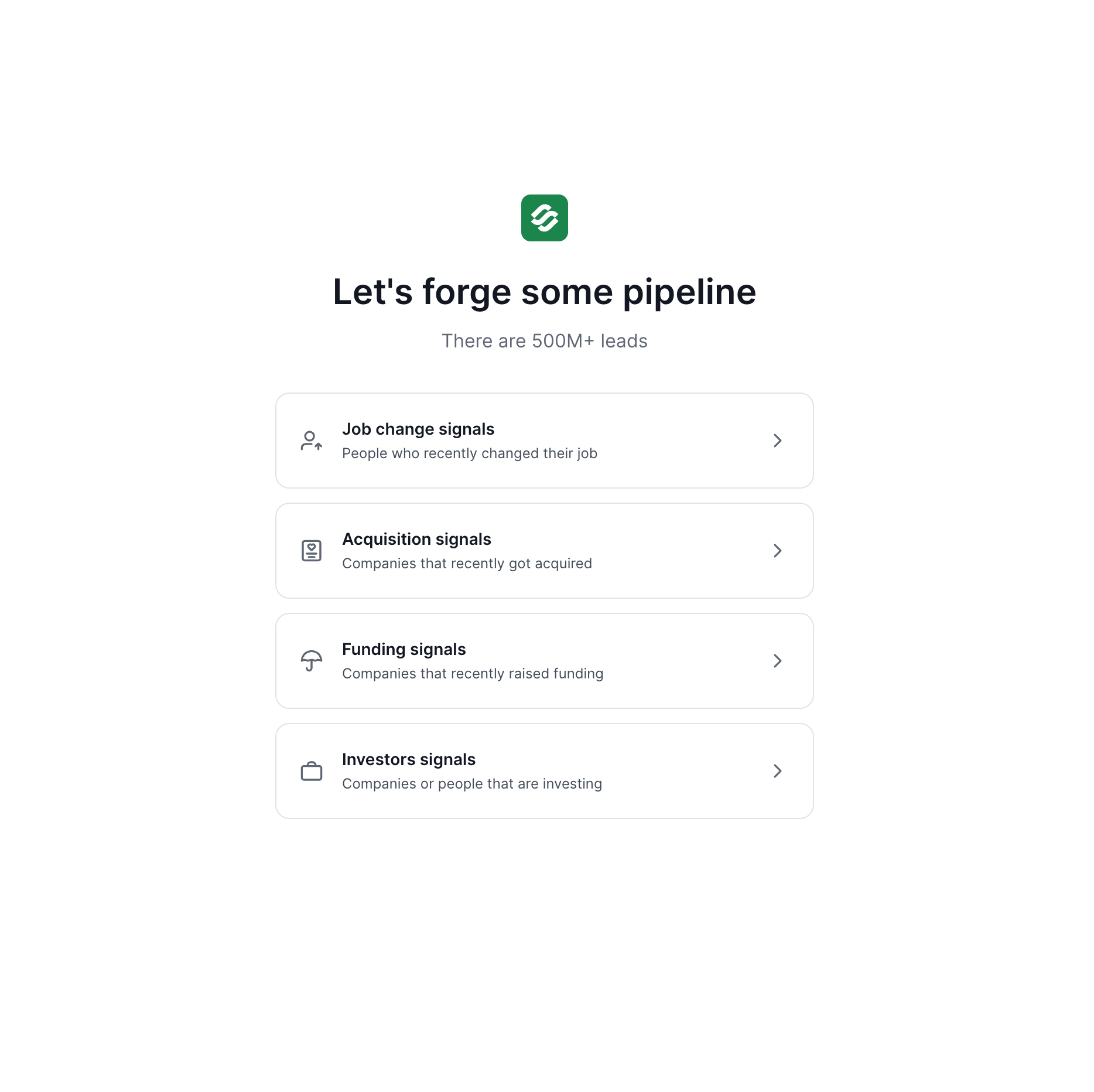
Choose the signal type you want to search.
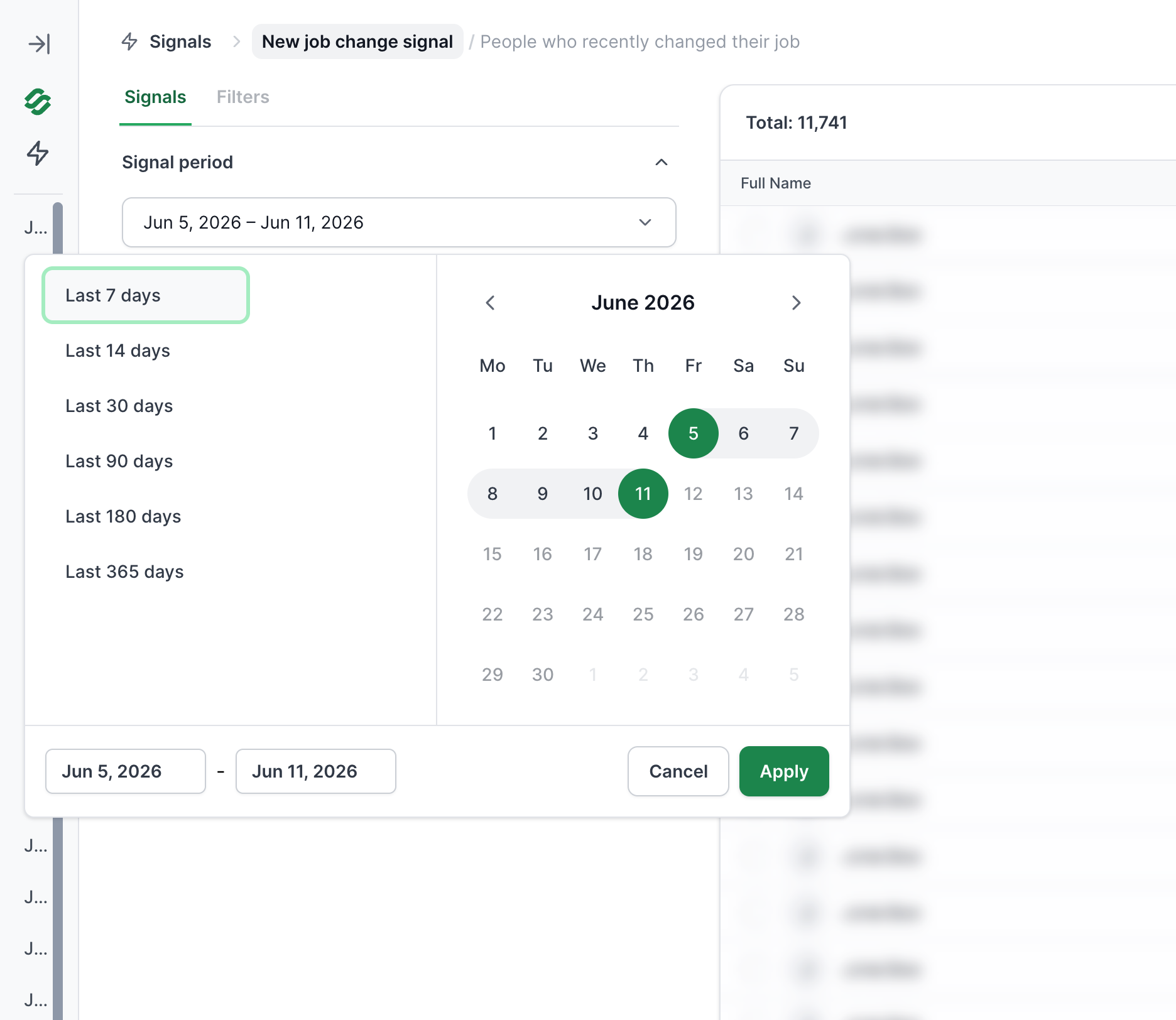
Configure the available filters for that signal.
Review the estimated number of matching companies or contacts.
Extract your selected results using credits.
Review the supporting evidence explaining why each result matched the signal.
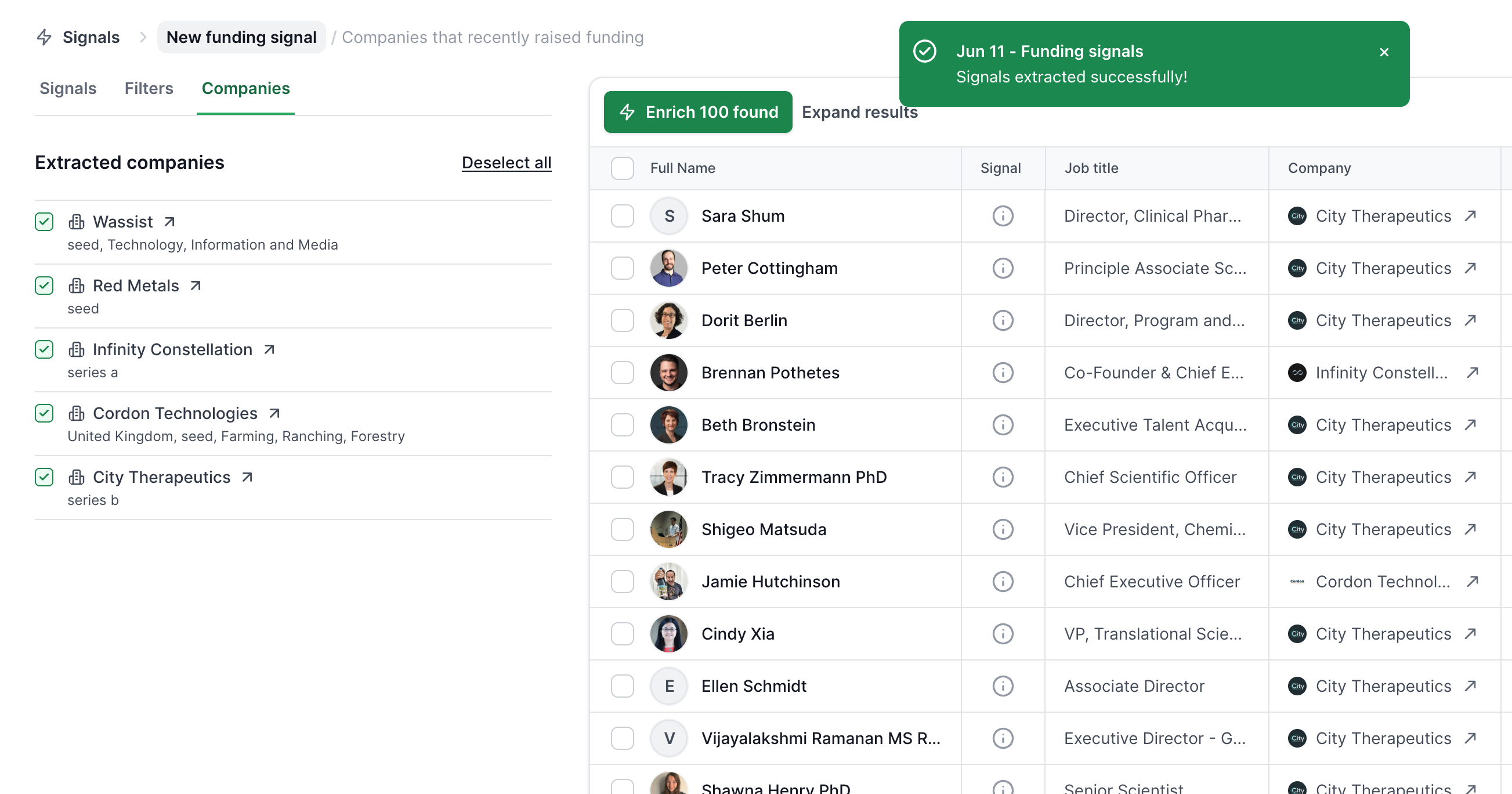
Enrich your extracted leads and move them into your Enriched table for outreach.
This workflow helps you move from discovering opportunities to launching campaigns with minimal effort.
Identify people who have recently changed roles or joined a new company.
New decision-makers often evaluate existing processes, review software, and introduce new tools during their first few months, making this an excellent opportunity for outreach.
Signal period
Contact location (countries)
Job positions
Seniority
Department
Find companies that have recently been acquired.
Following an acquisition, businesses often undergo organisational, operational, or technology changes, creating opportunities for new partnerships and solutions.
Signal period
Company location (countries)
Categories
Subcategories
Employee count (minimum and maximum)
Founded year (minimum and maximum)
Identify companies that have recently secured investment.
Organisations that have raised funding frequently expand their teams, invest in technology, and accelerate growth initiatives.
Signal period
Company location (countries)
Categories
Subcategories
Industries
Funding round
Funding amount (USD)
Employee count (minimum and maximum)
Founded year (minimum and maximum)
Discover companies and individuals actively making investments.
These signals can help identify venture capital firms, investment groups, or organisations actively funding other businesses.
Signal period
Company location (countries)
Headquarters
Organisation type
Investment ticket size (USD)
For company-based signals, Leadsforge automatically connects company insights with individual decision-makers.
The process works as follows:
Leadsforge identifies companies that match your selected signal.
Those companies are matched against the Leadsforge lead database.
Relevant employees and decision-makers from those companies are surfaced for extraction.
This eliminates the need to manually research contacts after identifying target companies.
Every extracted company and contact includes supporting evidence explaining why it matched the selected signal.
By opening the Details view, you can review the information used to qualify the result, helping you understand the context before beginning outreach.
This additional transparency allows you to:
Verify the relevance of each prospect
Personalise your messaging using recent business events
Better understand why a company or contact appeared in your search
Rather than relying on a simple match, Signals provide context that can help improve both targeting and personalisation.
Credits are only consumed when you choose to extract companies or contacts.
At extraction:
Credits are charged based on the number of companies or contacts selected.
Extracted results can then be enriched using your existing enrichment workflows.
Once enriched, leads are available in your Enriched table, ready for export or outreach.
This allows you to review estimated results before committing credits.
To get the most value from Signals:
Combine Signals with your Ideal Customer Profile (ICP) for highly targeted prospecting.
Focus on recent signal periods to engage prospects while events are still relevant.
Use the supporting evidence to personalise your outreach.
Prioritise decision-makers most closely connected to the signal.
Enrich contacts before adding them to your outbound campaigns.
For example:
Reach out to newly hired Heads of Sales with messaging focused on building a modern outbound process.
Contact recently funded SaaS companies about scaling operations or accelerating growth.
Engage newly acquired businesses that may be reviewing their technology stack.
Target active investors with solutions relevant to portfolio management or deal sourcing.
Signals introduce a powerful new way to build prospect lists in Leadsforge.
Instead of relying solely on static company and contact filters, you can now discover prospects based on real-world business events such as job changes, funding rounds, acquisitions, and investment activity.
By combining traditional ICP filtering with timely buying signals, Leadsforge helps you identify not only the right prospects—but also the right moment to start the conversation.
