The quality of your lead list is one of the biggest factors influencing the success of your outbound campaigns. Even with excellent email infrastructure, engaging copy, and strong sender reputation, poor-quality leads will result in lower engagement and reduced campaign performance.
A high-quality lead list helps you achieve:
Higher reply rates
Better conversion rates
Improved inbox placement
Lower bounce rates
Stronger sender reputation
More efficient use of your sending capacity
However, it's important to remember that lead quality goes beyond email validation.
A valid email address doesn't necessarily mean it's the right person to contact. The most successful outbound campaigns combine accurate contact information with highly targeted prospects who closely match your Ideal Customer Profile (ICP).
Before validating email addresses, ensure you're reaching the right audience.
Instead of targeting broad groups like:
Marketing Professionals
Focus on a more refined audience, such as:
Heads of Marketing
Demand Generation Managers
Founders of SaaS companies
Companies with 20–200 employees
Businesses using HubSpot
Organisations within your target region
The more relevant your audience, the more likely they are to engage with your outreach.
This is where Leadsforge comes in.
Leadsforge enables you to build highly targeted prospect lists using filters such as:
Industry
Company size
Job title
Seniority
Revenue
Technologies used
Location
And many more
By generating lists that closely match your ICP, you can focus your outreach on prospects who are genuinely more likely to benefit from your product or service.
Once you've identified the right prospects, the next step is ensuring their email addresses are deliverable.
Sending emails to invalid or poor-quality addresses can lead to:
Hard bounces
Lower sender reputation
Reduced inbox placement
Wasted sending capacity
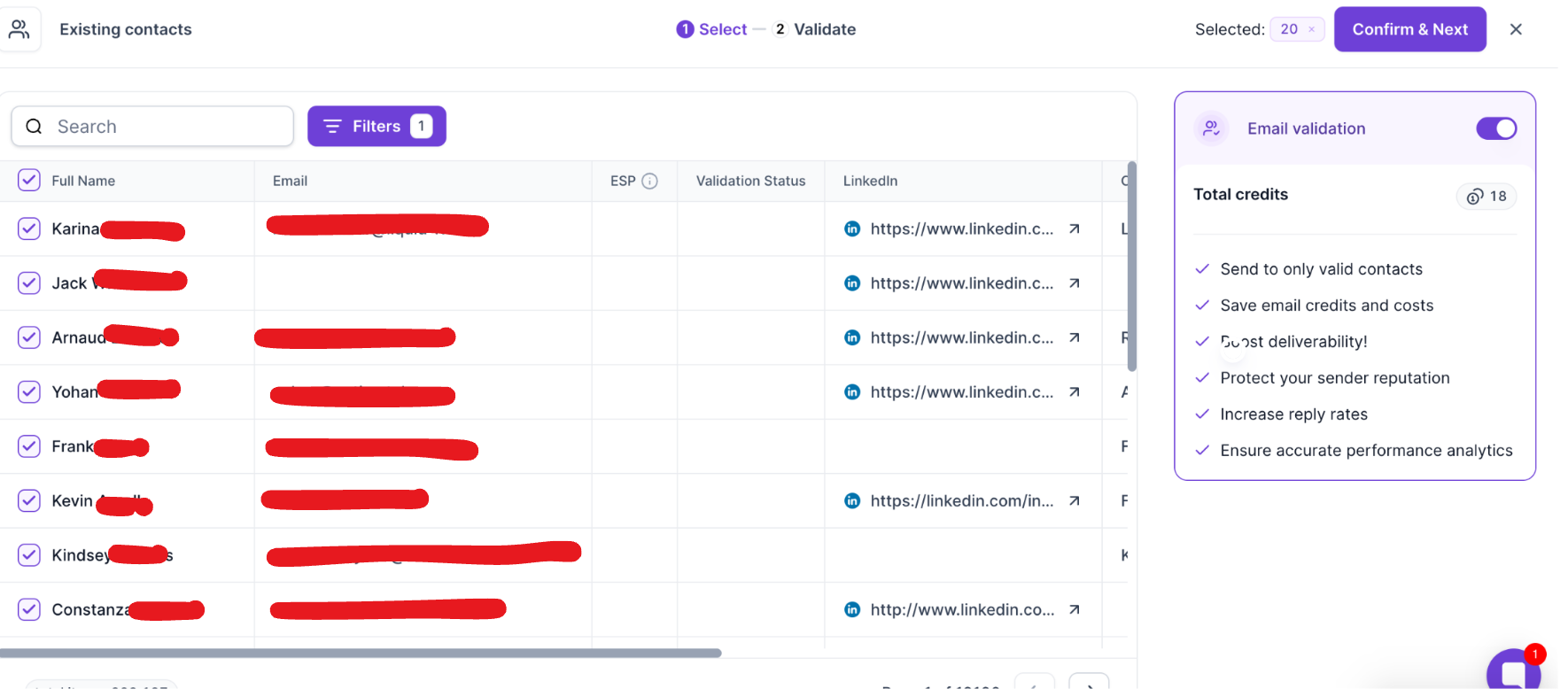
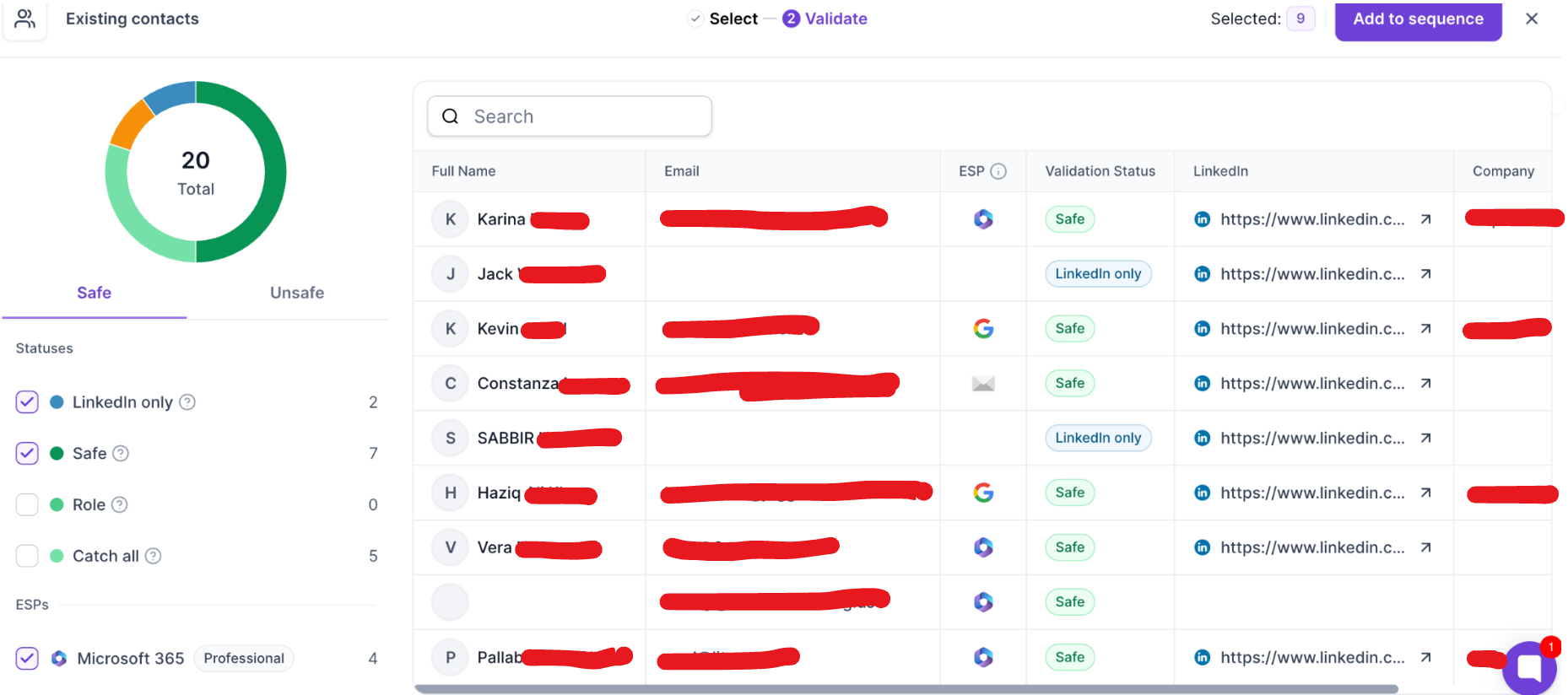
When contacts are imported into Salesforge, email validation assigns a validation status to each contact. These statuses help you determine which contacts are suitable for outreach.
Meaning
The email address has been successfully verified and is considered safe to send to.
Typically, this is a personal mailbox belonging to an individual.
Recommendation
This is the preferred status for outbound campaigns.
Meaning
The email address belongs to a business function rather than an individual.
Examples include:
These addresses are valid and can receive emails but are shared by multiple people or teams.
Recommendation
Role addresses are safe to send to, but they may not be the best choice for personalised outbound campaigns unless your message is intended for that department.
Meaning
The recipient's email server accepts emails sent to any address on the domain, even if the individual mailbox cannot be confirmed.
This means the validation service cannot verify whether the specific mailbox exists.
Recommendation
Many legitimate B2B companies use catch-all domains. While these addresses often deliver successfully, they carry slightly more uncertainty than fully verified Safe addresses.
Meaning
The validation service could not determine whether the mailbox exists.
This often occurs because the recipient's mail server blocks external verification attempts.
Recommendation
Unknown addresses may still be valid, but they should be approached with more caution than Safe addresses.
Meaning
The email address does not exist or is not registered.
Sending to these addresses will almost certainly result in a hard bounce.
Recommendation
Do not include Invalid contacts in your campaigns.
Meaning
The mailbox previously existed but has since been disabled by the email provider.
For example, a Gmail or Microsoft account may have been suspended or permanently closed.
Recommendation
Treat these the same as Invalid addresses and exclude them from your campaigns.
Meaning
The email address belongs to a temporary email service.
Disposable addresses are often created for short-term use and may only exist for a limited period.
Recommendation
These addresses should generally be excluded from outbound campaigns, as they're unlikely to belong to genuine prospects.
Meaning
Spam trap addresses are not monitored by real people. They are used by mailbox providers and anti-spam organisations to identify unsolicited senders.
Sending to spam traps can significantly damage your sender reputation.
Recommendation
Never send emails to spam trap addresses.
Meaning
The recipient's mailbox has reached its storage limit and cannot currently receive new emails.
If the recipient clears space or increases their storage capacity, the mailbox may become available again.
Recommendation
These contacts are not permanently invalid, but emails may temporarily bounce until space becomes available.
Meaning
The email address has not been validated.
This commonly occurs when there are insufficient validation credits available.
Recommendation
If possible, validate these contacts before launching your campaign to reduce the risk of bounces.
Validation tells you whether an email address is likely to receive messages.
It does not tell you:
Whether the person fits your Ideal Customer Profile
Whether they are a decision-maker
Whether they have a need for your solution
Whether they are likely to respond
An effective outbound workflow looks like this:
Use Leadsforge to identify prospects that closely match your Ideal Customer Profile using advanced filtering.
Import your contacts into Salesforge, where each email address is automatically validated and assigned a validation status.
Before launching your campaign:
Include Safe contacts.
Include Role addresses when appropriate.
Decide whether to include Catch All and Unknown contacts based on your sending strategy.
Remove Invalid, Disabled, Disposable, and Spam Trap contacts.
Consider revalidating Unvalidated contacts.
Retry Full Inbox contacts later if appropriate.
Combining a highly targeted audience from Leadsforge with validated contacts in Salesforge gives your campaigns the best chance of achieving:
Better deliverability
Higher inbox placement
Lower bounce rates
More replies
Better overall campaign performance
Build highly targeted lead lists before thinking about validation.
Define a clear Ideal Customer Profile (ICP).
Validate contacts before every campaign.
Exclude invalid and high-risk email addresses.
Keep your database clean and regularly updated.
Focus on quality over quantity—a smaller, well-targeted list consistently outperforms a large generic one.
Email validation is an important step in protecting your sender reputation and improving deliverability, but it is not a measure of lead quality on its own.
The strongest outbound campaigns begin with highly targeted prospects generated through Leadsforge, then use Salesforge's validation system to ensure those prospects can actually receive your emails. Combining relevance with validated contact data leads to higher engagement, better deliverability, and stronger campaign results.
