A burned domain is a domain that has developed poor email reputation due to issues such as high bounce rates, spam complaints, poor sending practices, or aggressive outreach volume.
When a domain is burned, emails sent from that domain may start landing in spam, getting blocked, or receiving very low engagement.
In some cases, a burned domain can be recovered. In other cases, it may be better to stop using the domain for outbound campaigns and replace it with a new one.
A burned domain is a domain with damaged sender reputation.
This usually happens when email providers start seeing negative signals from the domain, such as:
Too many bounced emails
Too many spam complaints
Sending too many emails too quickly
Poor engagement from recipients
Spammy email copy
Unverified or low-quality lead lists
Missing or incorrect DNS records
Blacklist issues
Sending campaigns from a brand-new domain without proper warm-up
Once a domain is burned, continuing to send campaigns from it can make the issue worse.
Your domain may be burned if you notice:
Emails are landing in spam
Reply rates suddenly drop
Open rates become unusually low
Bounce rates increase
Mailboxes get suspended or restricted
Emails are rejected or blocked
Deliverability tools show poor inbox placement
The domain appears on blacklists
Campaign performance drops across all mailboxes on the domain
If multiple mailboxes on the same domain are affected, the issue is likely related to the domain reputation rather than one individual mailbox.
The first step is to stop sending cold email campaigns from the affected domain.
Do not continue sending at the same volume while trying to fix the domain.
Pausing campaigns helps prevent further reputation damage and gives you time to investigate the cause.
If you keep sending from a burned domain, recovery becomes harder.
Make sure the domain has all required DNS records configured correctly.
Check the following:
SPF
DKIM
DMARC
MX records
Tracking domain setup, if applicable
Forwarding or redirect settings, if used
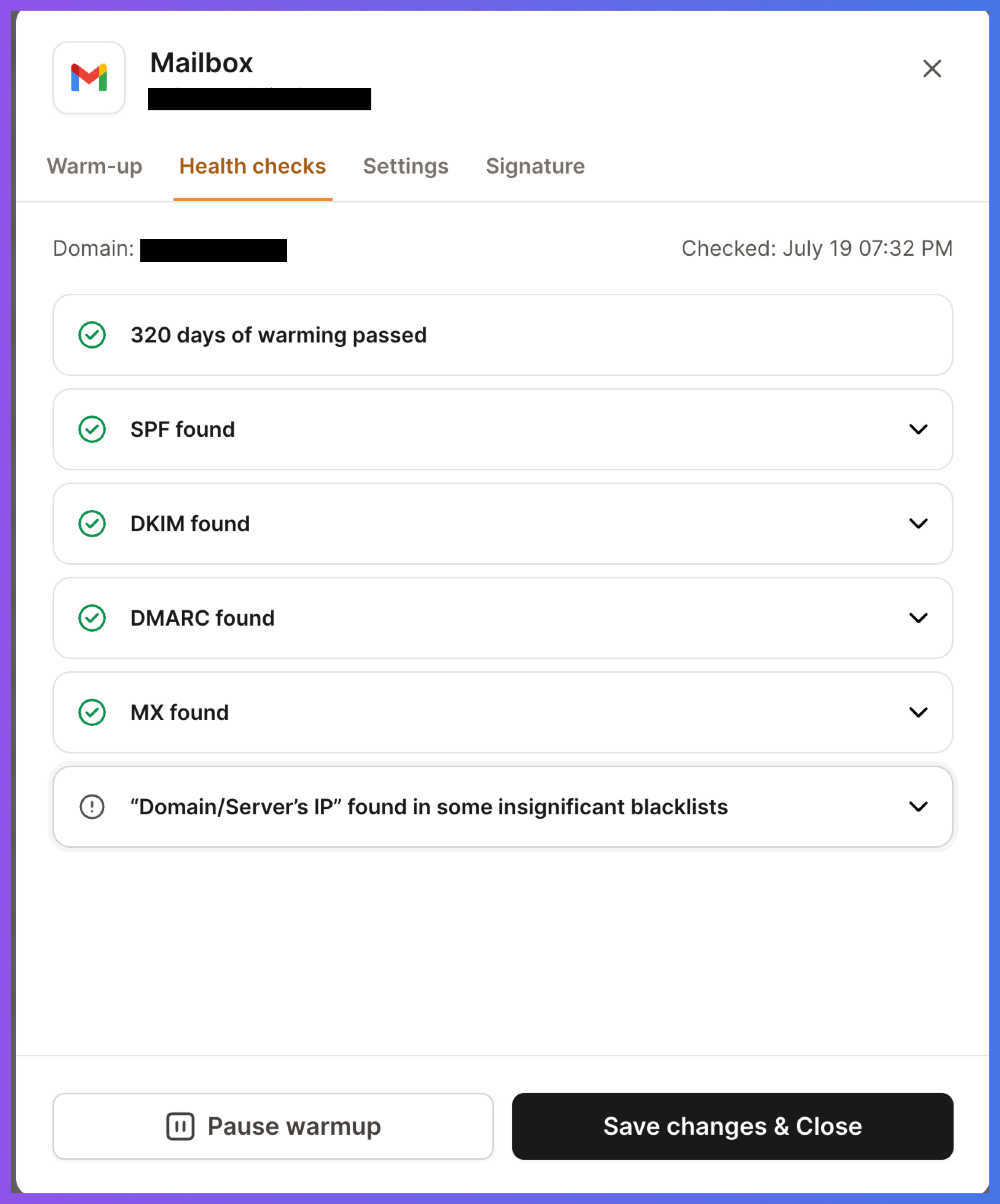
Incorrect or missing DNS records can hurt deliverability and make email providers trust your domain less.
If any record is missing or misconfigured, fix it before sending again.
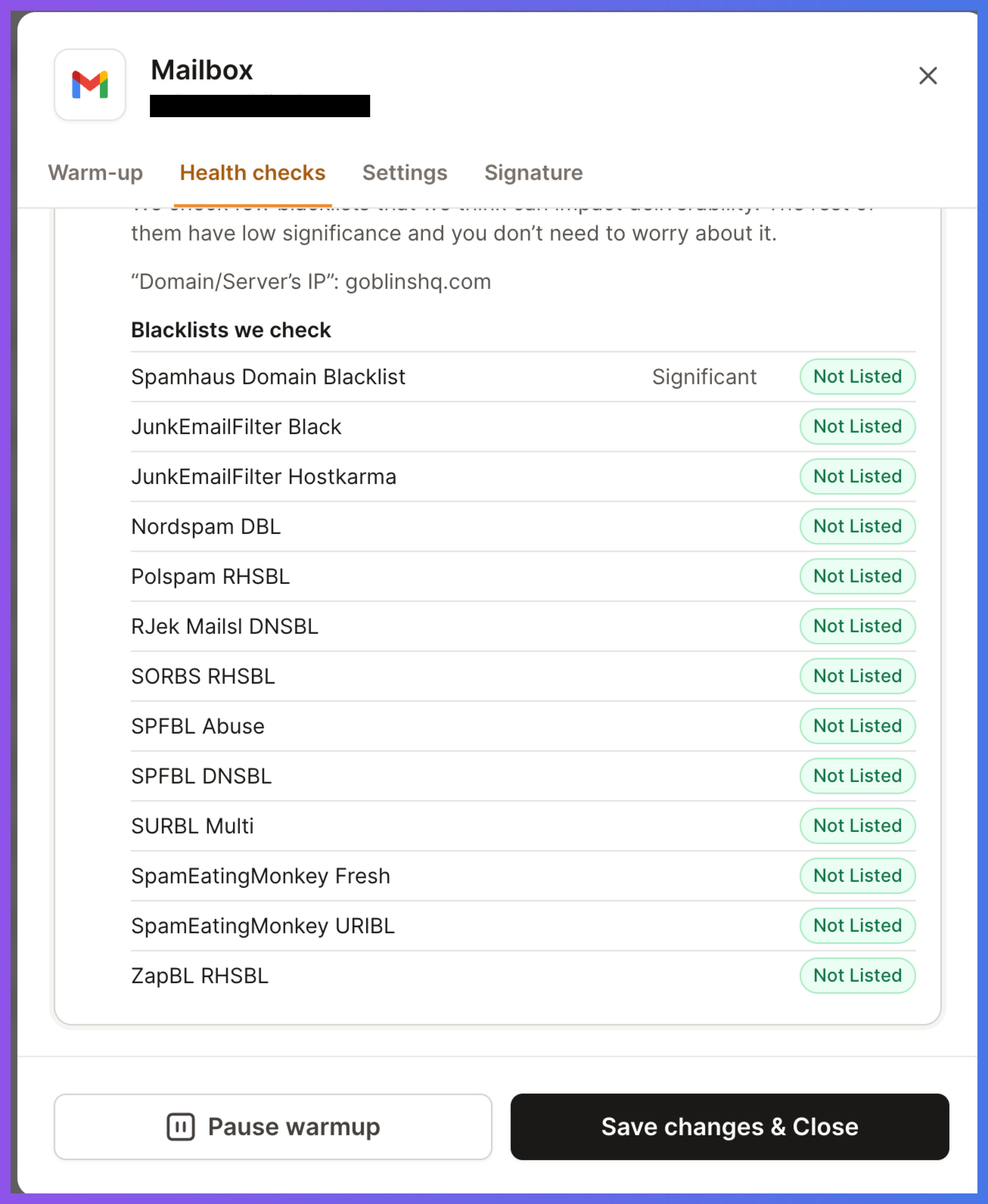
Run a blacklist check for the domain.
If the domain appears on any major blacklist, review the reason and follow the delisting instructions from the blacklist provider.
Being listed does not always mean the domain is permanently burned, but it is a strong signal that something needs to be fixed before sending resumes.
Do not request delisting until you have corrected the issue that caused the listing.
Aggressive sending is one of the most common reasons domains get burned.
Review how many emails were being sent per mailbox per day.
If the domain was sending too much too quickly, reduce the volume significantly before restarting.
When recovering a domain, sending should be restarted slowly and gradually.
Avoid jumping back to the previous campaign volume immediately.
Poor lead quality can quickly damage domain reputation.
Before sending again, clean your lead list and remove:
Invalid emails
Catch-all emails, if you do not want to take the risk
Old or outdated contacts
Generic role-based emails, such as info@ or support@
Contacts from untrusted sources
Recipients who previously bounced
Recipients who unsubscribed or complained
Use verified, relevant, and fresh contacts only.
A clean list is one of the most important parts of recovery.
Spammy copy can also cause deliverability problems.
Review your email content and avoid:
Misleading subject lines
Too many links
Too many images
Heavy HTML formatting
Spam-triggering words
Overly promotional language
Attachments in cold outreach
Long emails with low personalization
Generic messaging sent to large audiences
Keep emails simple, relevant, and personalized.
Plain-text style emails usually perform better for cold outreach than overly designed emails.
Once the technical setup, list quality, and email copy are fixed, you can begin warming the domain again.
Start slowly.
Do not restart campaigns at full volume.
Use a low sending volume first and increase gradually only if performance looks healthy.
Watch for signals such as:
Inbox placement
Reply rate
Bounce rate
Spam complaints
Blocks or rejections
Mailbox health
Engagement quality
If negative signals return, pause again and reassess.
Recovery is not instant.
You should monitor the domain closely after restarting.
Track:
Delivery rate
Bounce rate
Reply rate
Spam placement
Blacklist status
Mailbox restrictions
Campaign performance
Domain-level trends across all mailboxes
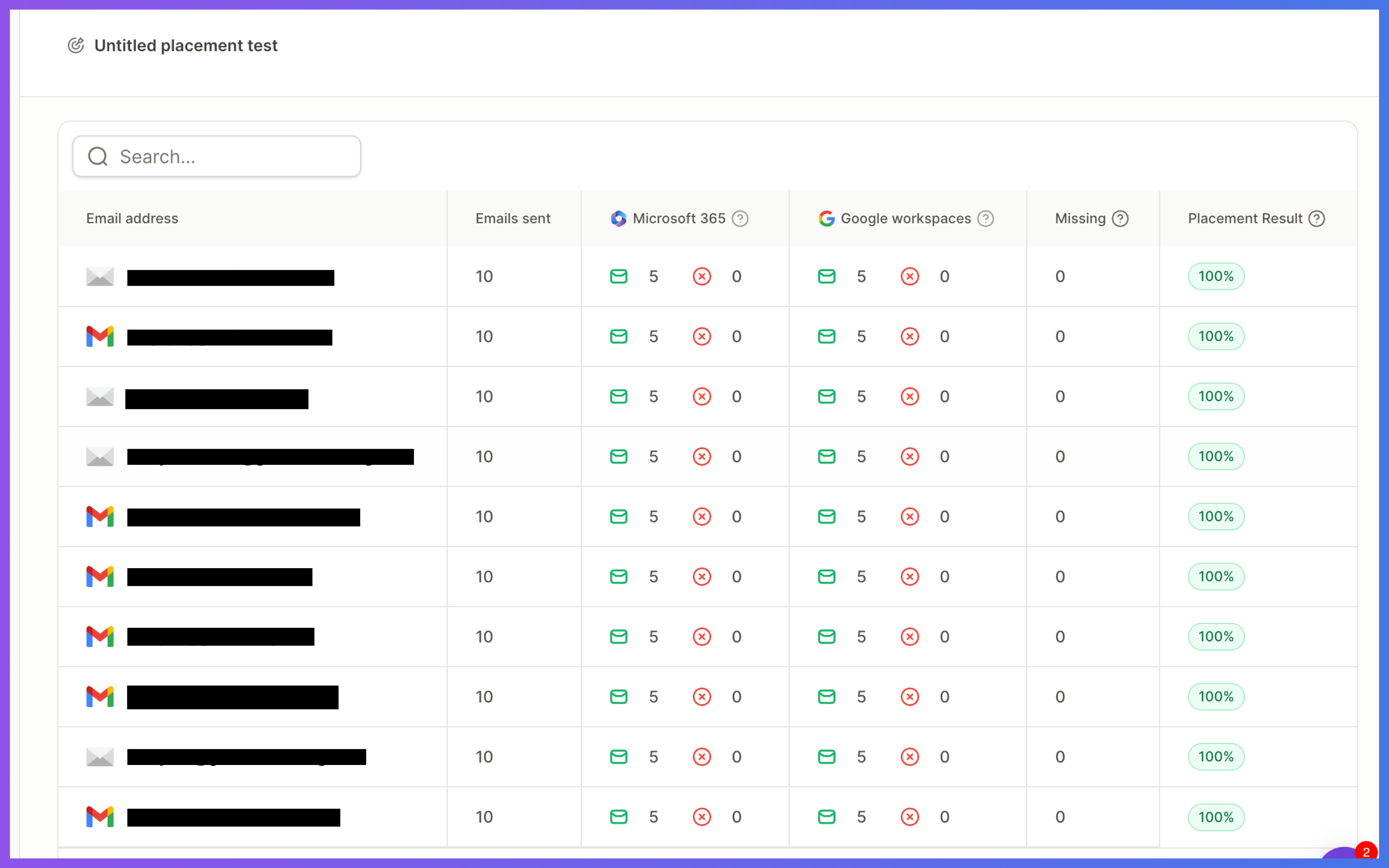
If only one mailbox is performing poorly, the issue may be mailbox-specific.
If all mailboxes on the domain perform poorly, the issue is likely domain-level reputation.
Not every burned domain is worth recovering.
You may want to stop using the domain if:
It keeps landing in spam after recovery attempts
It has repeated blacklist issues
Mailboxes are frequently suspended
Campaign performance does not improve
The domain has a long history of poor sending behavior
Recovery would take more time than replacing it
In many cases, it is better to retire the burned domain from cold outreach and set up a new domain with proper warm-up and sending practices.
Sometimes, yes.
A domain can recover if the damage is not severe and the root cause is fixed.
However, recovery is not guaranteed.
The result depends on factors such as:
How badly the domain reputation was damaged
How long the issue continued
Whether spam complaints were involved
Whether the domain was blacklisted
How quickly sending was paused
Whether the same bad sending practices are repeated
The safest approach is to pause, fix the root cause, warm up again slowly, and monitor results carefully.
To avoid burning domains in the future:
Warm up new domains before campaigns
Keep daily sending volume controlled
Use verified lead lists
Avoid spammy copy
Personalize your outreach
Monitor bounces and replies
Do not send to old or scraped lists
Avoid sending too many emails from one domain
Keep DNS records properly configured
Replace risky campaigns before they damage reputation
Good deliverability comes from consistent, healthy sending behavior over time.
