Reminders in Primebox help you follow up with prospects at the right time without losing track of important conversations.
You can use reminders when a reply needs action later, when a prospect asks you to follow up on a specific date, or when you want to make sure a conversation does not get missed.
Reminders allow you to set a follow-up date for a conversation inside Primebox.
Once a reminder is set, you can return to the conversation at the right time and take the next action, such as replying, booking a meeting, or continuing the sales conversation.
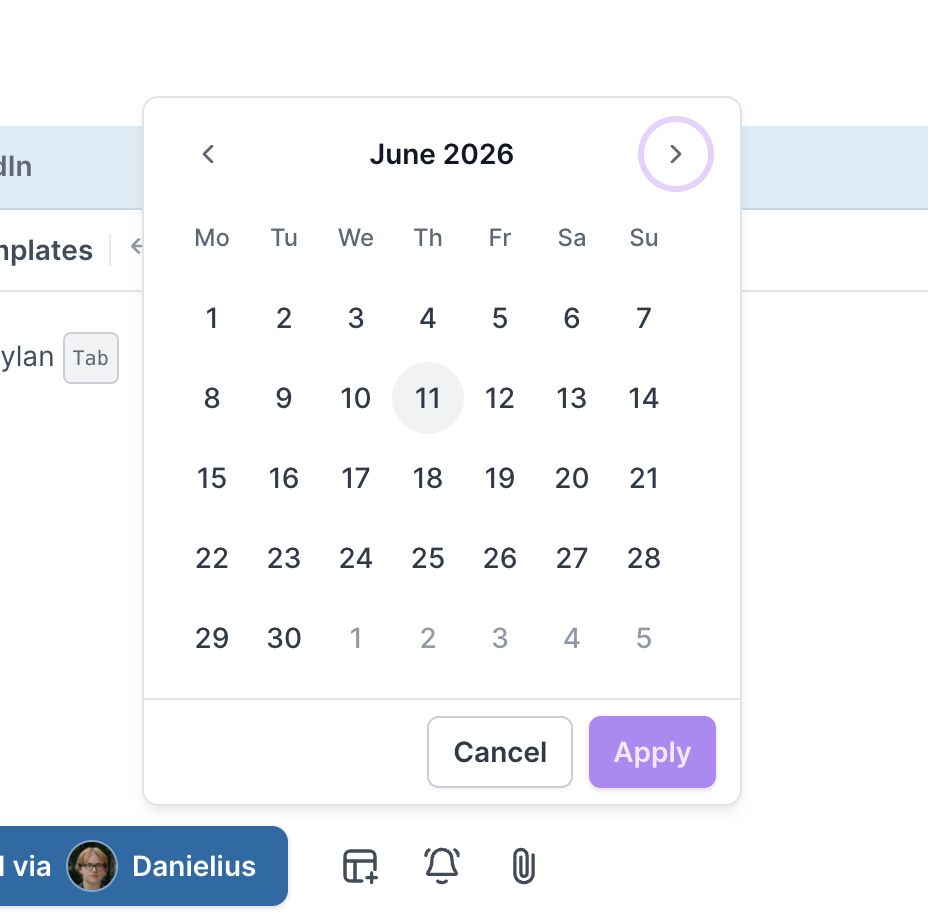
To set a custom reminder date in Primebox:
Open Primebox.
Go to the conversation where you want to set a reminder.
Click the reminder dropdown.
Select Pick a date.
Choose any future date from the calendar picker.
Once selected, the chosen date will appear inside the reminder dropdown.
Your reminder will now be set for the selected date.
You can use the existing predefined reminder options if you do not need a custom date.
For example, you may choose a standard reminder option from the dropdown instead of selecting a date manually.
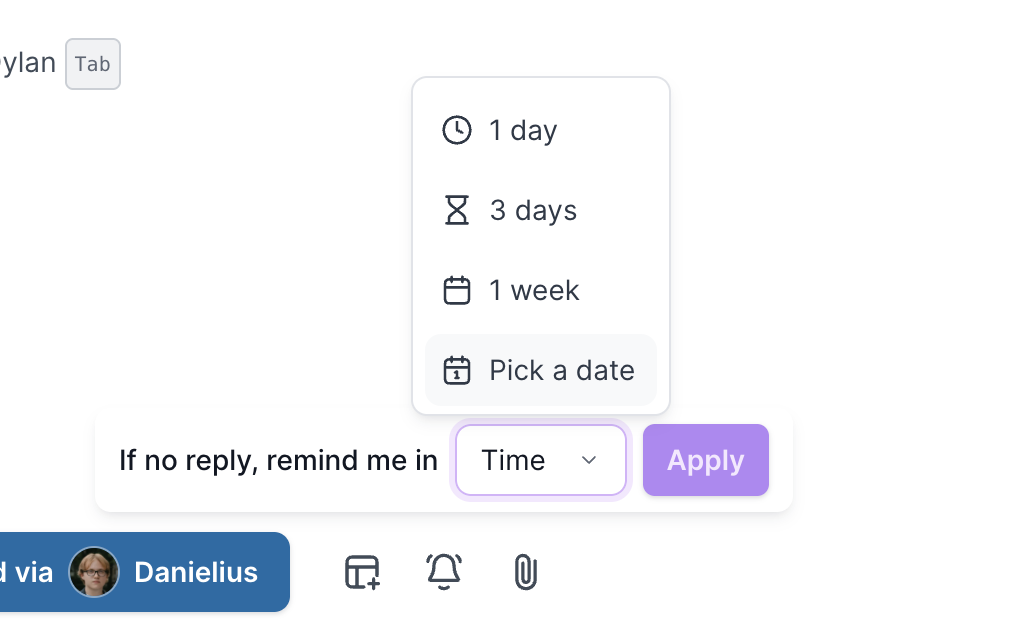
If you select a custom date and later want to switch back to a predefined option, you can do that at any time from the same reminder dropdown.
Reminders are useful when a prospect gives you a specific follow-up timeline.
For example:
“Follow up with me next Friday”
“Reach out again after the 15th”
“Check back next quarter”
“Message me after our internal meeting”
“Let’s reconnect in two weeks”
Reminders give you more control over your follow-up process.
They help you:
Follow up on the exact date requested by the prospect
Avoid missing important conversations
Keep Primebox organized
Manage replies more effectively
Improve consistency across sales follow-ups
