Salesforge uses different types of credits depending on the features you use. Each credit type can be upgraded at any time from Settings under Usage.
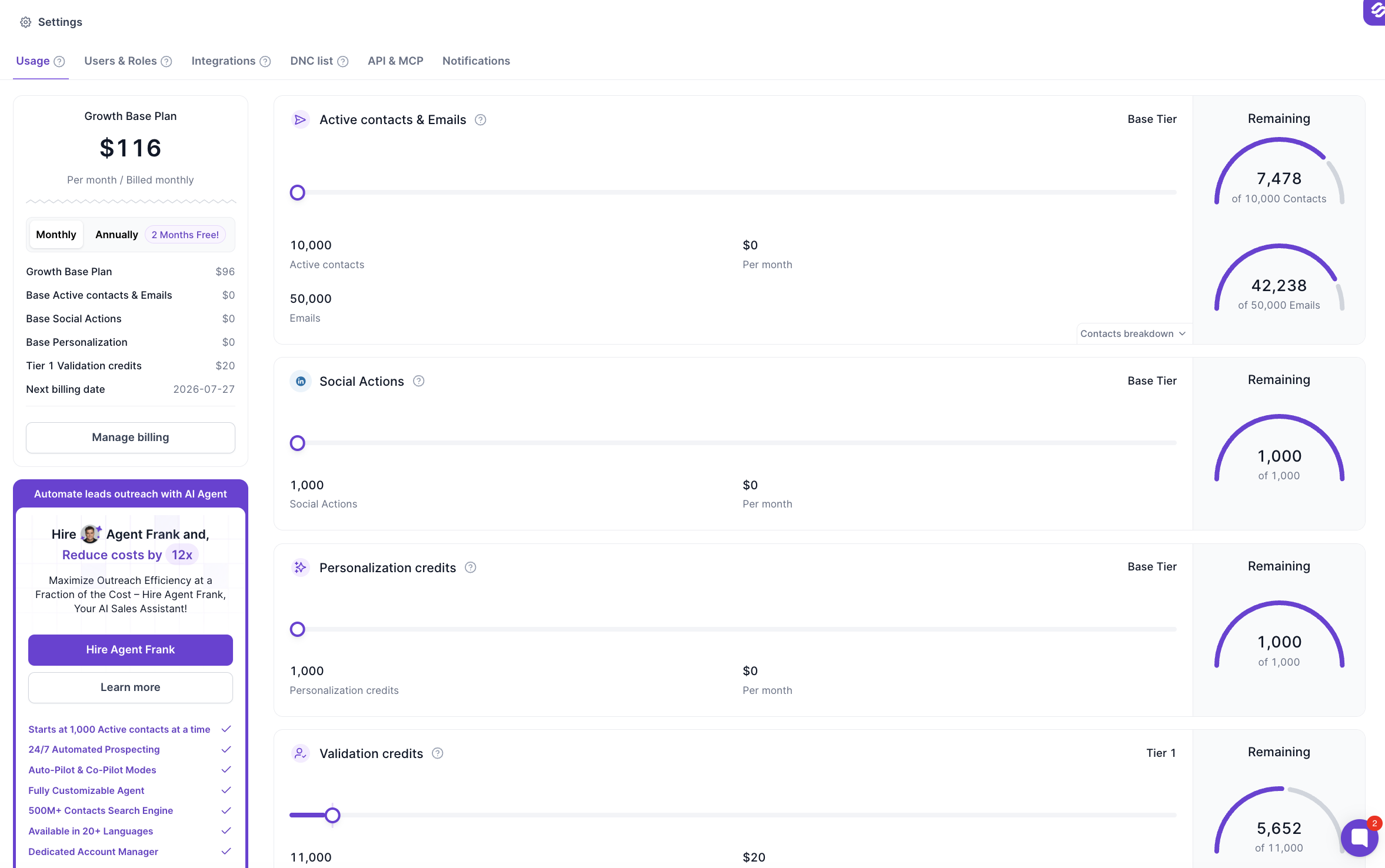
This section contains two separate limits: Active Contacts and Emails.
Unlike other credits, Active Contacts do not reset each month.
Instead, this is your maximum number of contacts that can be active at the same time. As contacts finish or leave sequences, those credits become available again automatically.
Example
If your plan includes 5,000 Active Contacts, you can have up to 5,000 contacts actively progressing through sequences at any given time.
Once contacts complete their sequence or are removed, those active contact credits become available again.
1 credit is used for every email sent from your sequences.
The number of email credits you use depends on:
The number of contacts in your sequences
The number of email steps each sequence contains
Example
If a sequence contains 4 email steps and 100 contacts complete all steps, you'll use 400 Email credits.
1 credit is used for every LinkedIn action performed in a multichannel sequence.
Examples include:
Sending a connection request
Viewing a profile
Liking a post
Sending a LinkedIn message
Any other LinkedIn action performed by the sequence
Personalization credits power Salesforge's AI generation features.
1 credit is used every time an AI preview is generated.
2 credits are used when Overdrive is enabled.
Regenerating an existing preview is free.
1 credit is used for every generated email.
1 credit is used for every generated LinkedIn message.
1 credit is used for every AI-generated reply in both Co-pilot and Autopilot modes.
3 credit is used every time an AI draft is generated.
Regenerating the same draft is free.
1 credit is used every time a contact is validated before being added to a sequence.
Validation helps verify whether an email address is deliverable before outreach begins.
Most Salesforge credits reset automatically on your subscription renewal (billing) date, including:
Emails
Social Actions
Personalization Credits
Validation Credits
Active Contacts do not reset, as they represent the maximum number of contacts that can be active across your sequences at any one time. As contacts complete or leave sequences, those active contact slots become available for new contacts automatically.
