
Localized Greeting Variable
You can now use the {{localized_greeting}} variable in Human Path messages within Multichannel Sequences to create more natural and personalized outreach.
When this variable is added to a message, it automatically generates a greeting based on the recipient's language and locale, helping your communication feel more relevant and localized.
How It Works
Open a Human Path message in your Multichannel Sequence.
Click Variables in the message editor.
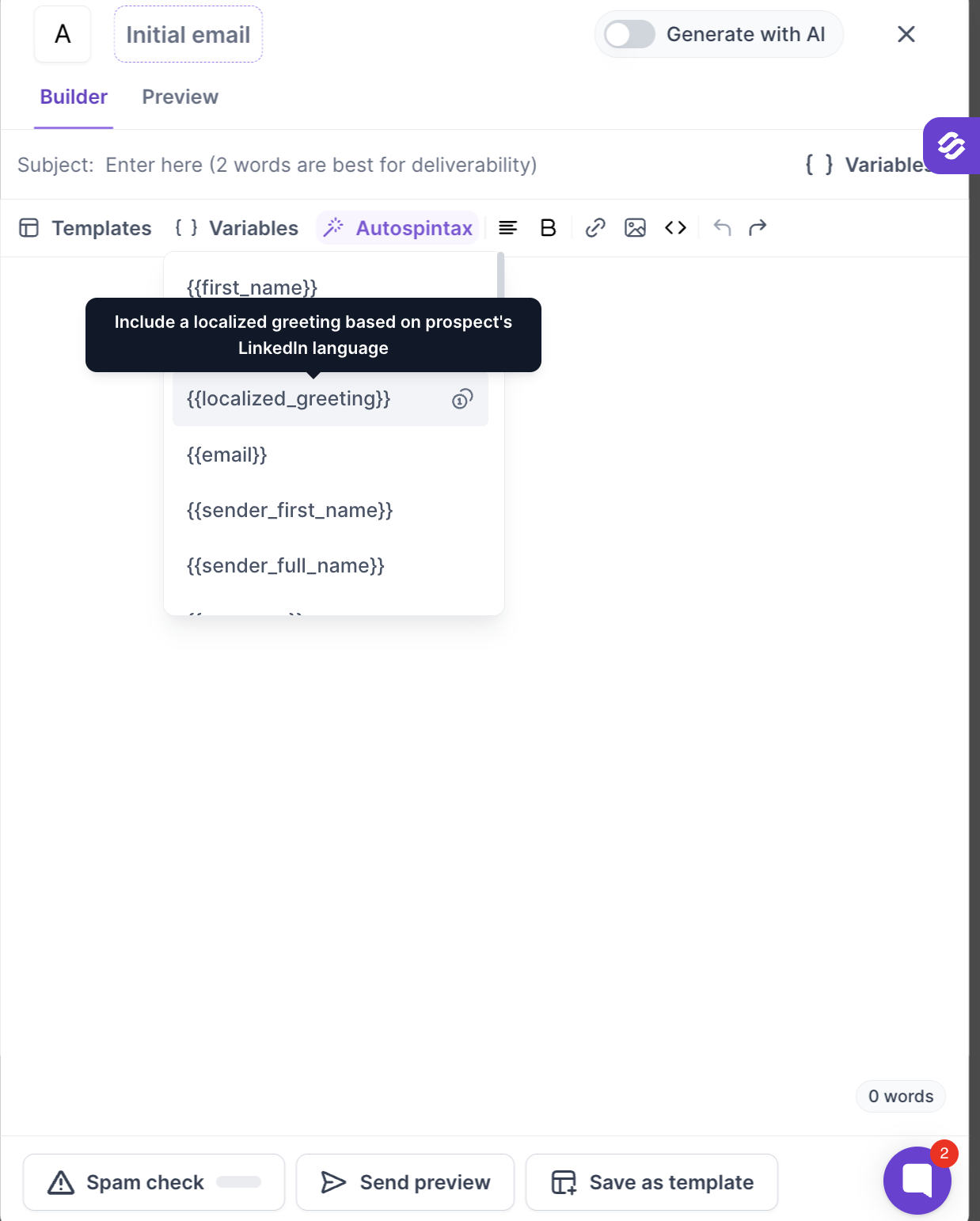
Select {{localized_greeting}} from the personalization menu.
Insert it in your message.
When the message is sent, the greeting is dynamically generated for each recipient.
Example Greetings
Depending on the recipient's language and locale, the variable may generate greetings such as:
Hello
Hi
Bonjour
Hola
Guten Tag
Example Message
Template:
{{localized_greeting}} {{first_name}},

I came across your profile and wanted to connect regarding...
Possible Output:
Bonjour Marie,

I came across your profile and wanted to connect regarding...
Personalization Credit Usage
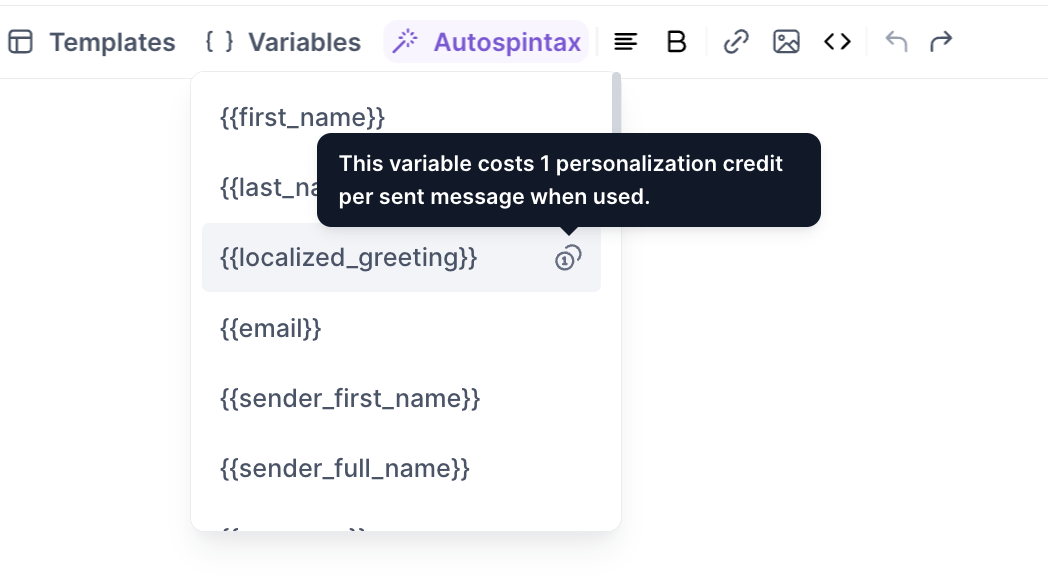
Using {{localized_greeting}} consumes 1 personalization credit per sent message where the variable is included.
Benefits
Create more personalized outreach at scale
Improve the natural feel of your messages
Communicate more effectively with global audiences
Reduce the need to manually create language-specific greetings
Start using {{localized_greeting}} to make your Human Path messages more engaging and relevant for every recipient.