AI replies on the Human Path bring the same intelligent reply handling you already know from Agent Frank into your own Multichannel sequences. Instead of manually drafting every response to incoming replies, you can let our AI either suggest answers for you to confirm, or send them automatically. The goal: respond faster, keep conversations flowing, and free your team to focus on the leads that need a human touch.
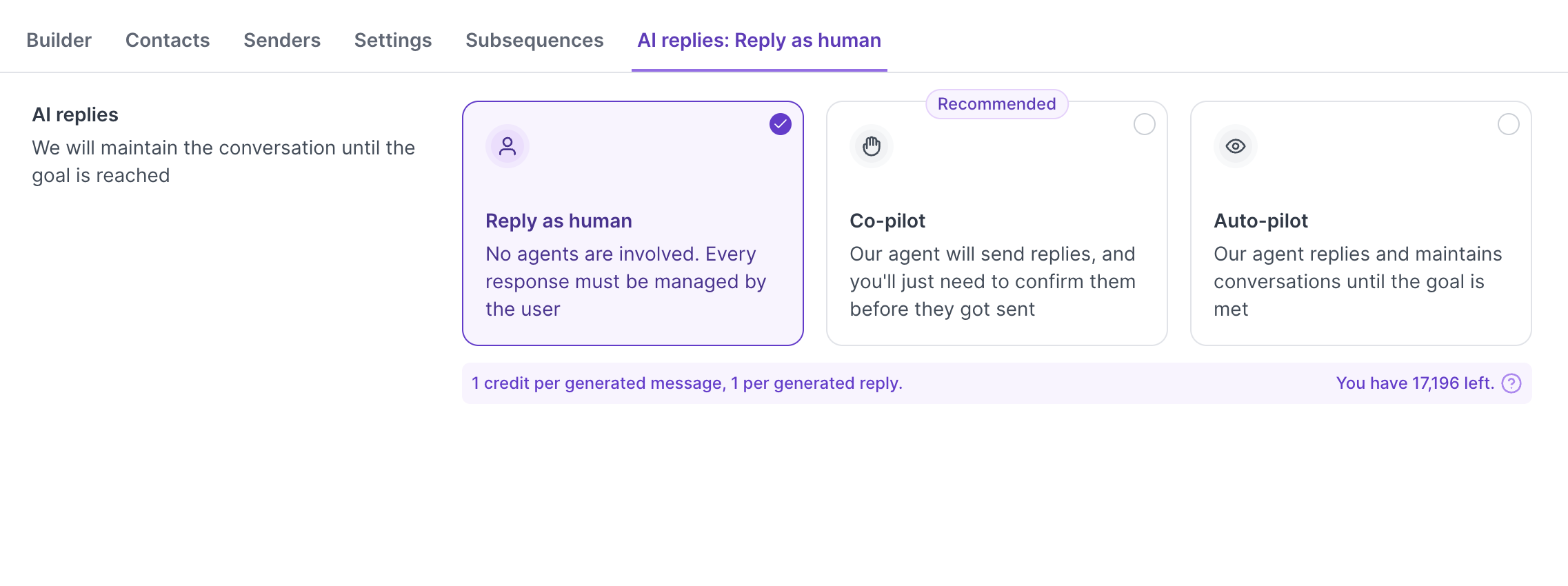
When you create or edit a Multichannel sequence, you will see a new tab called “AI replies: Reply as human”. From there you can pick one of three modes for how AI should handle incoming replies:
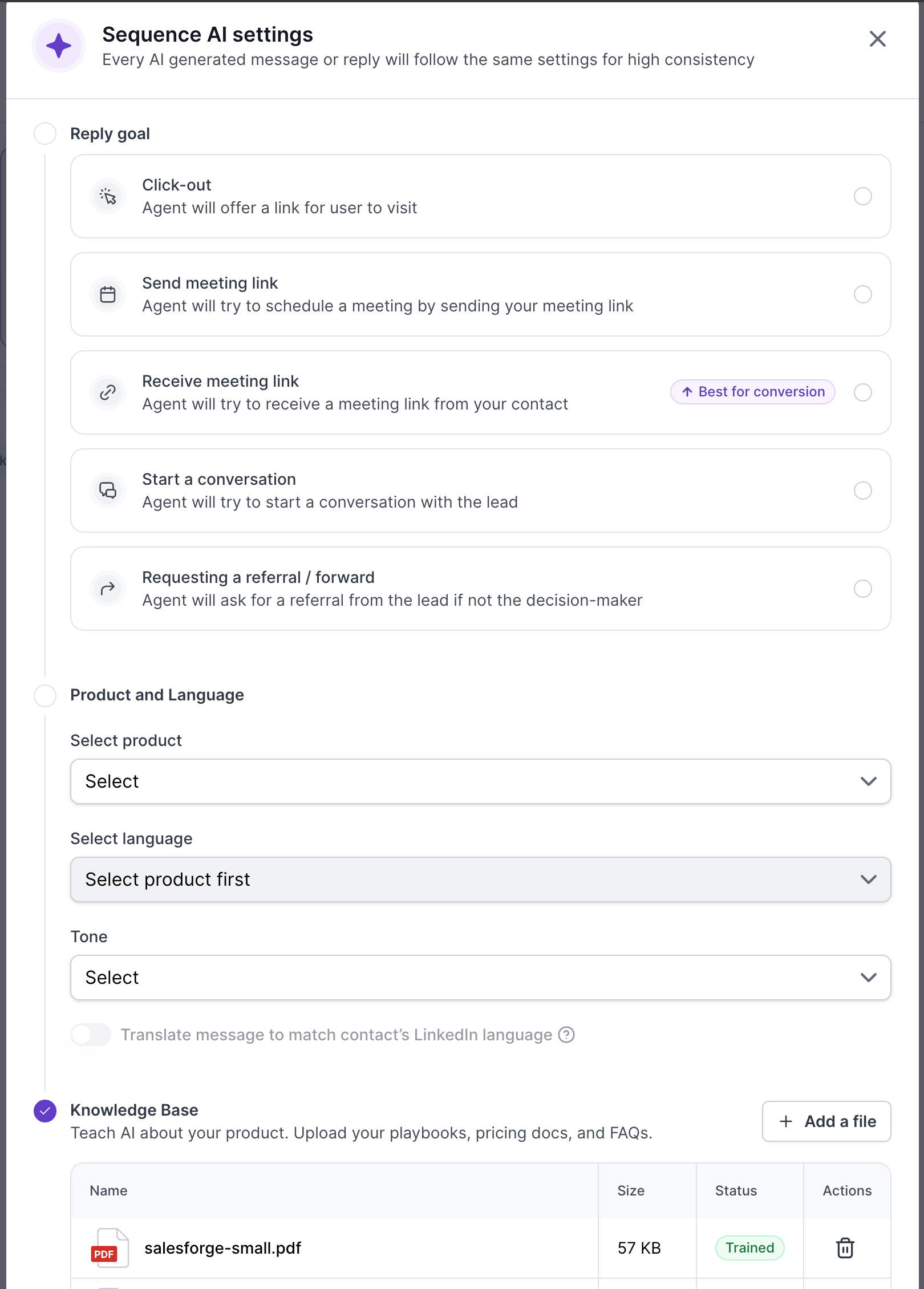
These settings apply to every AI-generated message and reply in the sequence.
Goal - what the AI is trying to achieve in the conversation (for example: Book a meeting).
Language - the language the AI should write in.
Tone - the writing voice the AI should use (for example, Curious, Friendly, Professional).
Product - the product or service the sequence is promoting.
Translate to match LinkedIn - when enabled, the AI translates outgoing messages to match the contact’s LinkedIn language.
Knowledge base - the files you upload to teach the AI about your product or service. The AI uses this material to keep replies on-brand and factually accurate. Add as many files as you need; status updates to “Trained” once the file has been processed.
Even in Auto-pilot mode, the AI does not blindly answer every email. It uses a built-in reply gate to decide whether a response is appropriate. The AI will skip the reply in these cases:
Bounces - hard or soft bounce notifications.
Out-of-office replies - automated OOO or vacation responders.
Negative replies - messages where the lead clearly indicates they are not interested or asks not to be contacted.
When the AI decides not to reply, the thread is left untouched so you can review and follow up manually if you choose. Internally, every decision is logged with a classification, confidence score, and a short reason, useful context as we expand visibility into AI decisions in future releases.
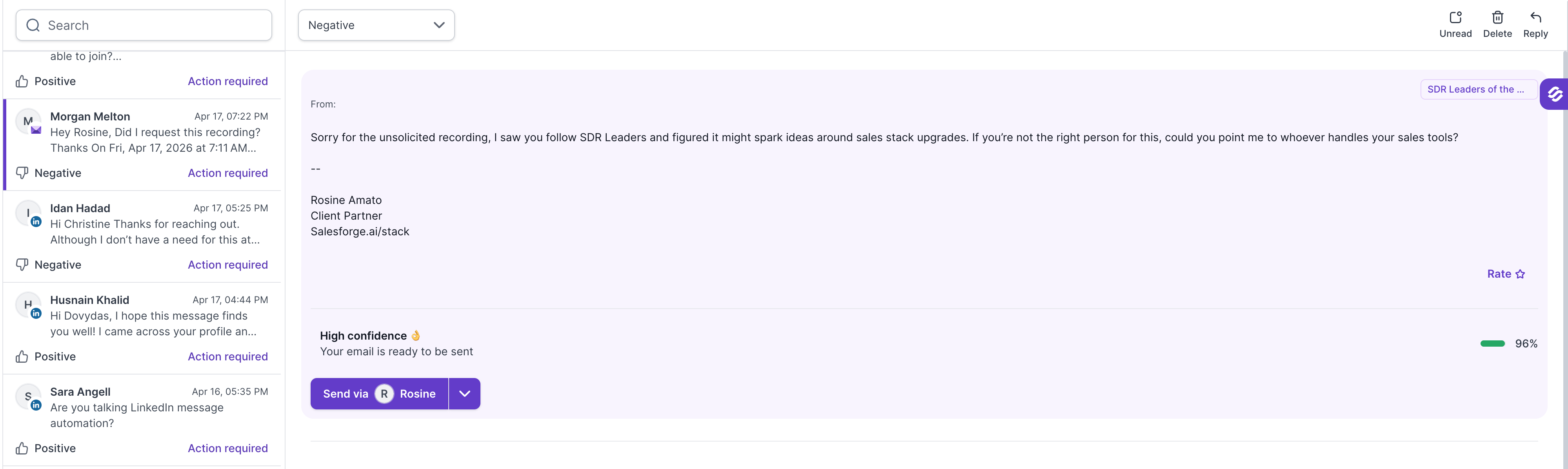
In the Primebox list, lead is marked with Action Required status and draft reply appears on top with option to Send, skip or edit the reply.
The reply experience is similar, the AI uses the same models and the same Knowledge Base to write responses. The difference is the path: Agent Frank runs the full sourcing-to-reply flow on its own, while AI replies on the Human Path live inside your existing Multichannel sequences and only take over the reply step.
Yes. Open the sequence, change the mode on the AI replies tab, and save. The new mode applies to incoming replies from that point forward, replies already drafted or sent are not affected.
If your personalization balance reaches zero, no new AI messages or replies are generated until the balance is topped up. Existing sent replies are not affected.
No. Smart Handling automatically detects negative responses, bounces, and OOO replies and skips the AI response. You can still answer those threads manually if you want to.
Today the decision is stored on the thread but is not yet surfaced in the UI. UI visibility of the reply-gate decision (classification, reason, confidence) is on the roadmap.
