
Leadsforge offers a direct integration with HubSpot, allowing you to send your enriched leads straight into your sales pipeline.
With this integration, you can sync high-quality lead data from Leadsforge into HubSpot in just a few clicks. Whether you’re managing outreach, tracking deals, or building automated workflows, this helps you keep your data organized and actionable without manual work.
Step 1: Connect your HubSpot account
Before exporting, you’ll need to connect HubSpot to Leadsforge:
Go to Settings in Leadsforge
Navigate to the Integrations section
Click Connect next to HubSpot
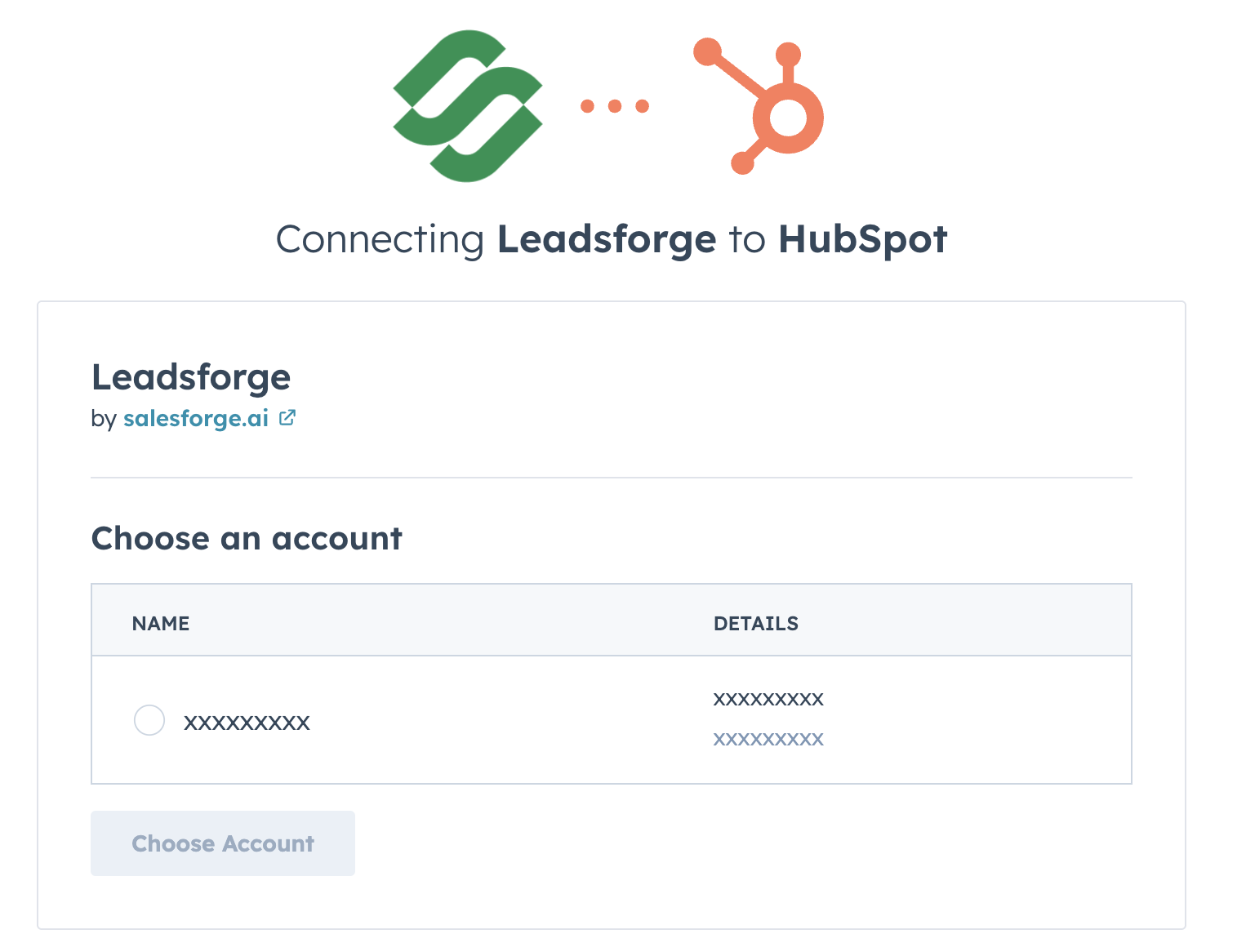
You’ll then be prompted to:
Sign in to an existing HubSpot account, or
Create a new HubSpot account
If you’re already logged into HubSpot in your browser, you’ll simply select the account you want to connect.
Step 2: Map your fields
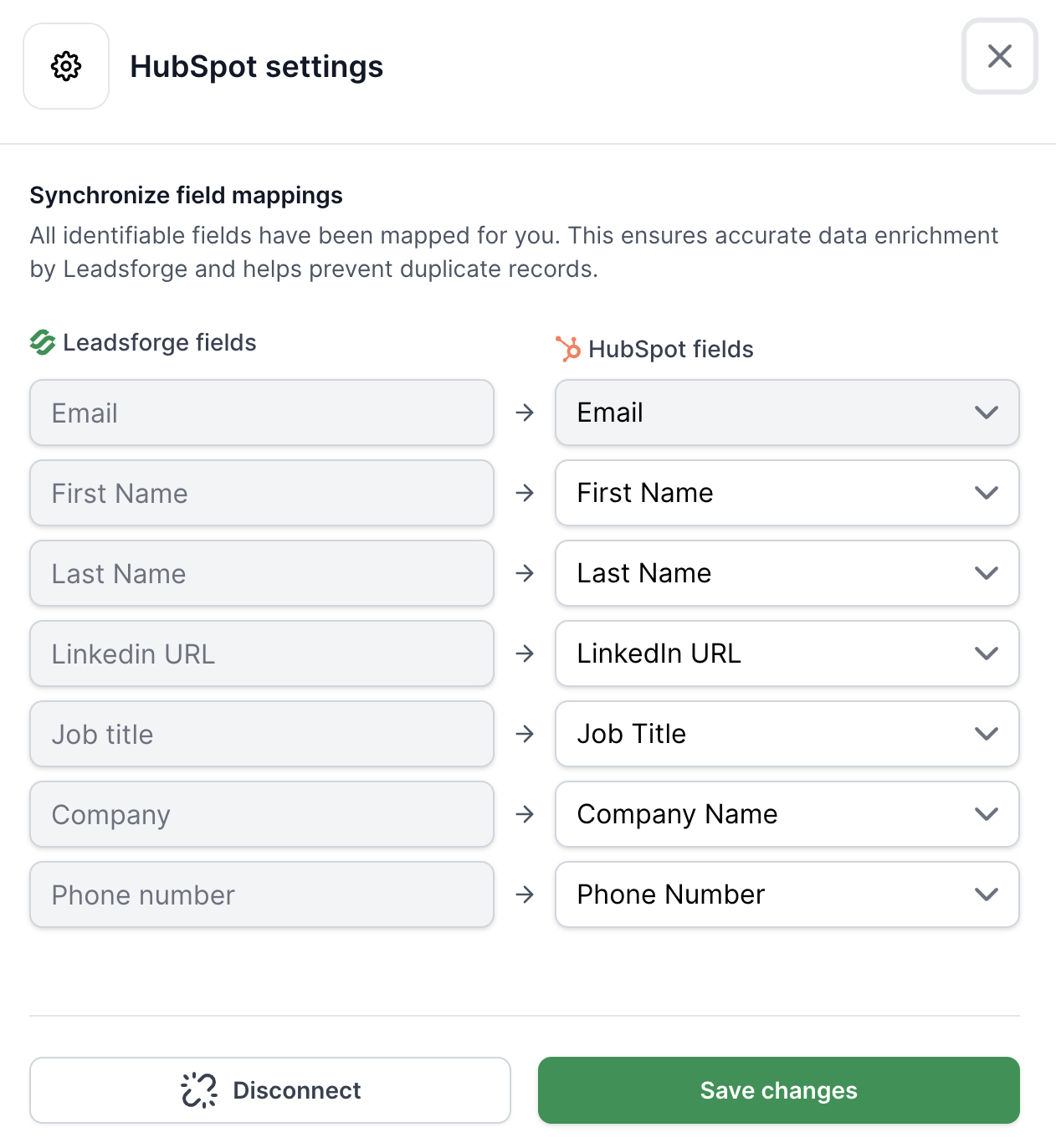
After connecting, you’ll need to map fields between Leadsforge and HubSpot.
This ensures that data (such as name, email, company, etc.) is transferred correctly.
You can update or adjust mappings at any time in Leadsforge:
Settings → Integrations → HubSpot → Settings
Step 3: Export leads to HubSpot
Once your HubSpot account is connected and fields are mapped:
Go to your enriched leads in Leadsforge
Click Export
Select Export to HubSpot
An export will be initiated to get your leads sent directly to your connected HubSpot account.