Salesforge.ai now seamlessly integrates with Make, giving you powerful automation capabilities for your email outreach and workflow management. By connecting Salesforge.ai with Make, you can monitor email activity in real-time, automate responses, and streamline your sales processes without manual intervention.
This integration leverages webhooks to track email events and provides actions to update your email threads based on these events. Whether you want to know when an email is opened, clicked, or replied, or automatically update thread labels, this integration makes it effortless.
With the Salesforge.ai + Make integration, you can trigger workflows based on the following events:
Watch Email Sent: Trigger an automation whenever an email is successfully sent.
Watch Email Opened: Detect when a recipient opens your email.
Watch Link Clicked: Track clicks on links included in your emails.
Watch Email Replied: Know when a recipient replies to your email.
Watch Contact Unsubscribed: Get notified when a contact unsubscribes from your emails.
Watch Email Bounce: Detect failed email deliveries.
Watch Positive Reply: Trigger actions when a recipient responds positively.
Watch Negative Reply: Trigger actions when a recipient responds negatively.
Watch Label Changed: Monitor changes in thread labels to trigger further workflows.
Currently, Salesforge.ai provides the following action in Make:
Update a Thread Label: Automatically update the label of an email thread based on workflow logic, responses, or engagement events.
Open Scenario builder in Make and search for Salesforge
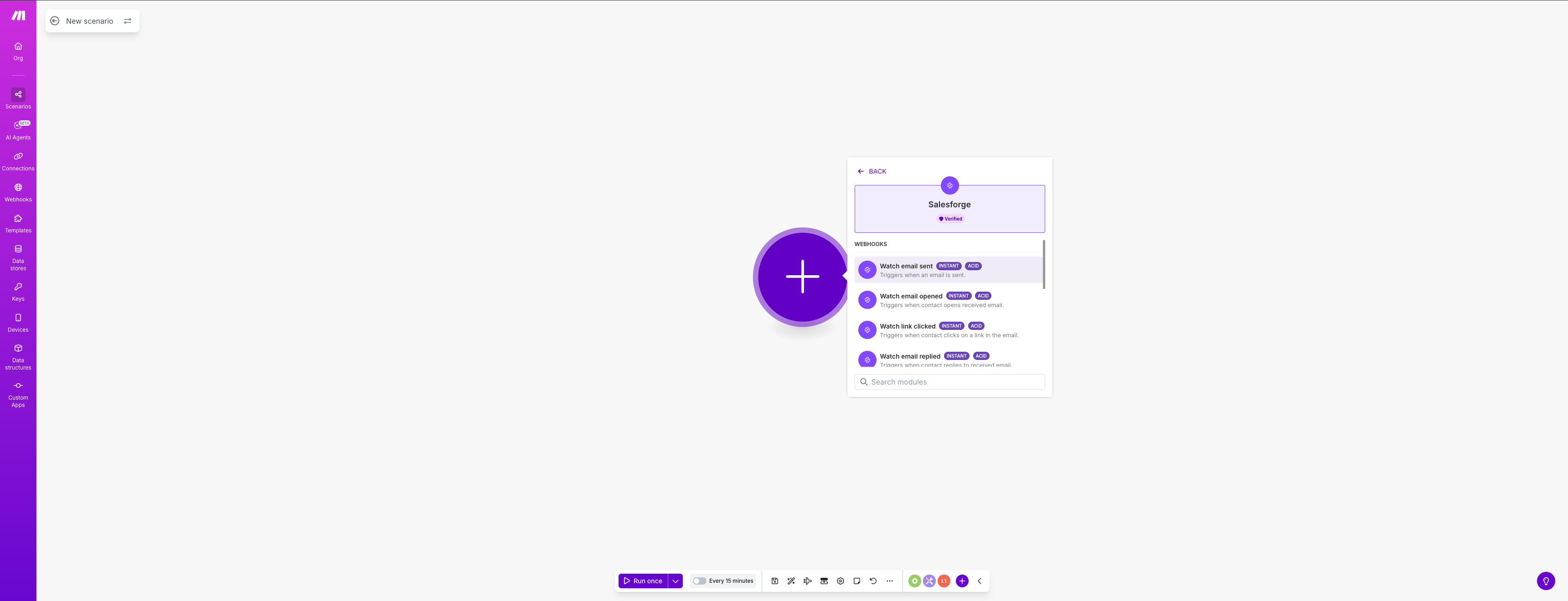
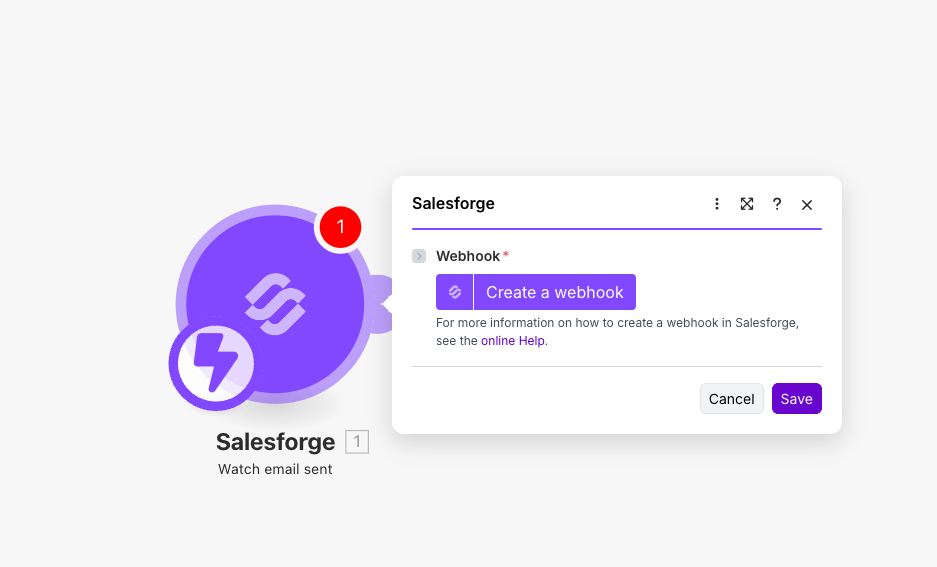
Choose your preferred Webhook or Action from the list depending on what you want to do with this integration and then click Create a webhook/action
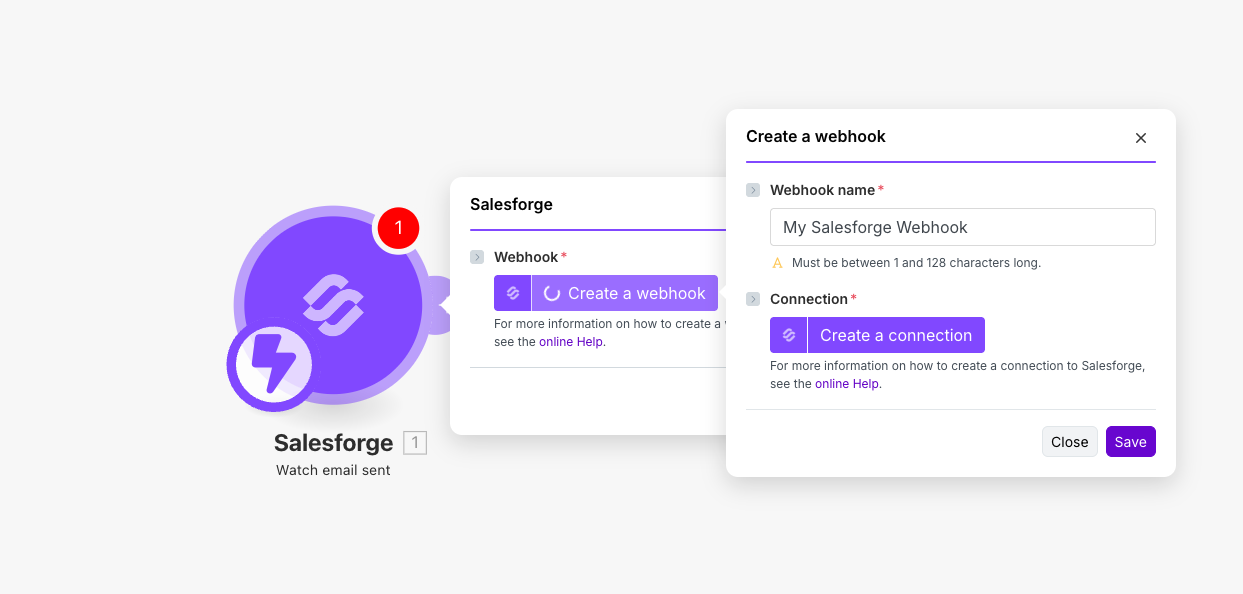
Give a name to webhook and click Create a connection
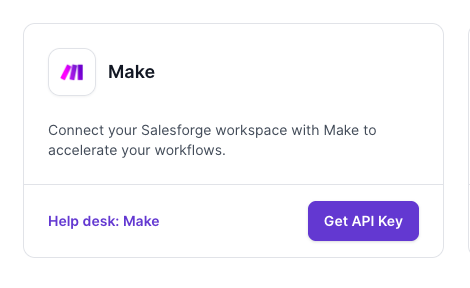
Go to Salesforge.ai to generate the API key. For doing that, go to Settings in Salesforge.ai > Integrations > Make and click Get API key
Input the API key in Make and click Save
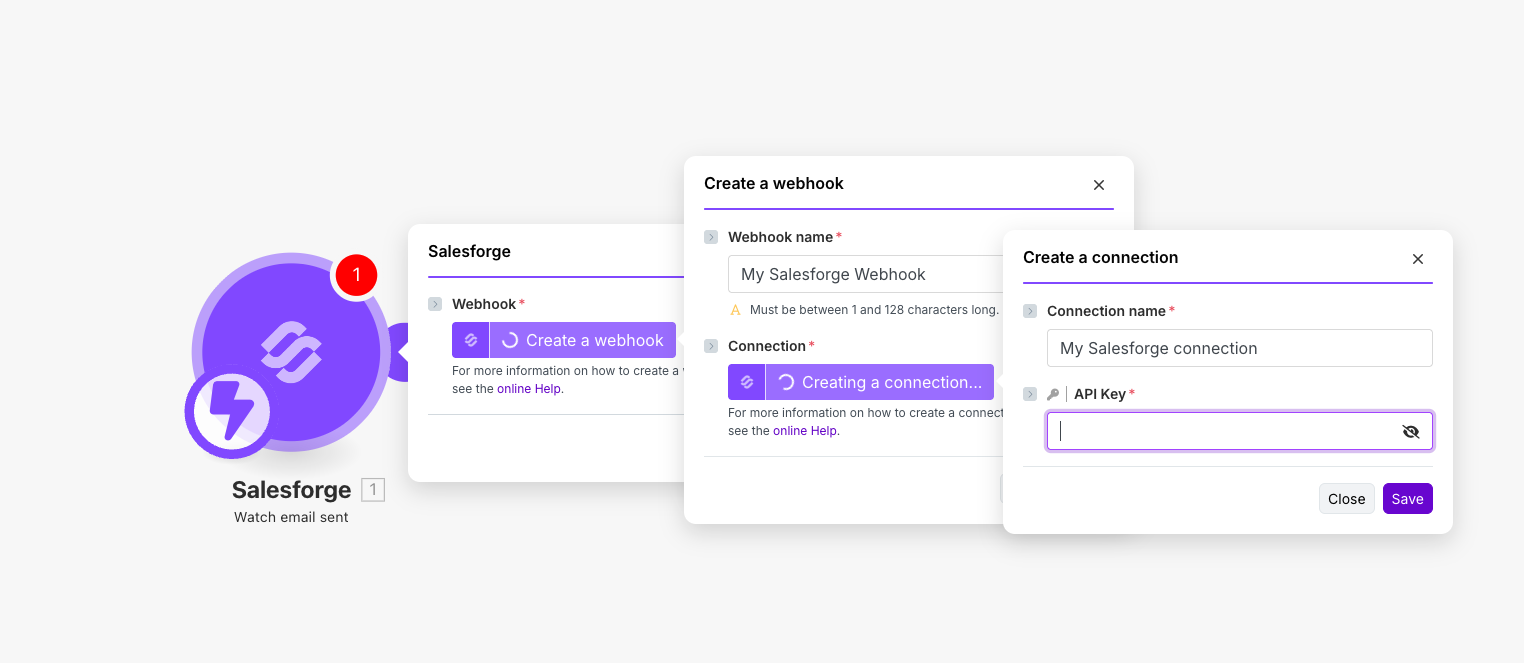
After this, your Salesforge account is connected with Make and you can configure the webhooks and actions.
