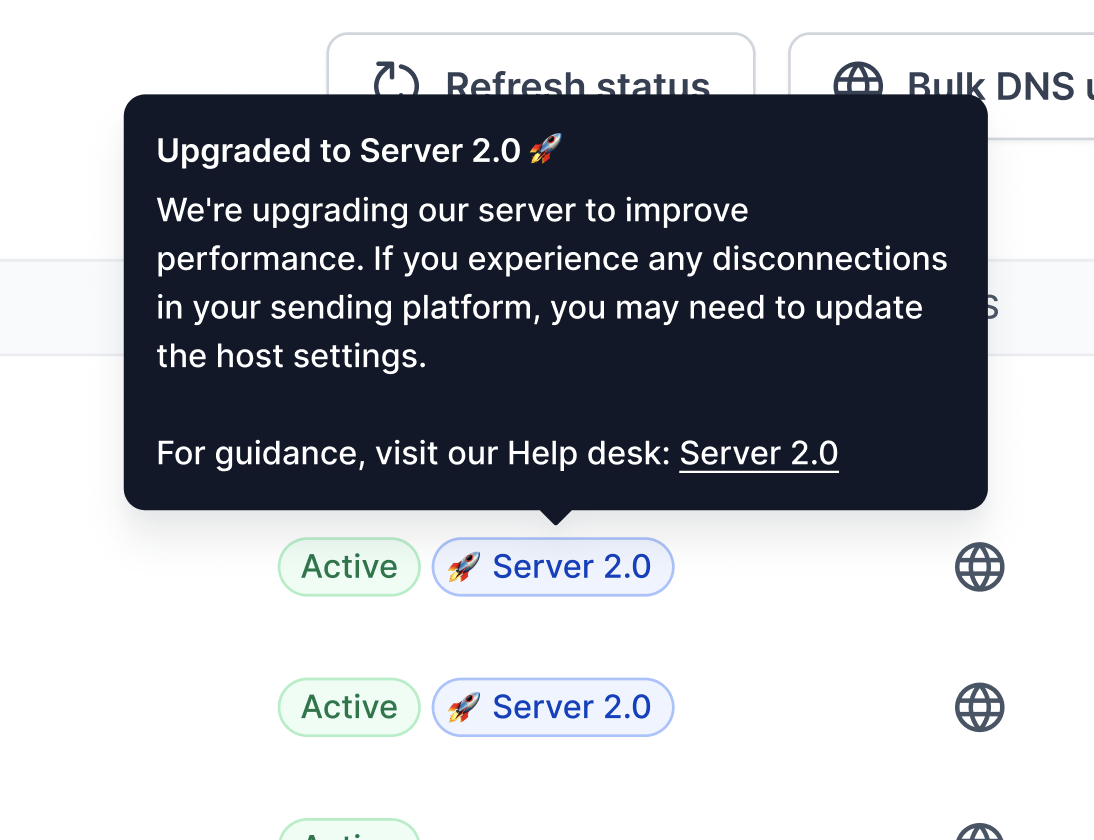
Some Mailforge accounts have been migrated to new high performance servers. For migrated mailboxes, the only setting that changes is the IMAP and SMTP hostname. Username, email and password stay the same.
Mailboxes are spread across many servers, so there is no single hostname for all mailboxes. The correct hostname for each mailbox is the one shown in your exported CSV file (and in the mailbox settings). Always use that value.
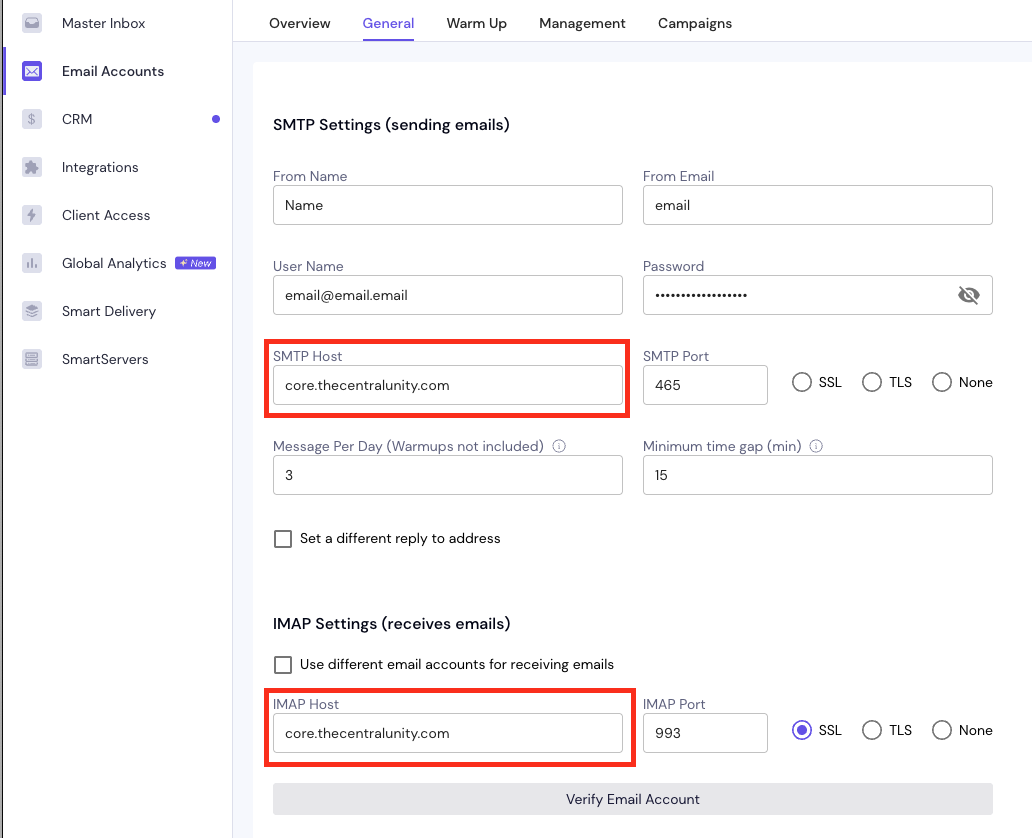
After migration, mailboxes may be disconnected from your sending platform (like Salesforge, Smartlead and Instantly). To reconnect them, go into the mailbox settings in your sending platform and change the hostname from the old one (for example mail.enom.com) to the hostname listed for that mailbox in the CSV file. In the example below, the new hostname is core.thecentralunity.com. This is only an example, your mailbox may use a different hostname.
Note: If you have a large amount of mailboxes, please let us know. You can share credentials with us and we can do it for you!
Please keep in mind that this should only be done for accounts that have the Server V2 indication in the Mailforge UI.